EasyManua.ls Logo

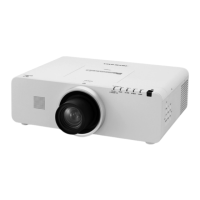
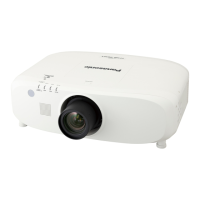
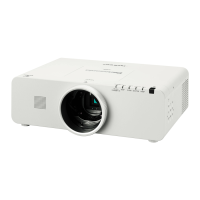
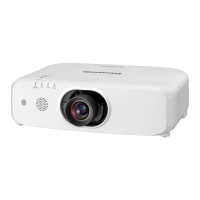
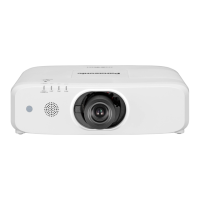
Panasonic PT-EW540 - User Manual

Panasonic PT-EW540
155 pages
Print Icon
To Next Page IconTo Next Page
Loading...
Thank you for purchasing this Panasonic product.

z
Without L : The standard zoom lens supplied With L : The lens sold separately
Before operating this product, please read the instructions carefully and save this manual
for future use.
Before using this product, be sure to read  (
x
pages 2 to 11).
TQBJ0687
LCD Projector
Commercial Use
Operating Instructions
Functional Manual
ENGLISH
Model No.
PT-EZ580
PT-EW640
PT-EX610
PT-EW540
PT-EX510

Table of Contents

Other manuals for Panasonic PT-EW540

Questions and Answers

  • C
    Charles RamirezSep 9, 2025
    Why Panasonic PT-EW540 color is pale or grayish?
    • H
      hamiltonnicholasSep 9, 2025
      If the color on your Panasonic Projector appears pale or grayish, check that [COLOR] or [TINT] are adjusted correctly. Also, verify that the external device connected to the projector is adjusted correctly. Finally, inspect the RGB cable for any damage.
  • A
    Anthony HicksSep 12, 2025
    Why Panasonic Projector audio is not output from the built-in speaker?
    • E
      Erin SmithSep 12, 2025
      If audio is not coming from the built-in speaker of your Panasonic Projector, verify that [BUILT-IN SP] in [AUDIO SETTING] is not set to [OFF]. Also, confirm that the audio input selection in [AUDIO SETTING] is set correctly.
  • D
    dolsenSep 14, 2025
    How to fix image does not display correctly on Panasonic PT-EW540 Projector?
    • A
      Amy GallegosSep 14, 2025
      If the image does not display correctly on your Panasonic Projector, verify that the [SYSTEM SELECTOR] selection is set correctly. Check if there is a problem with the video tape or other image sources. Also, ensure that a signal which is not compatible with the projector is not being input.
  • C
    Corey DiazSep 16, 2025
    Why Panasonic Projector buttons on the control panel do not operate?
    • A
      Ashley LopezSep 16, 2025
      If the buttons on the control panel of your Panasonic Projector do not operate, check if the [CONTROL PANEL] setting in [CONTROL DEVICE SETUP] is set to [DISABLE]. Also, verify whether the terminal is being used for contact control.

Summary

Critical Safety Information: Read This First!

Electrical Safety and Apparatus Earthing

Essential warnings on grounding, avoiding moisture, and preventing electrical hazards.

Operational Warnings and Compliance

Covers Class A product guidelines, usage context, and safety symbol explanations.

Projector Features and Quick Setup

Key Projector Capabilities

Highlights high luminance, flexible setup, reduced maintenance, and ECO features.

Essential Projector Setup Steps

A quick guide to initial setup tasks like projector placement and lens attachment.

Chapter 1: Preparation

Precautions Before Use and Installation

Covers safety, security, and general cautions for transporting, installing, and using the projector.

Understanding Projector Components

Details the remote control, projector body parts, and their functions.

Chapter 2: Getting Started

Setting Up the Projector

Explains installation modes and parts for ceiling mounting.

Connecting Projector to External Devices

Guides on connecting AV equipment, computers, and specific terminal pin assignments.

Chapter 3: Basic Operations

Powering the Projector On and Off

Step-by-step instructions for connecting power, using the power indicator, and turning the unit on/off.

Projecting and Adjusting the Image

Covers selecting input signals and adjusting focus, zoom, and lens shift.

Chapter 4: Settings

Menu Navigation and Basic Operations

Explains how to access and navigate the projector's on-screen menu system.

Picture Settings and Adjustments

Details how to adjust picture mode, contrast, brightness, color, and temperature.

Position and Display Configuration

Covers image shift, aspect ratio, zoom, keystone, and screen settings.

Advanced, Network, and System Configuration

Explains advanced settings, network setup, display options, and projector setup.

Chapter 5: Maintenance

Troubleshooting Indicator Lights

Explains the meaning of lamp, temperature, and filter indicator lights for problem diagnosis.

Performing Projector Maintenance

Covers cleaning procedures for the outer case, lens, and air filter unit.

Resolving Common Projector Problems

A guide to common issues and their potential solutions with page references.

Chapter 6: Appendix

Technical Information and Protocols

Details PJLink protocol, control commands, and network interface specifications.

Projector Specifications and Signal Compatibility

Lists technical specifications, compatible video signals, and dimensions of the projector.

Ceiling Mount Safety and Accessories

Crucial safety precautions for ceiling mount installation and accessory information.

Panasonic PT-EW540 Specifications

General IconGeneral
Light SourceLamp
Display Type3LCD
Projection System3LCD
Brightness5400 lumens
Resolution1280 x 800 (WXGA)
ConnectivityHDMI, VGA, USB, RS-232C
Input TerminalsHDMI x 2, VGA x 1, USB x 1

Related product manuals