EasyManua.ls Logo

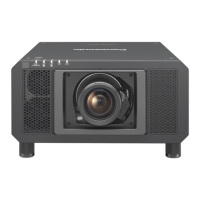
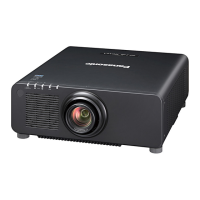
Panasonic PT-RZ870LBEJ - User Manual

Panasonic PT-RZ870LBEJ
212 pages
Print Icon
To Next Page IconTo Next Page
Loading...
Thank you for purchasing this Panasonic product.
This manual is common to all the models regardless of sufxes of the Model No.
z
for Taiwan
BT: Black model, the standard zoom lens supplied
z
for India
BD: Black model, the standard zoom lens supplied LBD: Black model, the lens sold separately
z
for Korea
B: Black model, the standard zoom lens supplied W: White model, the standard zoom lens supplied
z
for Asia (except for Taiwan, India, Korea) / Oceania / Africa
BA/B: Black model, the standard zoom lens supplied LBA/LB: Black model, the lens sold separately
WA/W: White model, the standard zoom lens supplied LWA/LW: White model, the lens sold separately
z
for other countries or regions
B: Black model, the standard zoom lens supplied LB: Black model, the lens sold separately
W: White model, the standard zoom lens supplied LW: White model, the lens sold separately
Before operating this product, please read the instructions carefully and save this manual
for future use.
Before using this product, be sure to read “Read this rst!” (
x
pages 5 to 16).
DPQP1233ZA/X1
DLP™ Projector
Commercial Use
Operating Instructions
Functional Manual
ENGLISH
Model No.
PT-RZ870

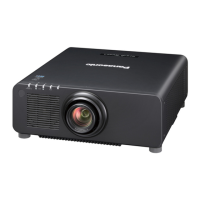
Table of Contents

Questions and Answers

  • L
    lisa20Aug 19, 2025
    How to troubleshoot a Panasonic PT-RZ870LBEJ Projector that won't turn on?
    • P
      Peter MurphyAug 19, 2025
      If the Panasonic Projector's power isn't turning on, make sure the power plug is securely inserted into the outlet. Check that the switch isn't set to . Verify the wall outlet is supplying electricity and that the circuit breakers haven't tripped. Also, check if the light source indicators / are blinking or if the temperature indicator is lit or blinking.
  • M
    Michelle JohnsonAug 21, 2025
    Why is my Panasonic PT-RZ870LBEJ Projector remote control not responding?
    • W
      Wanda BrownAug 21, 2025
      If the remote control for your Panasonic Projector isn't responding, first check if the batteries are depleted and ensure they are inserted with the correct polarity. Make sure there are no obstructions between the remote and the projector's signal receiver. Also, verify that the remote is within its effective operating range and that no other light sources, like fluorescent lights, are interfering with the projection. Check if the [REMOTE CONTROL] setting in [CONTROL DEVICE SETUP] is set to [DISABLE] or if the terminal is used for contact control. Finally, confirm that the ID number setting operation is correct.
  • A
    Alicia BoyleAug 23, 2025
    How to fix a fuzzy image on a Panasonic PT-RZ870LBEJ?
    • A
      angela80Aug 23, 2025
      If the image from your Panasonic Projector is fuzzy, ensure the lens focus is set correctly and the projection distance is appropriate. Check if the lens is dirty and ensure the projector is installed perpendicular to the screen.
  • T
    tracywebbAug 26, 2025
    What to do if the buttons on my Panasonic Projector control panel don't work?
    • A
      Amy LongAug 26, 2025
      If the buttons on the control panel of your Panasonic Projector do not operate, check if the [CONTROL PANEL] setting in [CONTROL DEVICE SETUP] is set to [DISABLE]. Also, check if the terminal is used for contact control.
  • K
    Kirk HansonAug 27, 2025
    Why is my Panasonic PT-RZ870LBEJ Projector image not displaying correctly?
    • B
      Brett MorganAug 27, 2025
      If the image on your Panasonic Projector does not display correctly, ensure that the [SYSTEM SELECTOR] is set properly and that the [RGB1 INPUT SETTING] is correct. Check for any issues with the video tape or other image sources. Verify that the input signal is compatible with the projector.
  • R
    rebeccariveraAug 29, 2025
    Why is my Panasonic PT-RZ870LBEJ Projector not displaying the computer image?
    • J
      Jodi LambertAug 29, 2025
      If the image from a computer does not appear on your Panasonic Projector, check if the cable is too long (for D?Sub cables, it should be 10 m (32'10") or shorter). Also, verify that the external video output on the laptop is set correctly, referring to your computer's user manual for instructions (e.g., using “Fn” + “F3” or “Fn” + “F10” keys).
  • A
    Ashley AndersonSep 1, 2025
    What to do if Panasonic PT-RZ870LBEJ HDMI video is not displayed or jumbled?
    • C
      Christina LoveSep 1, 2025
      If video from an HDMI compatible device does not appear or appears jumbled on your Panasonic Projector, check if the HDMI cable is connected securely. Try turning the power of both the projector and the external device off and on. Ensure that the input signal is compatible with the projector.
  • T
    Tony SantiagoSep 3, 2025
    Why is the DIGITAL LINK input image not displayed on my Panasonic Projector?
    • A
      Angela GonzalezSep 3, 2025
      If the DIGITAL LINK input image is not displayed on your Panasonic Projector, verify that the cable is compatible with the projector's condition. Ensure the connections between the twisted-pair-cable transmitter and external device, and between the transmitter and projector are correctly done. Check if [DIGITAL LINK MODE] is set to [AUTO], [DIGITAL LINK], or [LONG REACH], and that it is not set to [ETHERNET]. Also, ensure that the input signal is compatible with the twisted-pair-cable transmitter.
  • L
    Linda PorterSep 5, 2025
    What to do if no image appears on my Panasonic Projector?
    • J
      jonathan63Sep 5, 2025
      If no image appears on your Panasonic Projector, first ensure that all connections to external devices are correctly performed and that the input selection setting is correct. Check if the [BRIGHTNESS] adjustment is at a minimum. Verify that the external device connected to the projector is working properly and that the shutter function is not in use. Ensure the lens cover is removed. If the power indicator is blinking red, consult your dealer.
  • C
    Carolyn HoganSep 7, 2025
    Why is my Panasonic PT-RZ870LBEJ Projector image so dark?
    • J
      Jenny TaylorSep 7, 2025
      If the image from your Panasonic Projector is dark, check if the [CONTRAST] adjustment is set to a minimum. Also, see if the setting value of [LIGHT OUTPUT] is set too small. Check if the light source indicators / are blinking. Reattaching the projection lens may also improve the image.

Panasonic PT-RZ870LBEJ Specifications

General IconGeneral
Brightness8, 500 lumens
Contrast Ratio20, 000:1
Light SourceLaser
Display TypeDLP
Resolution1920 x 1200 (WUXGA)
ConnectivityHDMI, DVI-D, DisplayPort, 3G-SDI
LensOptional
Lamp Life20, 000 hours
Operating Temperature0°C to 40 °C

Related product manuals