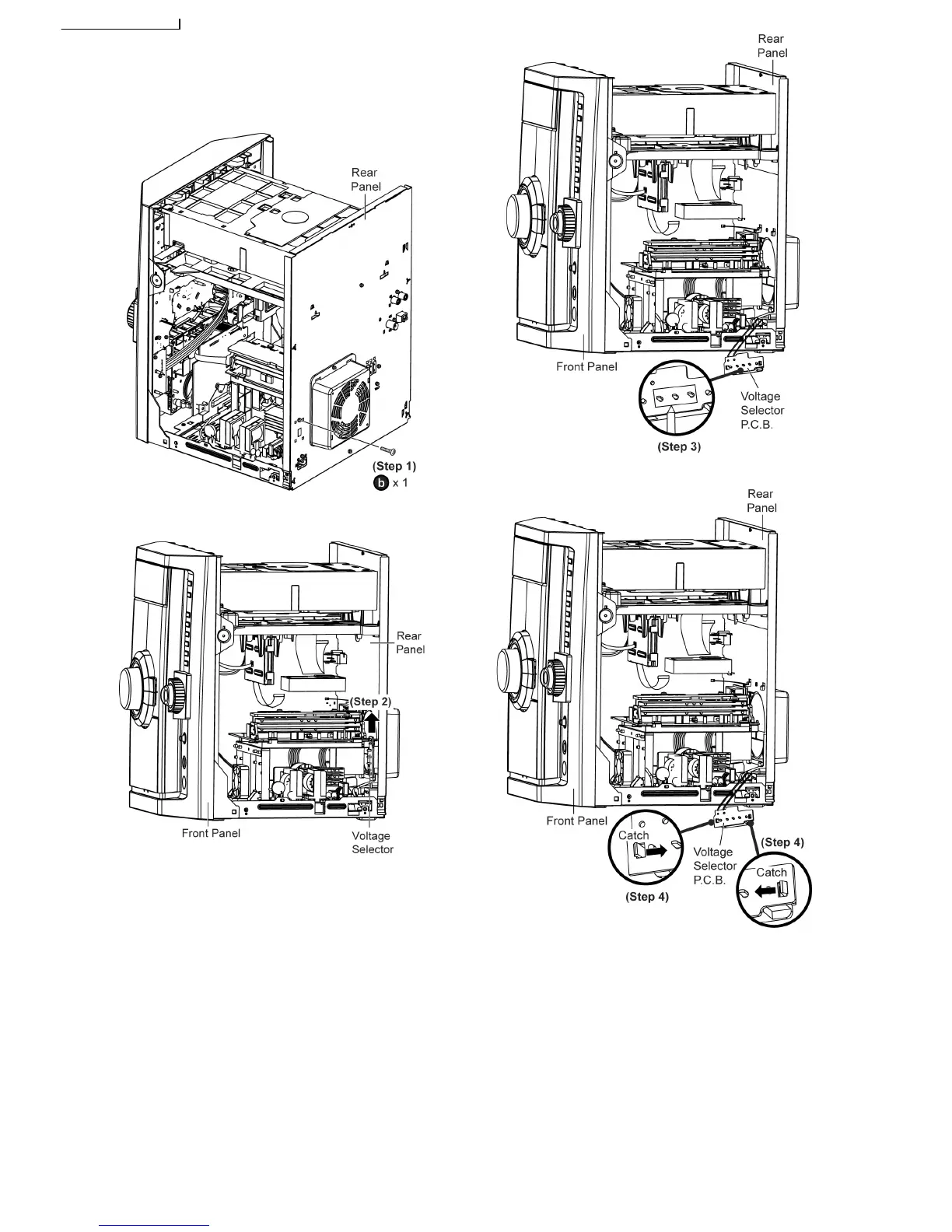
8.36. Disassembly of Voltage
Selector ( For GCP Only)
• Follow the (Step 1) - (Step 5) of Item 8.4
Step 1
Remove 1 screw at rear panel.
Step 2
Push up the voltage selector from rear panel as arrow
shown.
Step 3
Desolder 3 pins of Voltage Selector P.C.B..
Step 4
Release 2 catches on Voltage Selector P.C.B..
Step 5
Desolder 2 wire pin (White and blue).
56







 To Next Page