The radio
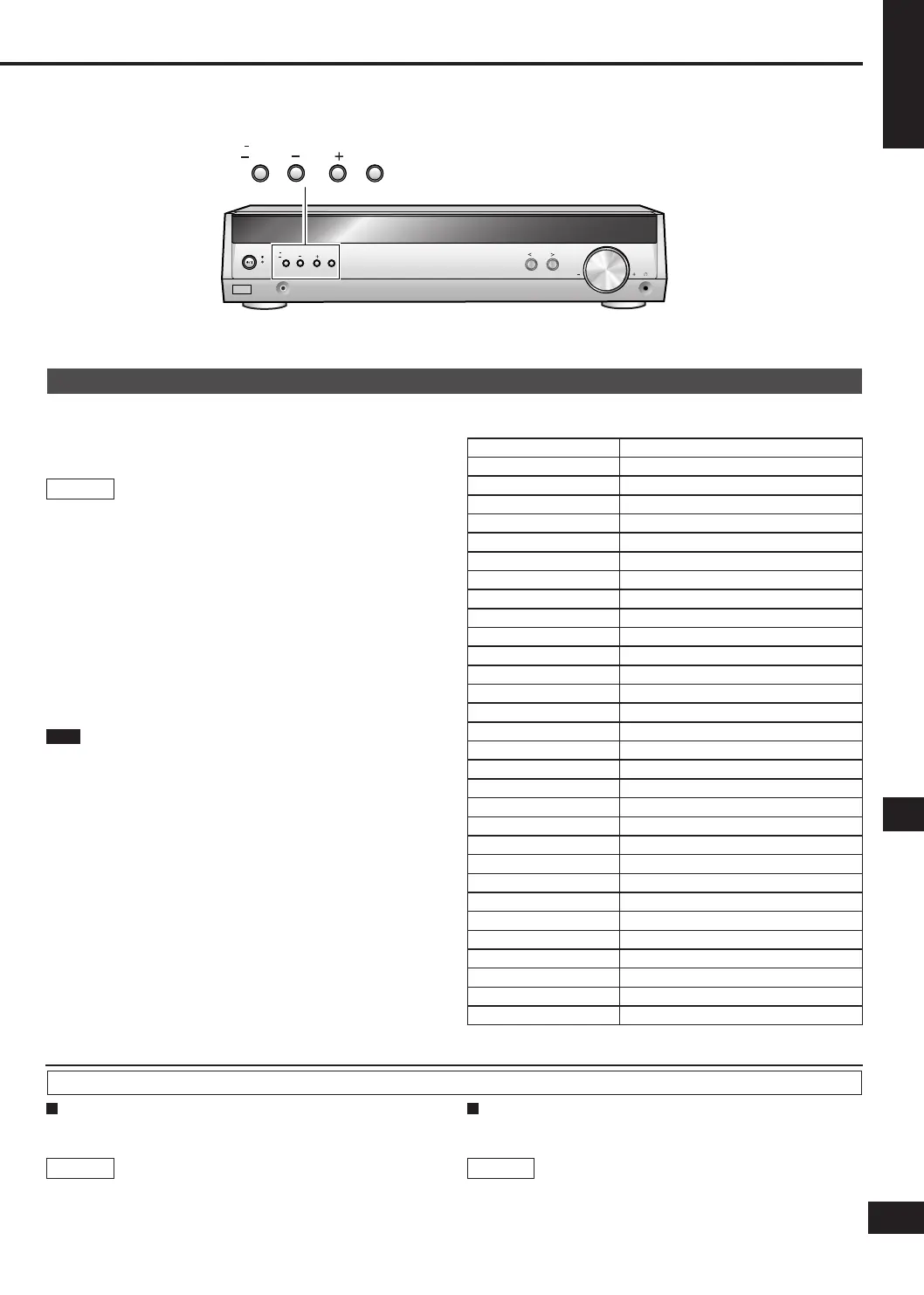
INPUT SELECTOR
TUNE
MENU
RETURN
SETUP
MUSIC PORT
VOLUME
ENTER
TUNE
MENU
RETURN
SETUP
ENTER
RDS broadcasts
This unit can display the text data transmitted by the radio data
system (RDS) available in some areas.
“RDS” lights while RDS signals are being received.
RDS displays may not be available if reception is poor.
1. Press [-MENU] to select "TUNER" ➡ "RDS DISP".
2. Press [TUNE - or +] to select "FREQUENCY", "PS
DISP" or "PTY DISP" ➡ [ENTER].
FREQUENCY: Frequency display
PS DISP: Program service, the station name (factory setting)
PTY DISP: Program type
This unit does not have the emergency broadcast system (EBS)
that tunes automatically into emergency broadcasts.
Main unit
Note
PTY Displays
NEWS News
AFFAIRS Current affairs
INFO Information
SPORT Sport
EDUCATE Education
DRAMA Drama
CULTURE Culture
SCIENCE Science
VARIED Varied
POP M Pop music
ROCK M Rock music
M-O-R- M Middle-of-the-road Music
LIGHT M Light classical
CLASSICS Serious classical
OTHER M Other music
WEATHER Weather information
FINANCE Finance
CHILDREN Children
SOCIAL A Social affairs
RELIGION Religion
PHONE IN Phone in
TRAVEL Travel
LEISURE Leisure
JAZZ Jazz music
COUNTRY Country music
NATIONAL National music
OLDIES Oldies
FOLK M Folk music
DOCUMENT Documentary
TEST Test broadcast
ALARM Emergency announcement
You can improve FM reception by switching reception to
monaural.
Main unit
1. Press [-MENU] to select "TUNER" ➡ "FM MODE".
2. Press [TUNE - or +] to select "MONO"
➡ [ENTER].
Select "AUTO" to cancel.
Reducing excessive noise
During FM stereo reception
During AM reception
When there is a lot of noise interference with an AM broadcast,
try switching this mode.
1. Press [-MENU] to select "TUNER" ➡ "BEAT
PROOF".
2. Press [TUNE - or +] to select "MODE 1" or "MODE
2" ➡ [ENTER].
Main unit
17
SA-HE40(RQTV0109-1E).indb 17 2/22/2006 4:33:22 PM




 To Next Page