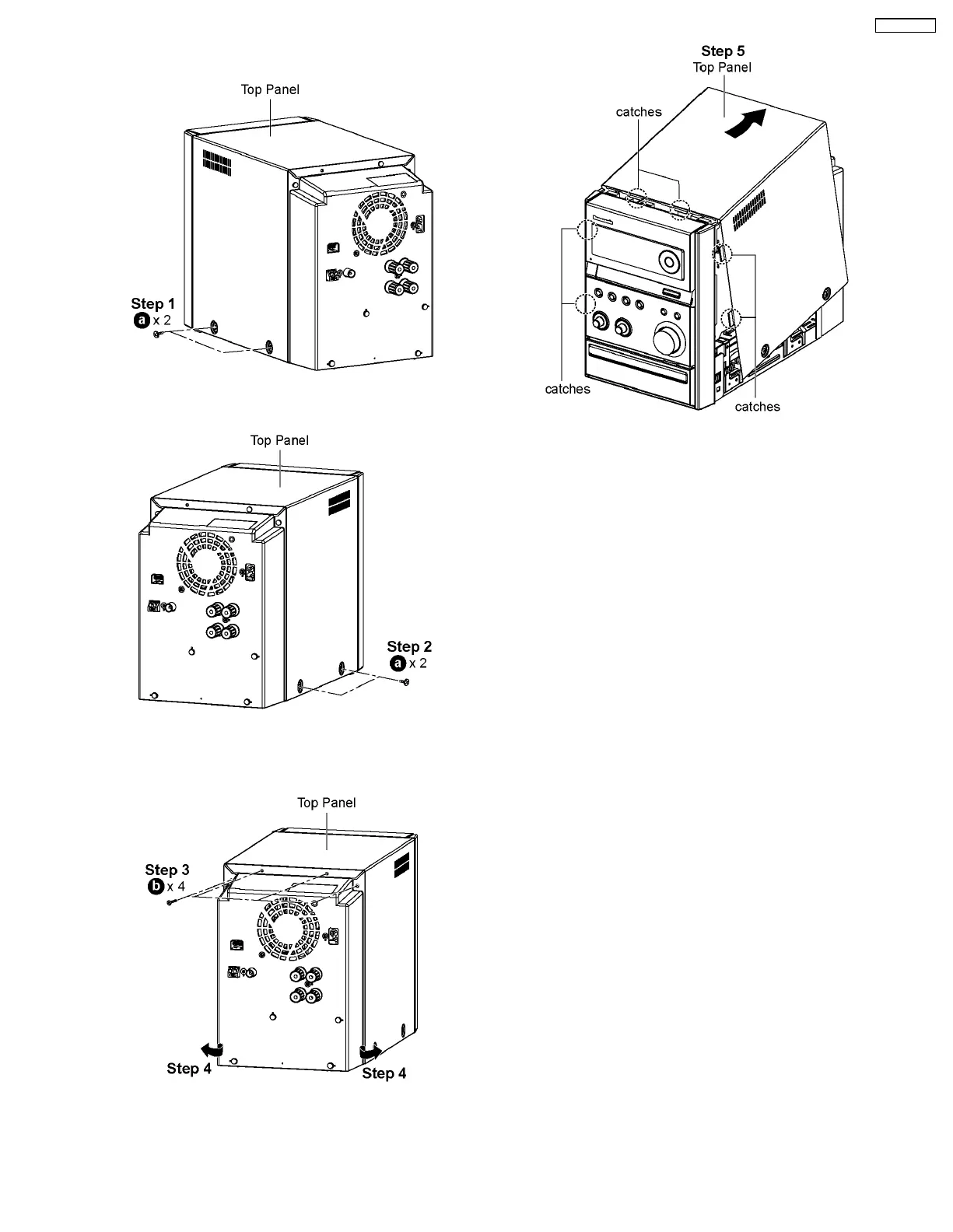
8.3. Disassembly of Top Panel
Step 1 : Remove 2 screws at the side of Top Panel (L).
Step 2 : Remove 2 screws at the side of Top Panel (R).
Step 3 : Remove 4 screws at the rear of Top Panel.
Step 4 : Lift both sides of Top Panel outwards in the direction
of arrow.
Step 5 : Lift up the back part of the Top Panel and remove it in
the direction of arrow.
Note : During assembling of top panel, ensure it seats
properly.
21
SA-PMX3GN





 To Next Page