8.16. Replacement of Digital Power-
Amp IC (IC5000)
• Follow the (Step 1) - (Step 5) of Item 8.3
• Follow the (Step 1) - (Step 6) of Item 8.9
• Follow the (Step 1) - (Step 7) of Item 8.11
• Follow the (Step 1) - (Step 2) of Item 8.15
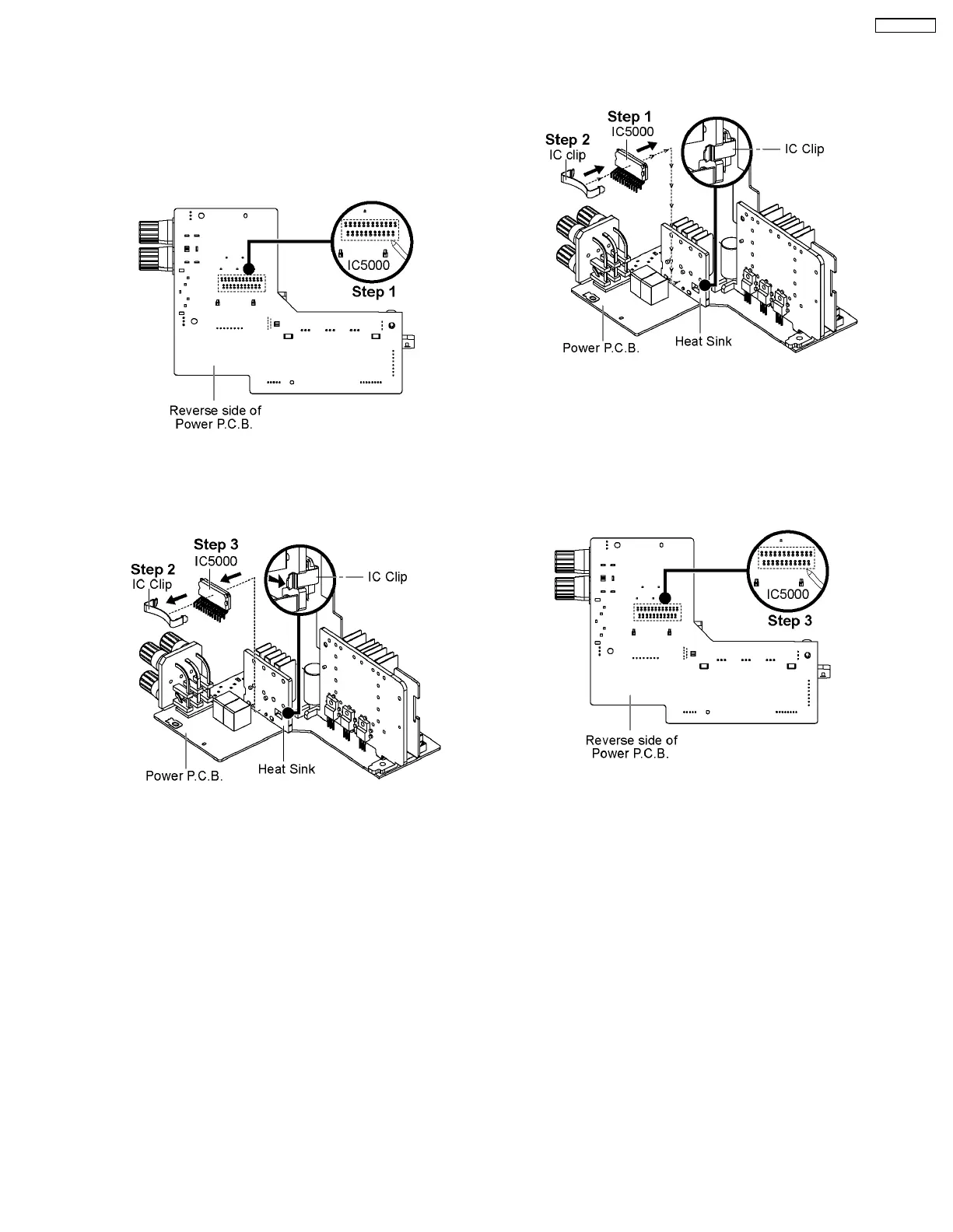
Step 1 : Desolder pins of Digital Power-Amp IC (IC5000) on
reverse side of Power P.C.B..
Step 2 : Release and remove the IC Clip.
Step 3 : Remove the Digital Power-Amp IC (IC5000).
Caution : Avoid touching the Heat Sink during replacement
due to its hight temperature as it may lead to injuries/shock.
8.16.1. Assembly of the Digital Power-
Amp IC (IC5000)
Step 1 : Mount the Digital Power-Amp IC (IC5000) onto the
Power P.C.B..
Caution : Ensure all pins are seated properly.
Step 2 : Fix IC clip to attach the Digital Power-Amp IC (IC5000)
to the Heat Sink.
Step 3 : Solder the pins of the Digital Power-Amp IC (IC5000)
on the reverse side of the Power P.C.B..
Caution : Before soldering, ensure all pins are properly seated
and no ‘floating’ of pins.
31
SA-PMX3GN





 To Next Page