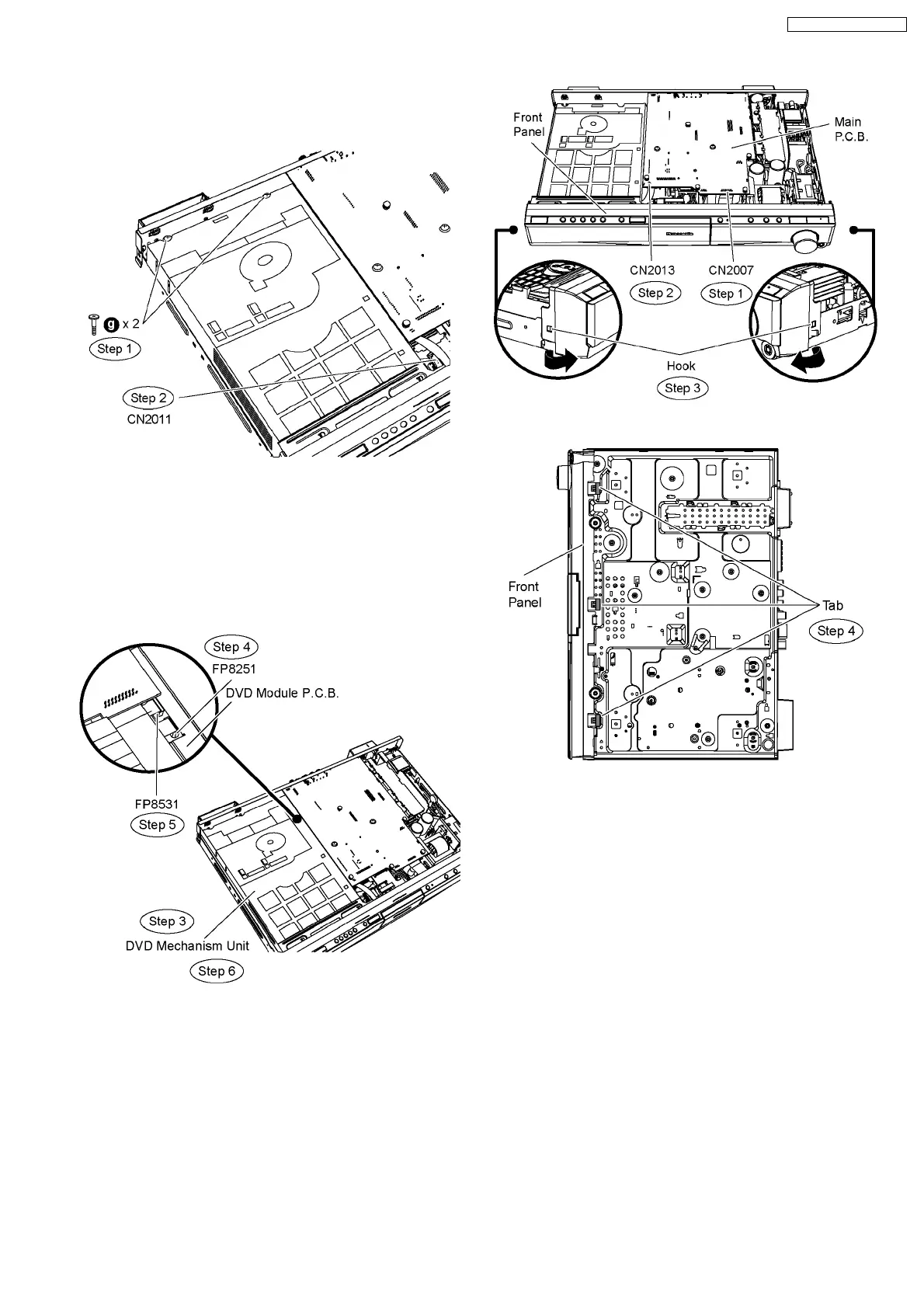
Step 1 Remove 2 screws from DVD mechanism unit.
Step 2 Detach 11P FFC cable at the connector (CN2011) on
Power Supply P.C.B.
Step 3 Move aside DVD mechanism unit and position it
according to the diagram show.
Step 4 Detach 7P FFC cable at the connector (FP8251) on
DVD Module P.C.B.
Step 5 Detach 26P FFC cable at the connector (FP8531) on
DVD Module P.C.B.
Step 6 Remove the DVD mechanism unit.
9.6. Disassembly of Front Panel
•
• •
• Follow (Step 1) to (Step 3) of Item 9.3.
Step 1 Detach 17P FFC cable at the connector (CN2007) on
Main P.C.B.
Step 2 Detach 4P FFC cable at the connector (CN2013) on
Main P.C.B.
Step 3 Release the hook at each side of the front panel in the
direction of arrow.
Step 4 Release the tabs at the bottom of the front panel.
Caution: Do not exert strong force when releasing the tabs.
Step 5 Detach the front panel slightly forward in the direction of
arrows.
Step 6 Detach 14P cable at the connector (CN6003) on Power
Supply P.C.B.
Step 7 Remove the front panel.
49
SA-PT660P / SA-PT660PC













 To Next Page