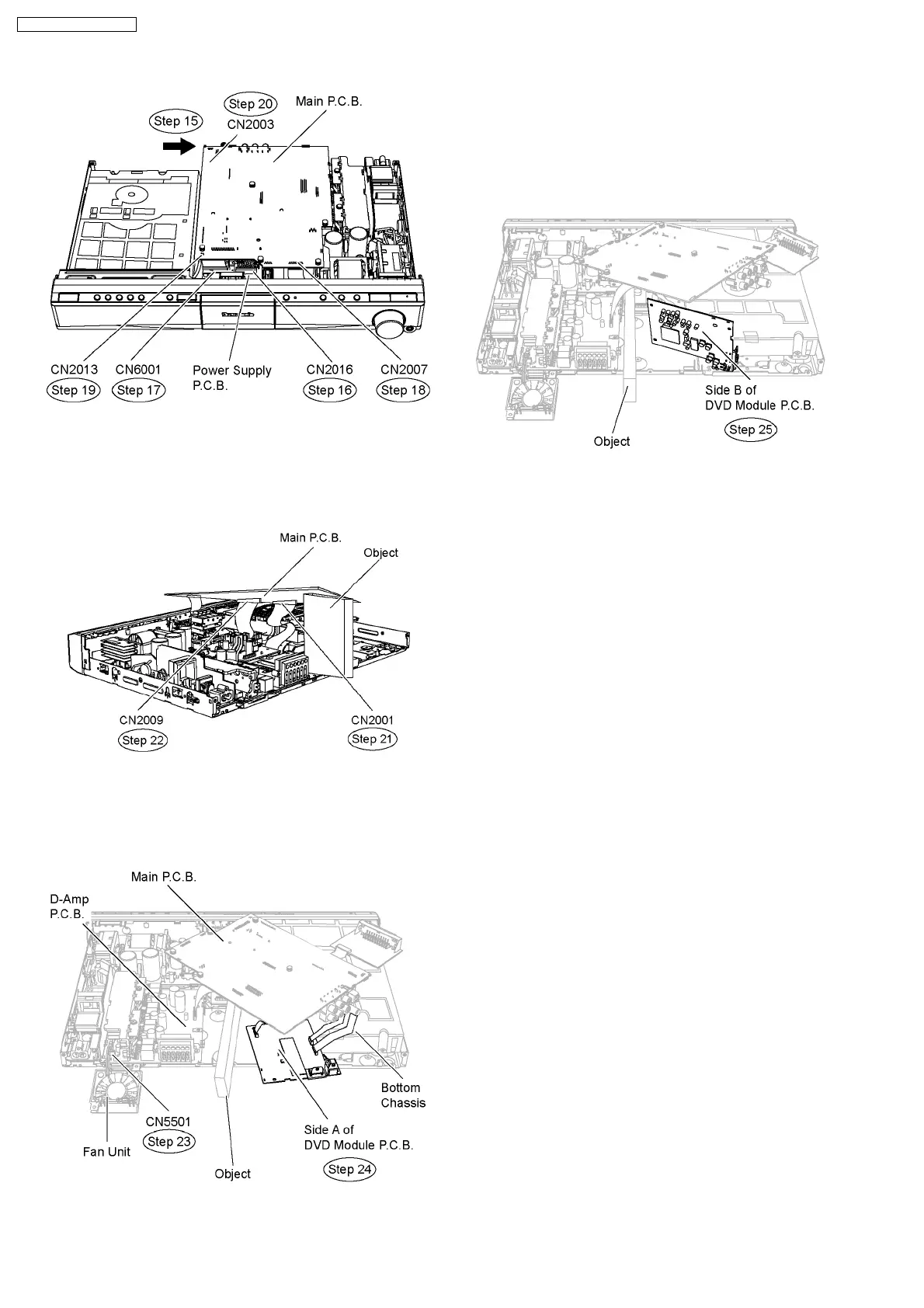
Step 21 Connect 50P cable at the connector (CN2001) on
Main P.C.B.
Step 22 Connect 17P cable at the connector (CN2009) on
Main P.C.B.
Step 23 Connect the fan unit at the connector (CN5501) on D-
Amp P.C.B.
Step 24 Detach DVD Module P.C.B. from the bottom chassis
and position its side A according to the diagram shown.
Note: An object can be placed beneath Main P.C.B. to adjust
its height.
•
• •
• Servicing side B of DVD Module P.C.B.
Step 25 Flip DVD Module P.C.B. to its side B and position it
according to the diagram shown..
78
SA-PT660P / SA-PT660PC













 To Next Page