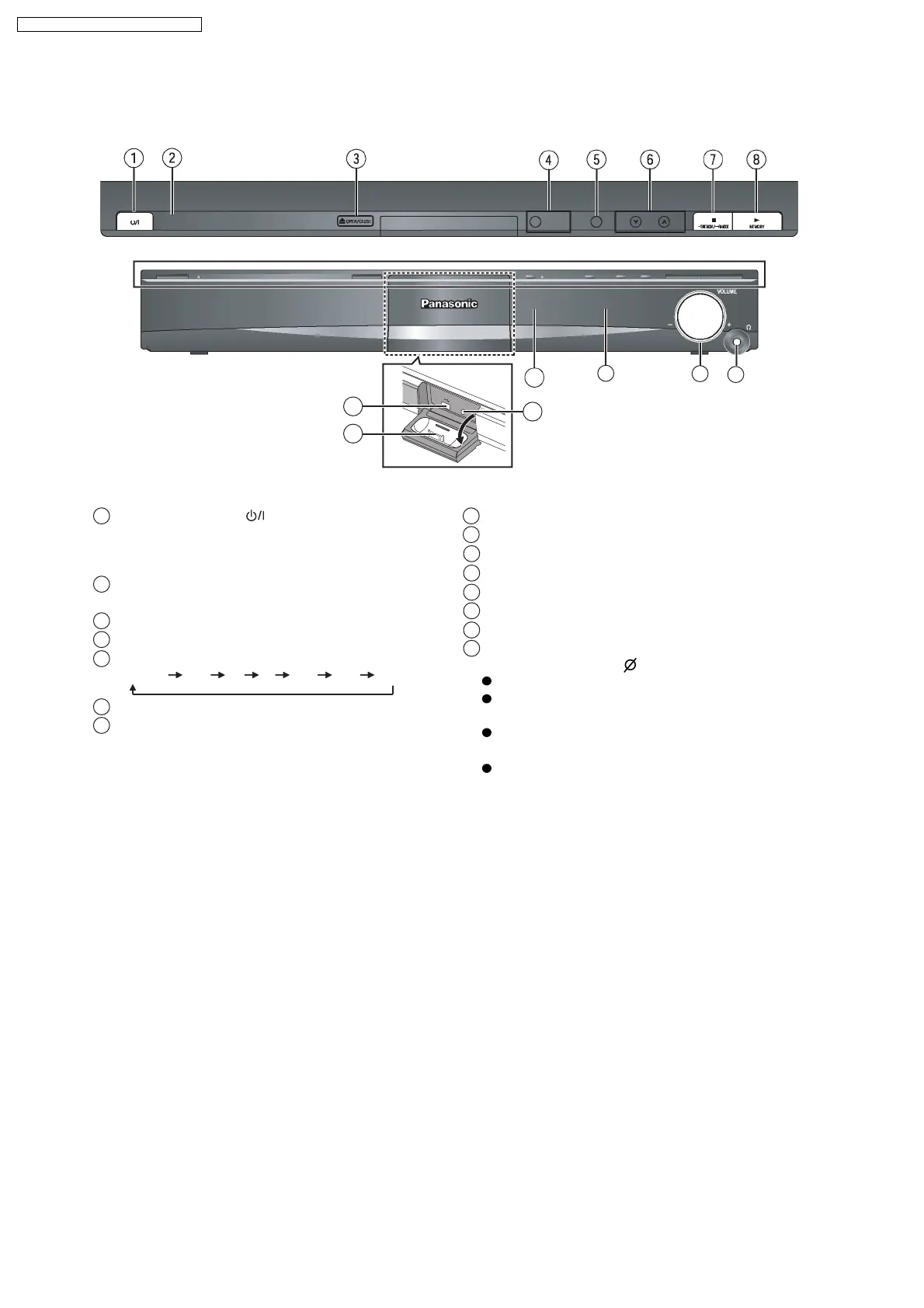
7.2. Main Unit Key Buttons Operations
Press to switch the unit from on to standby mode or
vice versa. In standby mode, the unit is still
consuming a small amount of power.
Standby/on switch [ ]
1
This indicator lights when the unit is connected to the
AC mains supply.
2
Turn Subwoofer Boost on/off4
Open/Close the disc tray3
Skip or slow-search play / Select the radio stations6
Stop playing / Select the tuning mode / Adjust the
FM reception condition
7
Play discs / Memorize the receiving radio stations8
Connect USB device9
Connect iPod
10
Connect Auto speaker setup microphone
11
Remote control signal sensor
12
Adjust the volume of this unit
14
Display
13
5 Select the source
DVD/CD USB FM AV AUX D-IN IPOD
15
Connect headphones (not included)
Reduce the volume before connecting.
Audio is automatically switched to 2-channel
stereo.
To prevent hearing damage, avoid listening for
prolonged periods of time.
Excessive sound pressure from earphones and
headphones can cause hearing loss.
Headphone plug type: 3.5 mm stereo mini plug
12
SW
B
O
O
ST
O
P
E
N
C
L
O
S
E
9
10
11
14
13
15
16
SA-PT860E / SA-PT860EB / SA-PT860EG



 To Next Page