12 Service Position
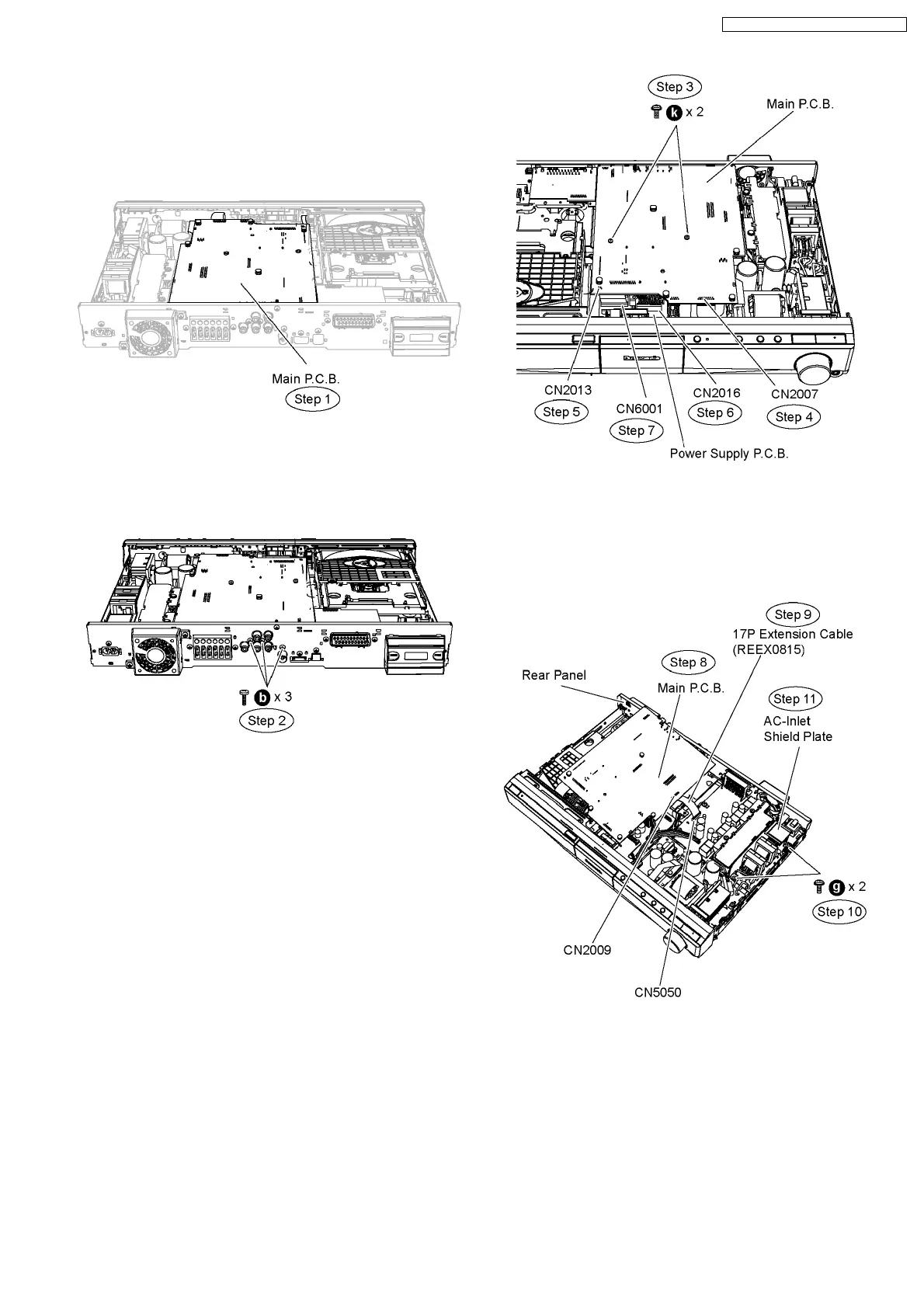
12.1. Checking & Repairing Main
P.C.B.
Step 1 Remove the top cabinet to service Main P.C.B.
12.2. Checking & Repairing D-Amp
P.C.B.
Step 1 Remove the top cabinet.
Step 2 Remove 2 screws at the rear panel.
Step 3 Remove2screwsonMainP.C.B.
Step 4 Detach 17P cable at the connector (CN2007) on Main
P.C.B.
Step 5 Detach 4P cable at the connector (CN2013) on Main
P.C.B.
Step 6 Detach 13P cable at the connector (CN2016) on Power
Supply P.C.B.
Step 7 Detach 28P cable at the connector (CN6001) on Power
Supply P.C.B.
Step 8 Detach Main P.C.B. from the rear panel and position it
according to the diagram show.
Step 9 Attach original cable with extension cable REEX0815
(17P cable from CN2009 to CN5050).
Step 10 Remove 2 screws at the shield plate unit.
Step 11 Remove the AC Inlet shield plate unit.
Step 12 Remove the D-Amp P.C.B. bracket.
Caution Note: Keep the D-Amp P.C.B. bracket in safe
place. Avoid denting it. Place it back during assembling.
Step 13 Remove 2 screws on D-Amp P.C.B.
Step 14 Remove the wire clamper to detach 3P cable at the
connector (CN5501) on D-Amp P.C.B.
71
SA-PT860E / SA-PT860EB / SA-PT860EG



 To Next Page