Simple setup
RQT7125
8
Television
STEP3
77
77
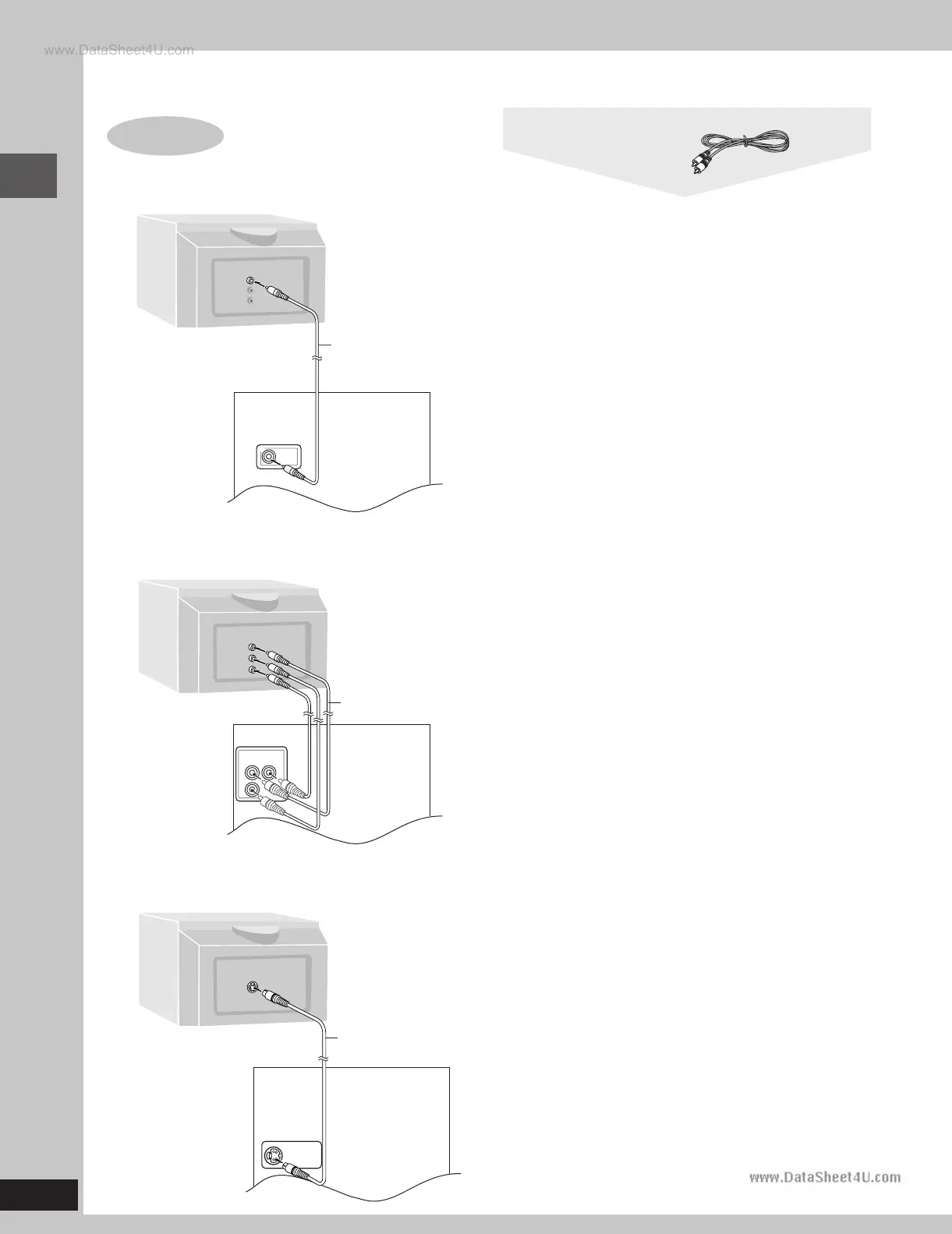
7 Connecting a television with a VIDEO IN terminal
77
77
7 Connecting a television with COMPONENT VIDEO IN terminals
77
77
7 Connecting a television with an S VIDEO IN terminal
Connect directly to your television.
Do not connect the unit through a video cassette recorder, because
the picture may not be played correctly due to the copy guard.
COMPONENT VIDEO OUT terminals
These terminals can be used for Interlace provide a purer picture than
the S VIDEO OUT terminal. Connection using these terminals outputs
the color difference signals (P
B/PR) and luminance signal (Y)
separately in order to achieve high fidelity in reproducing colors. The
description of the component video input terminals depends on the
television or monitor (e.g. Y/P
B/PR,Y/B-Y/R-Y, Y/CB/CR). Connect to
terminals of the same color.
S VIDEO OUT terminal
The S video terminal achieves a more vivid picture than the VIDEO
OUT terminal by separating the chrominance (C) and luminance (Y)
signals. (Actual results depend on the television.)
VIDEO
OUT
V
ID
E
O
IN
Television
(not included)
Video cable
(included)
Rear panel
of this unit
COMPONENT
VIDEO OUT
P
R
P
B
Y
C
O
M
PO
N
E
N
T
VID
E
O
IN
Y
P
B
P
R
Video cables
(not included)
Rear panel
of this unit
S VIDEO
OUT
S VIDEO
IN
S video cable
(not included)
Rear panel
of this unit
Video cable
RQT7125(06-11)-4 5/21/03, 8:58 AM8








 To Next Page