15
RQT0A83
Basic controls
∫ To display information
([CD], [MEMORY], [USB], [BLUETOOTH])
You can display the track, artist, album name, file type,
bit rate, and other information. (The information varies
depending on the audio source.)
Press [DISPLAY] repeatedly.
e.g. [MEMORY]
e.g.
[USB] (MP3)
≥ To use this unit’s remote control with a Bluetooth
®
device, the
Bluetooth
®
device must support AVRCP (Audio Video
Remote Control Profile).
Depending on the status of the device, some controls may
not work.
≥ [NETWORK]: Some controls may not work depending on the
app in use, etc.
≥ [CD], [MEMORY], [USB]:Tracks can be selected by pressing the
numeric buttons.
≥ Maximum number of displayable characters:
Approx. 32
≥ This system supports ver. 1 and 2 ID3 tags.
≥ Text data that is not supported will not be displayed or will be
shown differently.
You can play your favourite internal memory contents
stored under one of (FAVOURITE) [1] to [5].
Preparation
Turn the unit on.
1 Press [MEMORY] to select “MEMORY”.
2 Press [FAVOURITE] and then press one of [1] to
[5] on the remote control.
≥ Alternatively, press one of (FAVOURITE) [1] to
[5] on this unit.
You can turn the unit on, and start playing all the
contents in the internal memory randomly and
repeatedly, with a single press of a button.
Press [MIX PLAY].
≥ Playback will start and “MIX PLAY” will be shown for a few
seconds.
≥ The audio source will change to “MEMORY” automatically.
≥ “RND” and “`” indicators light up.
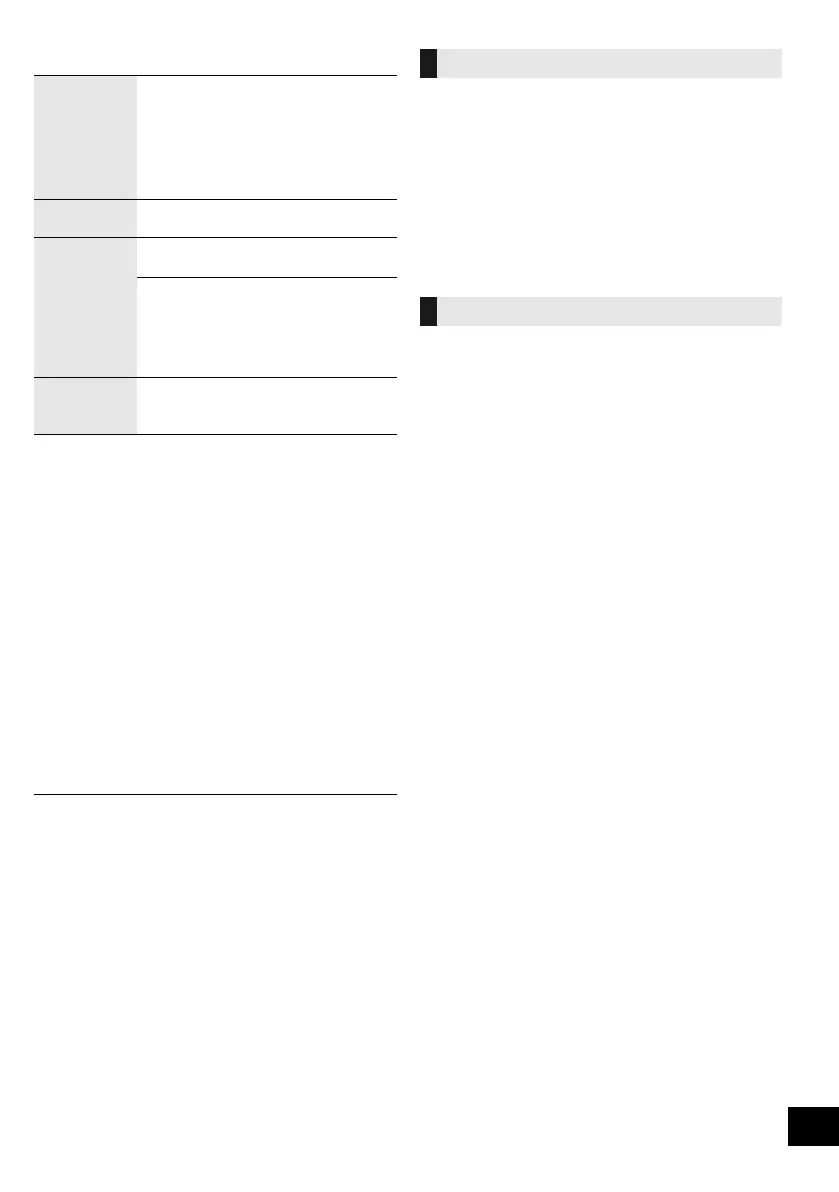
Stop Press [∫].
≥ [MEMORY], [USB]: The position is
memorised and “Resume” is displayed.
≥ [MEMORY], [USB]: Press [∫] twice to stop
the playback fully.
– [MEMORY]: Favourite play and
one-touch mix play will be cancelled.
(l right)
Pause Press [1/;].
Press again to continue playback.
Skip Press [:] or [9] to skip track.
(This unit: [:/6] or [5/9])
[CD] (MP3), [MEMORY], [USB]
Press [3] or [4] to skip the album.
≥ [MEMORY]: When using the favourite play
function, you can only skip track or album
within the selected number for
(FAVOURITE) [1] to [5].
Search
(Except
[NETWORK])
During play or pause, press and hold
[6] or [5].
(This unit: [:/6] or [5/9])
“M-AT”: The number for (FAVOURITE) [1] to
[5], the number of albums, the number
of tracks
(e.g. “M1-A2T030” indicates that (FAVOURITE) [1]
consists of 2 albums and 30 tracks.)
“A”: Album number
“T”: Track number
(“ ” stands for a number.)
Favourite play ([MEMORY])
One-touch mix play ([MEMORY])
SC-ALL7CD_EGEBGN_RQT0A83-B.book 15 ページ 2016年3月1日 火曜日 午後4時19分









 To Next Page