Listening to two tapes consecutiveiy
(Steps
5 and 6 also
available from the remote control.)
2
4
32
/I i\
Paras
(r
r
i
„
W«f"£
1 L-
3 O O
>
5
[
CO
a
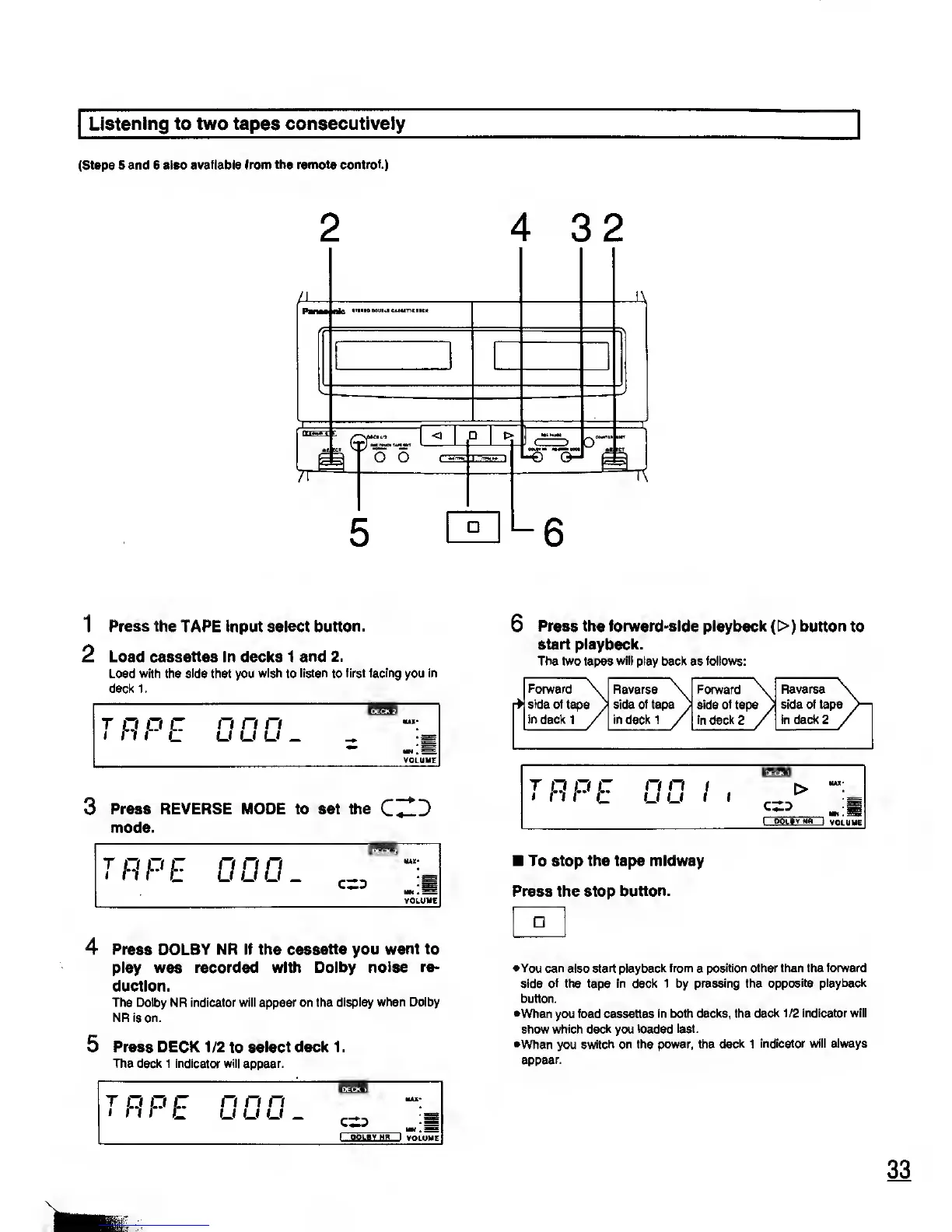
1 Press the TAPE input select
button.
2 Load cassettes in decks 1 and
2.
Load with the side that you
wish
to
listen
to
first facing
you
in
deckl.
T
P
P
E
0 0 0 _
"H*iff"
J
3 Press REVERSE MODE to set the
C^lJ
mode.
4 Press DOLBY NR if the cassette you
want to
play was recorded with Dolby
noise re-
duction.
The Dolby
NR
indicator will appear on the
display when Dolby
NR is
on.
5
Press DECK 1/2
to
select deck 1
.
The deck 1 indicator will appear.
6
Press the forward-side playback
(
t> )
button
to
start playback.
The two tapes will play back as follows:
Forward
r>)
side
of tape
in
deck 1
7
Reverse
side of tape
a
in deckl
/
Forward \
side
of
tape
y
in
deck
2
/
Reverse
side of tape
in deck 2
To stop the tape midway
Press the stop
button.
•You can
also
start playback from
a
position other than the forward
side of the tape in deck 1 by pressing the
opposite playback
button.
•When you load cassettes
in both decks, the
deck 1/2 indicator will
show which
deck
you
loaded last.
•When you
switch on the power, the
deck
1
indicator will always
appear.










 To Next Page