Listening to
Tapes
(continued)
O O
|i
—
i
™~
)| o o
[
—«
(TPS!
To find the
beginning of a
program
(TPS:
tape
program
sensor)
(Also
available from the remote
control.)
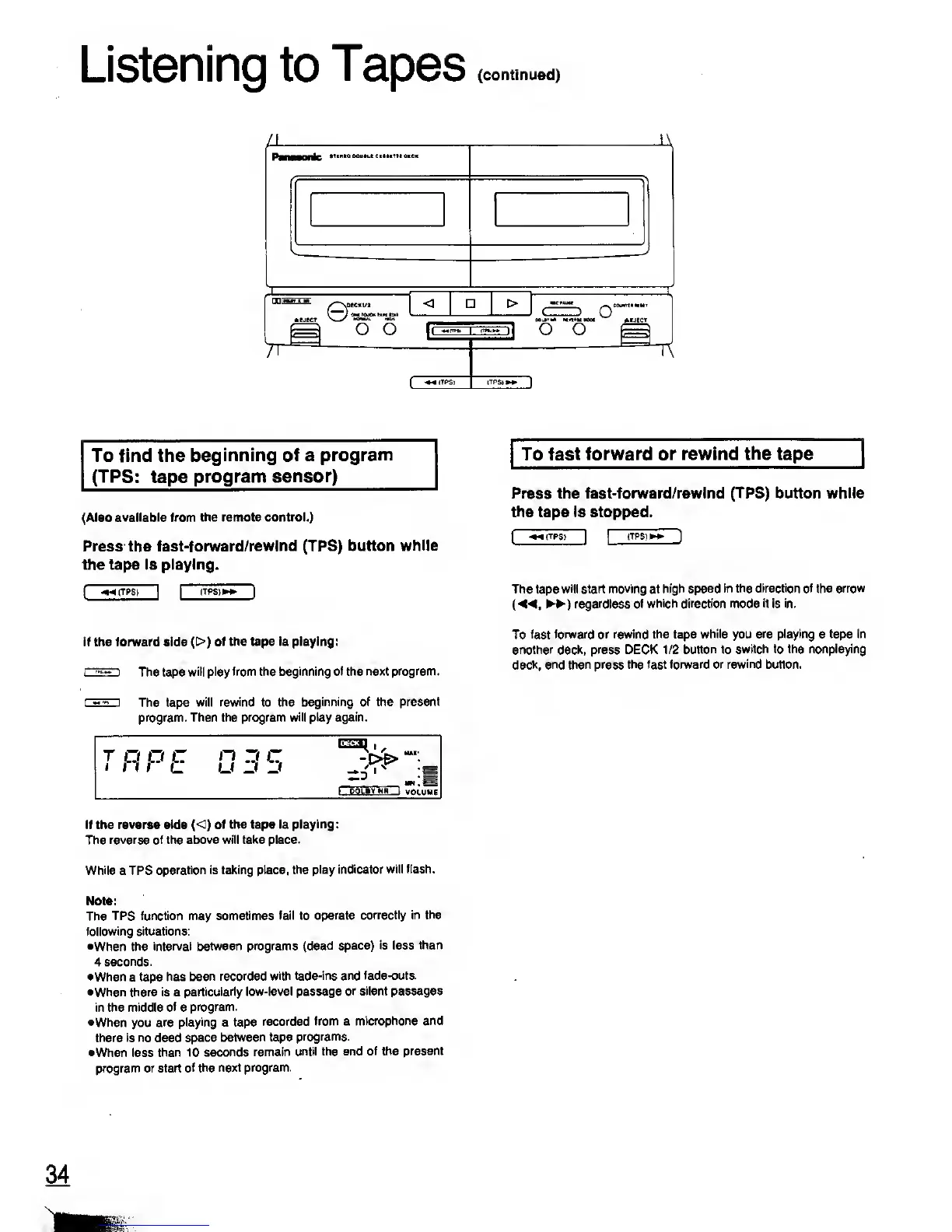
Press the
fast-forward/rewind
(TPS)
button while
the tape is playing.
(
-»«(TPS)
~1
|
ITPS)»»~)
If the forward aide
(:
•)
of the tape is playing:
i"'-"*'
'
The tape
will play from the beginning of the
next program.
The tape
will rewind to the
beginning of the present
program. Then the program
will play again.
TRPE
0 35
"Z.6
'
^
m
If the reverse side
(<)
of the tape is
playing:
The
reverse of the above will take place.
While
a TPS
operation is taking place,
the play indicator
will flash.
Note:
The
TPS function may
sometimes fail to operate
correctly in the
following situations:
•When the
interval between programs
(dead space)
is
less
than
4
seconds.
•When
a
tape has
been recorded
with fade-ins and fade-outs.
•When there is a
particularly
low-level
passage
or silent passages
in
the middle
of
a
program.
•When you
are
playing
a tape
recorded
from a
microphone and
there
is
no dead
space
between tape
programs.
•When less
than 10 seconds
remain
until the end of the
present
program
or start
of
the
next program.
To fast forward or rewind
the
tape
Press the fast-forward/rewind
(TPS)
button while
the tape is stopped.
(
-»<(TPS)
[
|
(TPS)
The tape
will start moving at high speed
in
the
direction of
the
arrow
{«,
)
regardless
of which direction mode it is in.
To fast
forward or rewind the tape
while
you
are playing
a
tape in
another deck, press DECK 1/2
button
to
switch to the nonplaying
deck,
and then press the fast forward or rewind button.










 To Next Page