EasyManua.ls Logo

Panasonic SC-CH64M - Random Playback Modes; Single, Multiple, and Program Random Play

Panasonic SC-CH64M
44 pages
Print Icon
To Next Page IconTo Next Page
To Previous Page IconTo Previous Page
Loading...
Listening
to
compactdiscs
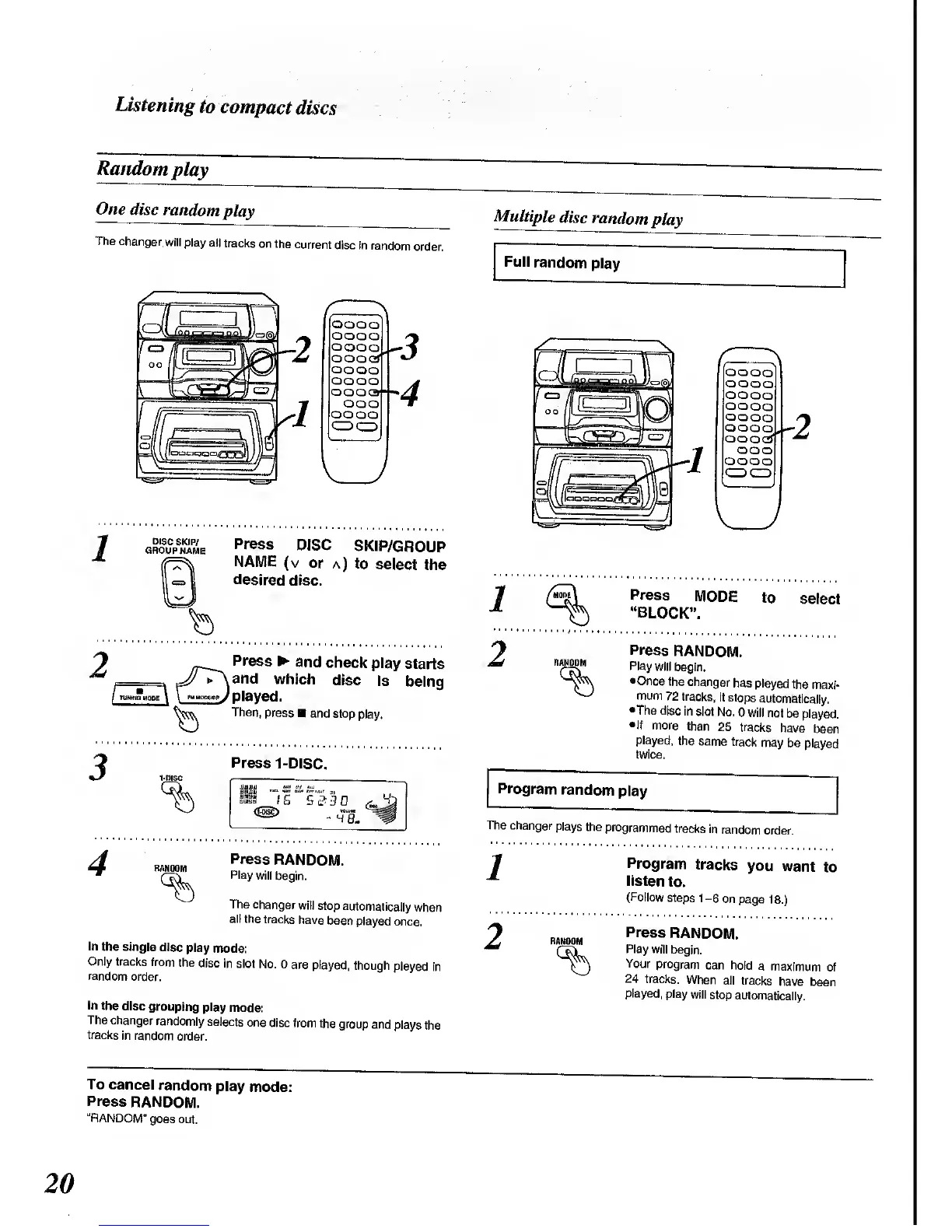
Random
play
One
disc
random
play
The
changer.
will
play ail
tracks
on the
current
disc in
random
order.
OOOO
OQOO
OOOO
ooo
OOOO
OOOO
OOOO
ooo
OOOO
3
4
Press
DISC
SKIP/GROUP
NAME (v
or a)
to
select
the
desired
disc.
Press
and
check
play
starts
=>
JJ
r\and
which
disc
is
being
J
\
-""^
J
Played.
Then,
press
and stop
play.
Press
1-DISC.
4
RANDOM
Press
RANDOM.
Play
will
begin.
The changer
will
stop
automatically
when
all the
tracks
have
been
played
once.
In
the single
disc
play
mode:
Only tracks
from
the
disc in
slot
No. 0
are played,
though
played
in
random
order.
In
the disc
grouping
play
mode:
The changer
randomly
selects
one
disc
from the
group
and
plays the
tracks
in random
order.
Multiple
disc
random
play
Full
random
play
OOOO
OOOO
OOOO
OOOO
OOOO
OOOO
oooo
-
*
ooo
OOOO
1
2
Press
MODE
to
select
"BLOCK".
RANDOM
Press
RANDOM.
Play
will
begin.
•Onco
the
changer
has
played
the
maxi-
mum
72
tracks,
it stops
automatically.
The disc
in
slot
No.
0 will
not
be played.
If
more
than
25
tracks
have
been
played,
the
same
track
may
be
played
twice.
Program
random
play
The changer
plays
the
programmed
tracks
in
random
order.
1
2
Program
tracks
you
want
to
listen
to.
(Follow
steps 1-6
on
page
18.)
RANDOM
Press
RANDOM.
Play will
begin.
Your
program
can
hold
a
maximum
of
24 tracks.
When
all
tracks
have been
played,
play
will
stop
automatically.
To
cancel
random
play
mode:
Press
RANDOM.
"RANDOM"
goes out.
20

Related product manuals