EasyManua.ls Logo

Panasonic SC-CH64M - Tracks; Select the 4. Press the

Panasonic SC-CH64M
44 pages
Print Icon
To Next Page IconTo Next Page
To Previous Page IconTo Previous Page
Loading...
Listening
to
compact
discs
Sequential
play
Single
disc
play
Listening
to a
particular
track
on a
particular
disc
first
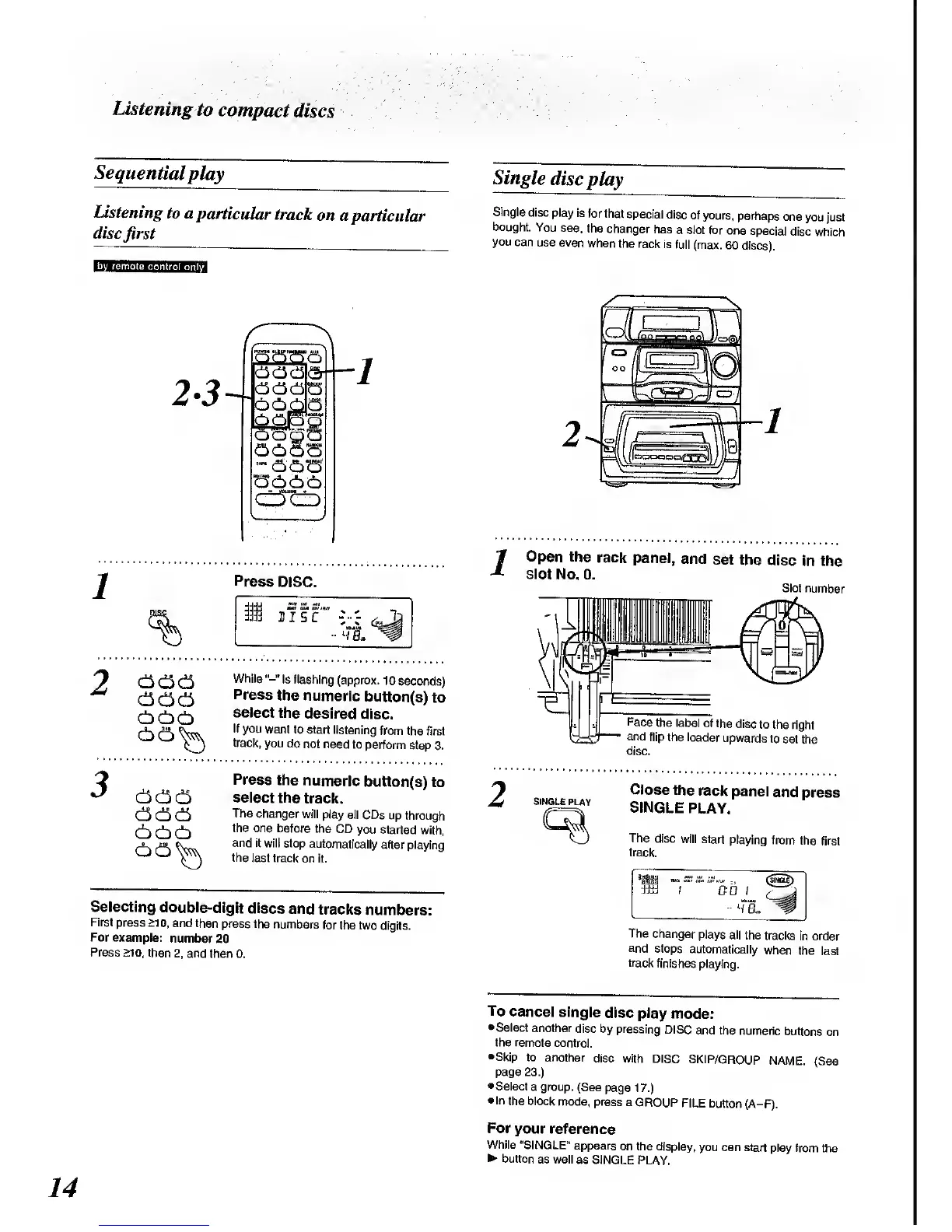
Single
disc
play is
for that
special
disc
of yours,
perhaps
one
you just
bought.
You
see.
the
changer
has
a slot for
one
special
disc
which
you
can
use even
when
the rack
is
full (max.
60
discs).
2-3
3<3<3
33
og
&
1
Press
DISC.
Open
the
rack
panel,
and
set
the
disc in the
slot
No. 0.
Slot
number
333
333
33^
While
"-"
is
flashing
(approx.
10
seconds)
Press
the numeric
button(s)
to
select
the
desired
disc.
If you
want to start
listening
from the
first
track,
you do
not need
to
perform
step 3.
Face
the label
of the
disc
to the
right
and
flip the
loader
upwards
to
set
the
disc.
333
333
333
33^
Press
the
numeric
button(s)
to
select
the
track.
The
changer
will
play all CDs
up
through
the one
before the
CD
you started
with,
and
it will stop
automatically
after playing
the
last track
on it.
SINGLE
PLAY
Close
the
rack
panel
and
press
SINGLE
PLAY.
The
disc
will start
playing
from
the
first
track.
Selecting
double-digit
discs
and
tracks
numbers:
First
press >10,
and then
press the
numbers
for the two
digits.
For example:
number
20
Press
>10,
then
2,
and
then 0.
The
changer
plays all
the
tracks
in order
and
stops
automatically
when
the
last
track
finishes
playing.
To
cancel
single
disc play
mode:
•Select
another
disc by
pressing
DISC
and
the
numeric
buttons on
the remote
control.
•Skip to
another
disc with
DISC
SKIP/GROUP
NAME.
(See
page
23.)
•Select
a group.
(See
page
17.)
In
the block
mode, press
a
GROUP
FILE button
(A-F).
For
your
reference
While
"SINGLE"
appears
on the display,
you can start
play from
the
button
as well
as SINGLE
PLAY.

Related product manuals