EasyManua.ls Logo

Panasonic SC-CH64M - Will be

Panasonic SC-CH64M
44 pages
Print Icon
To Next Page IconTo Next Page
To Previous Page IconTo Previous Page
Loading...
Changing
sound
quality
and
field
Convenient
functions
for
playback
onfy
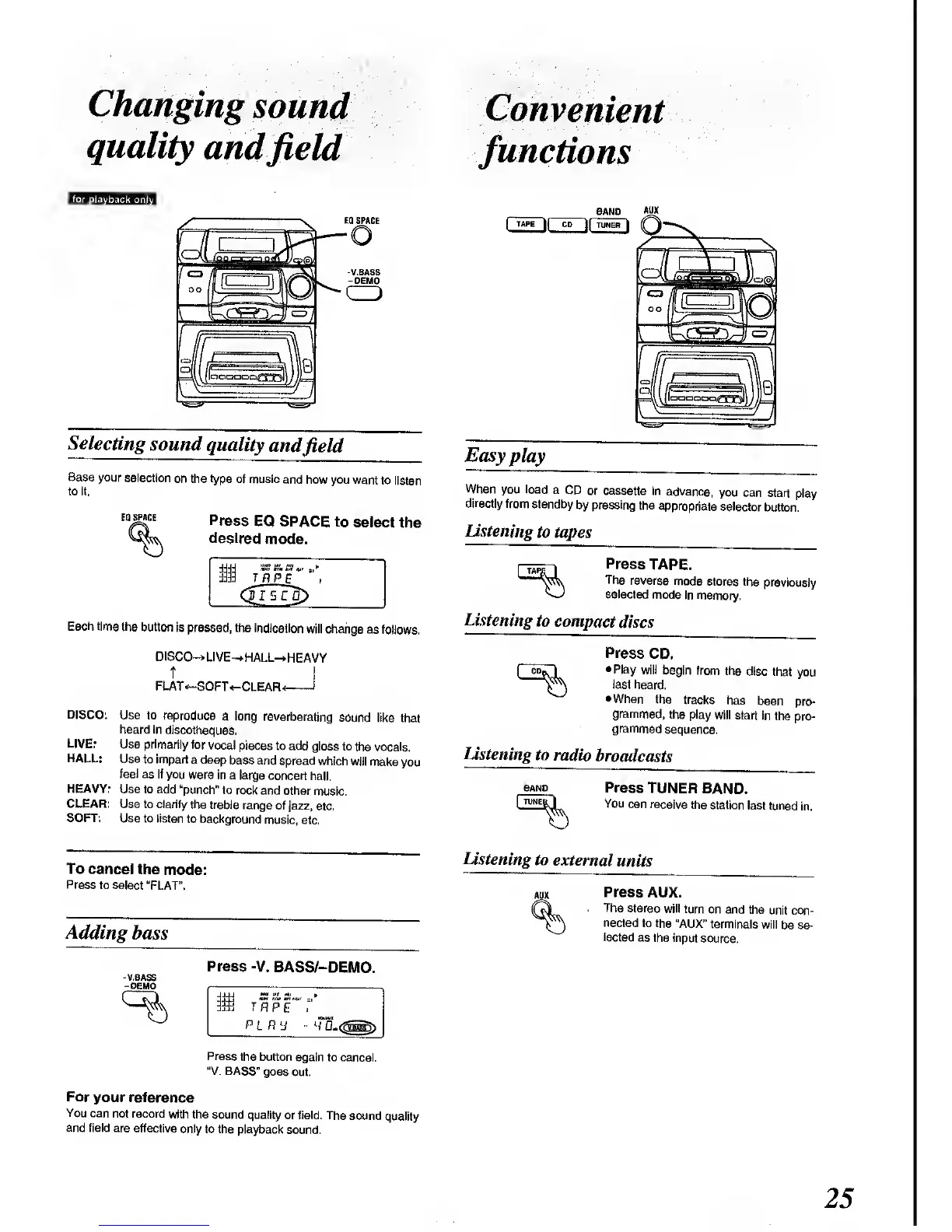
EQ SPACE
Selecting
sound
quality
and
field
Base your
selection
on the type
of music
and how
you want
to listen
to it.
EQ SPACE
Press
EQ SPACE
to
select
the
desired
mode.
BAND
AUX
|
TAPE
j(
CD
y[
TUNER
\
Easy
play
When
you load
a CD
or cassette
in
advance,
you
can
start play
directly
from
standby
by pressing
the
appropriate
selector
button.
Listening
to
tapes
Press
TAPE.
The
reverse
mode
stores
the
previously
selected
mode
in memory.
Each time
the button
is
pressed, the
indication
will change
as
follows.
listening
t
o compact
discs
DISCO—
LIVE—
HALL—
HEAVY
t I
FLAT
<—
SOFT
«-CLEAR<
1
DISCO:
Use to reproduce
a long
reverberating
sound
like that
heard in
discotheques.
LIVE:
Use primarily
for
vocal pieces
to add
gloss to
the vocals.
HALL:
Use
to impart
a deep
bass and
spread which
will
make
you
feel
as if you
were in
a large
concert hall.
HEAVY:
Use to add
"punch" to
rock and
other
music.
CLEAR:
Use to clarify
the treble
range
of jazz,
etc.
SOFT:
Use to listen
to background
music, etc.
Press
CD.
Play
will
begin from
the
disc that
you
last heard.
When
the tracks
has
been
pro-
grammed,
the
play
will start
in the
pro-
grammed
sequence.
Listening
to
radio
broadcasts
BAND
TUNEi
Press
TUNER
BAND.
You
can receive
the
station
last tuned
in.
To cancel
the
mode:
Press
to select
"FLAT".
Adding
bass
-V.8ASS
-
DEMO
Press
-V. BASS/-DEMO.
7
fl
PfJ
pl
fly
Listening
to
external
units
Press
AUX.
The
stereo
will turn
on and
the
unit con-
nected
to the
"AUX"
terminals
will
be se-
lected
as
the input
source.
Press
the button
again
to
cancel.
"V.
BASS"
goes out.
For
your reference
You
can
not record
with the
sound quality
or field. The
sound
quality
and field
are effective
only to the
playback
sound.

Related product manuals