EasyManua.ls Logo

Panasonic SC-CH64M - Direct Programming; Adding Tracks to Programs

Panasonic SC-CH64M
44 pages
Print Icon
To Next Page IconTo Next Page
To Previous Page IconTo Previous Page
Loading...
When
"FULL"
appears:
This
indicates
that an
attempt
has
been
made to
program
more than
24
tracks.
No
more
than
24 tracks
can be
programmed.
To check
programmed
contents:
(In the
stop
mode)
Press
v0e</«
or /*!.
The track
and its
place
in the
program
will appear
on
the display.
Direct
programming
Specified
track number
*Ki
vis
Program
order
To
add
an entry:
(In the
stop mode)
Repeat
steps
3-5.
To
clear
a
programmed
track
one
by one:
1.
(In
the
stop
mode)
Press
CANCEL.
"CANCEL"
appears
on the
display.
2. Press
DISC.
3.
Select
the
disc you
want to
clear with
the
numeric
buttons.
4.
Press
the numeric
button(s)
to
specify
the track.
(The track
you
specified
will be
canceled.)
5. Press
CANCEL.
"CANCEL"
goes
out.
To
clear
all tracks:
Press
once in
the stop
mode
or twice in
the play
mode.
"CLEAR"
appears
on the
display
for
approximately
1
second.
•When
you
press
MODE
on the
changer,
the changer
automatically
cancels
the
program
mode.
If
you enter
non-existing
track(s),
the
corresponding
indicator
illumi-
nates
and the
entry
is included
in
the count.
In
the play
mode, the
changer
will cancel the
non-existing
entry.
•When
including
the slot
No.
0 disc
in the
program,
after program-
ming,
press
on
the changer
or
/! I
on the
remote
control
to
stary play.
mmmamam
You
can
add the
track in
play
to your
program.
In fact,
a good
way
to build
up your
program
is
to listen
to tracks
and
add
those
you like
while
they
are still
being
played.
It
sure
makes
programming
easier
if you
listen-and-program.
s
Hera
60c.
6oo(
DIF1ECT
PROGRAM
o
DIRECT
PROGRAM
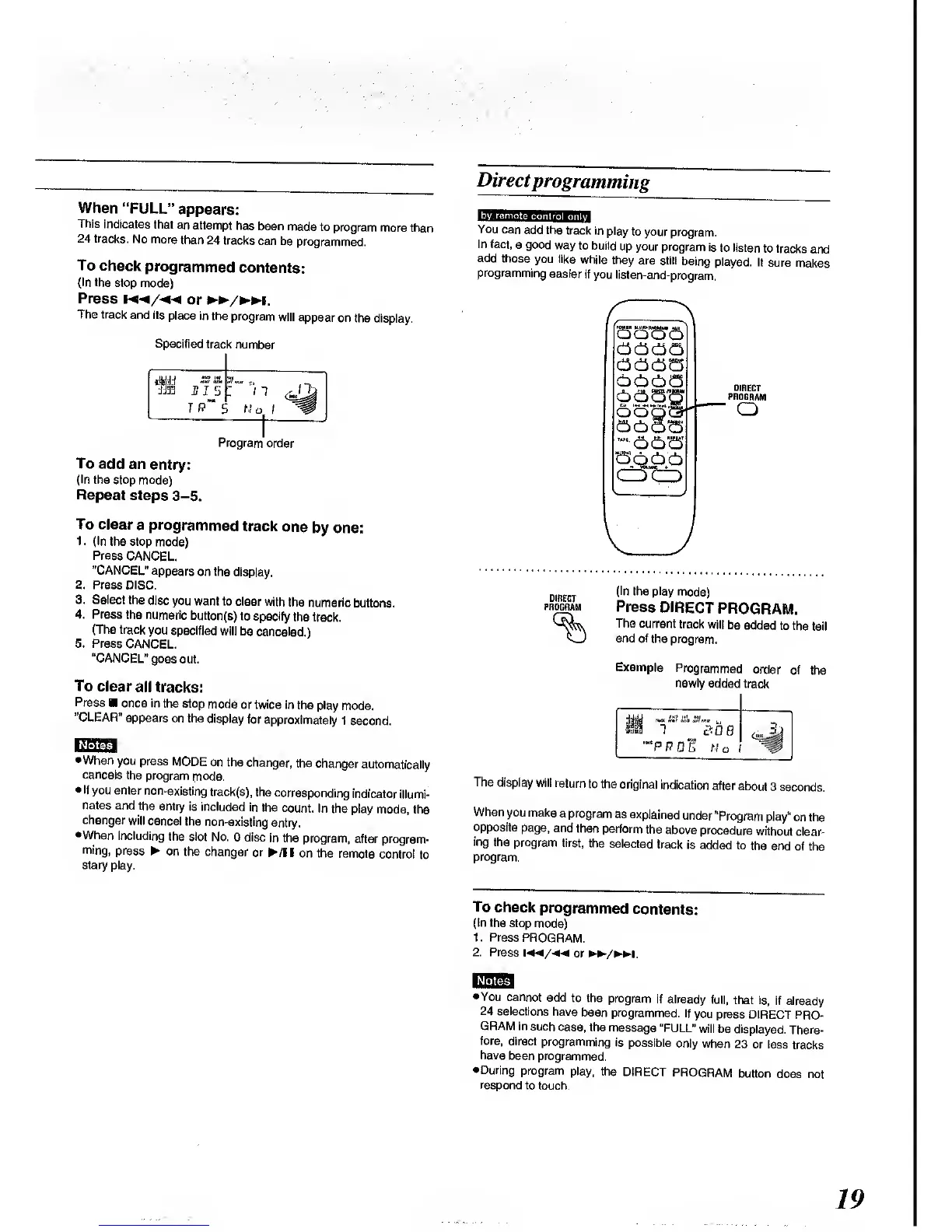
(In
the play
mode)
Press
DIRECT
PROGRAM.
The current
track will
be
added
to the
tail
end of
the
program.
Example
Programmec
order
newly added
track
""PPG
5 No
The
display
will return
to the
original
indication
after
about
3
seconds.
When
you make
a
program
as
explained
under
"Program
play"
on the
opposite
page, and
then
perform
the
above
procedure
without
clear-
ing
the program
first,
the
selected
track
is added
to
the end
of the
program.
To
check
programmed
contents:
(In the
stop
mode)
1.
Press
PROGRAM.
2. Press
or
/m.
Notes
You cannot
add
to the
program
if
already
full, that is,
if
already
24
selections
have
been
programmed. If
you press
DIRECT PRO-
GRAM
in
such case, the
message
"FULL"
will be
displayed.
There-
fore,
direct
programming
is
possible
only when
23
or less
tracks
have
been
programmed.
During
program
play, the
DIRECT
PROGRAM
button
does not
respond
to
touch.
19

Related product manuals