EasyManua.ls Logo

Panasonic SC-CH64M - You; Selections

Panasonic SC-CH64M
44 pages
Print Icon
To Next Page IconTo Next Page
To Previous Page IconTo Previous Page
Loading...
Listening
to
compact
discs
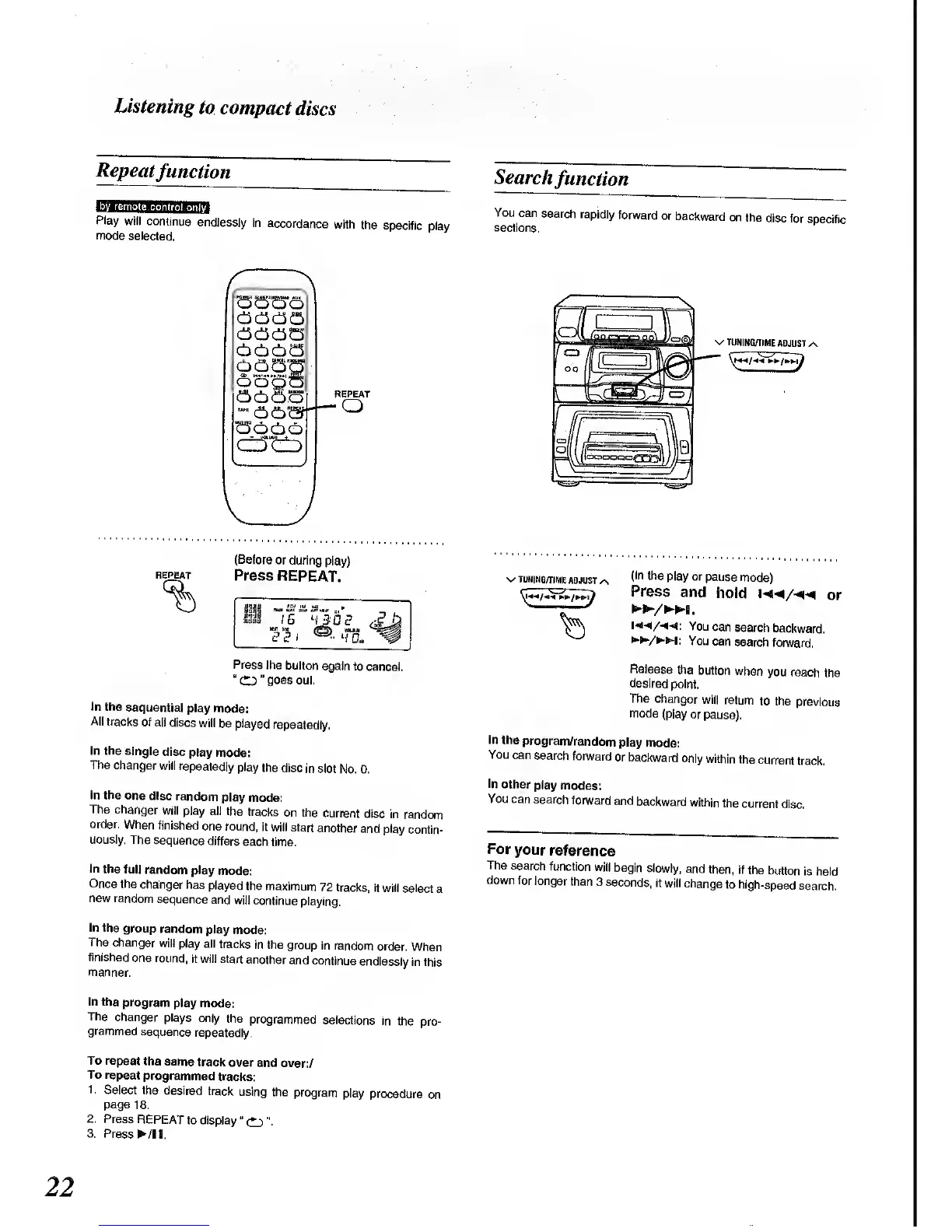
Repeat
function
Play
will
continue
endlessly
in
accordance
with
the
specific
play
mode
selected.
Search
function
You
can
search
rapidly
forward
or
backward
on
the
disc for
specific
sections.
V J
REPEAT
o
v
TUNING/TIME
ADJUST
.
REPEAT
(Before
or during
play)
Press
REPEAT.
Press
the
button
again
to cancel.
"
CD "
goes
out.
In
the
sequential
play mode:
All tracks
of all
discs
will
be played
repeatedly.
In the
single
disc
play
mode:
The
changer
will
repeatedly
play
the
disc
in slot
No. 0.
In the one
disc
random
play
mode:
The changer
will
play all the
tracks
on the
current
disc
in
random
order.
When
finished
one round,
it
will start
another
and play
contin-
uously.
The
sequence
differs
each
time.
In
the full
random
play
mode:
Once
the
changer
has
played
the
maximum
72 tracks,
it
will select
a
new random
sequence
and
will
continue
playing.
In the
group
random
play
mode:
The
changer
will
play all
tracks
in the
group
in random
order.
When
finished
one round,
it will start
another
and continue
endlessly
in this
manner.
V
TUNING/TIME
ADJUST
^
(In
the
play or
pause
mode)
Press
and
hold
m/^
or
/I.
HM/««<*:
You
can
search
backward.
/W:
You
can
search
forward.
Release
the
button
when
you
reach
the
desired
point.
The
changer
wilf
return
to the
previous
mode
(play or pause).
In the
program/random
play
mode:
You
can
search
forward
or
backward
only
within
the
current
track.
In
other
play
modes:
You can
search
forward
and
backward
within
the
current
disc.
For
your
reference
The
search
function
will
begin
slowly,
and
then, if
the
button
is held
down
for
longer
than
3 seconds,
it
will
change
to
high-speed
search.
In the
program
play mode:
The
changer
plays
only
the programmed
selections
in
the
pro-
grammed
sequence
repeatedly.
To repeat
the
same track
over
and over:/
To repeat
programmed
tracks:
1
.
Select the
desired
track
using
the
program
play
procedure
on
page
18.
2. Press
REPEAT
to display "
CD
".
3. Press
/I
I.

Related product manuals