EasyManua.ls Logo

Panasonic SC-CH64M - Page 26

Panasonic SC-CH64M
44 pages
Print Icon
To Next Page IconTo Next Page
To Previous Page IconTo Previous Page
Loading...
Convenient
functions
Before
recording
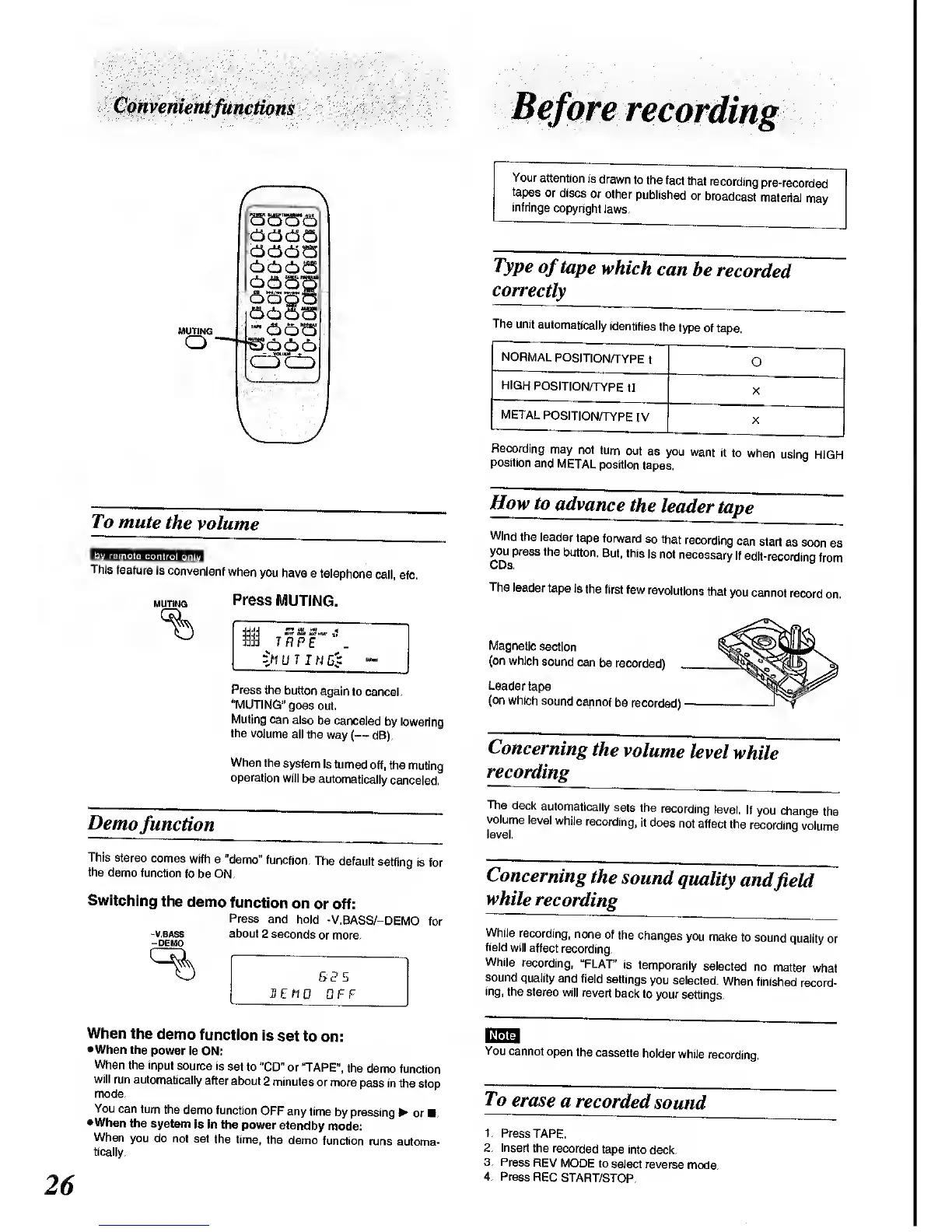
MUTING
o
am
7V> mute
the
volume
This
feature
is
convenient
when
you
have a
telephone
call,
etc.
muting
Press
MUTING.
-J1
UT
IN
G
:
Press
the
button
again
to
cancel.
"MUTING"
goes
out.
Muting
can
also
be
canceled
by
lowering
the
volume
all the
way (
dB).
When
the
system
is
turned
off,
the muting
operation
will
be
automatically
canceled.
Demo
function
This stereo
comes
with a
"demo"
function.
The default
setting
is
for
the demo
function
to be ON.
Switching
the
demo
function
on
or off:
Press
and
hold
-V.BASS/-DEMO
for
-v.bass about
2 seconds
or more.
-DEMO
B3S
HEtW
OFF
Your
attention
is
drawn
to
the fact
that
recording
pre-recorded
tapes
or discs
or other
published
or
broadcast
material
may
infringe
copyright
laws.
Type
of
tape
which
can
be
recorded
correctly
The unit
automatically
identifies
the
type
of tape.
NORMAL
POSITION/TYPE
I
O
HIGH
POSITION/TYPE
II
X
METAL
POSITION/TYPE
IV
X
Recording
may
not
turn
out
as you
want
it
to
when
usinq
HIGH
position
and
METAL
position
tapes.
How
to
advance
the
leader
tape
Wind
the
leader
tape
forward
so that
recording
can
start
as soon
as
youpress
the
button.
But,
this
is not
necessary
if
edit-
recording
from
The
leader
tape
is
the
first few
revolutions
that
you
cannot
record
Magnetic
section
(on which
sound
can
be
recorded)
Leader
tape
(on
which
sound
cannot
be
recorded)
Concerning
the
volume
level
while
recording
on.
The
deck
automatically
sets
the
recording
level.
If
you change
the
volume
level
while
recording,
it does
not
affect
the
recordinq
volume
level.
Concerning
the
sound
quality
and
field
while
recording
While
recording,
none
of
the
changes
you
make
to
sound
quality
or
field
will affect
recording.
While
recording,
"FLAT"
is
temporarily
selected
no
matter what
sound
quality and
field
settings
you selected.
When
finished
record-
ing,
the stereo
will
revert
back to
your
settings.
When the
demo
function
is
set to
on:
•When the
power
Is
ON;
When
the input
source
is set
to
"CD" or
TAPE",
the
demo function
will
run automatically
after
about
2 minutes
or more
pass in the
stop
mode.
You
can turn
the
demo function
OFF any
time
by
pressing
or
•When
the
system
is in
the power
standby
mode:
When
you do
not set
the time,
the
demo
function
runs
automa-
tically.
You
cannot
open
the
cassette
holder while
recording.
To
erase
a
recorded
sound
1. Press
TAPE.
2.
Insert
the
recorded
tape
into
deck.
3.
Press
REV
MODE to
select reverse
mode.
4.
Press
REC
START/STOP.

Related product manuals