EasyManua.ls Logo

Panasonic SC-CH64M - Using the Sleep Timer; Sleep Timer Setup and Management

Panasonic SC-CH64M
44 pages
Print Icon
To Next Page IconTo Next Page
To Previous Page IconTo Previous Page
Loading...
Using
the
sleep
timer
The
stereo
has
a sleep
timer
so
that
you can
fall
asleep
with
the
music
on
and
have the
system
stop
by itself.
When
the
set time
elapses,
the
stereo
goes
into
the
power
standby
mode.
You
have
up
to
2
hours
time
available
for listening
and you
can
set the
timer
in
30
minute
increments.
SLEEP
O
"-66B
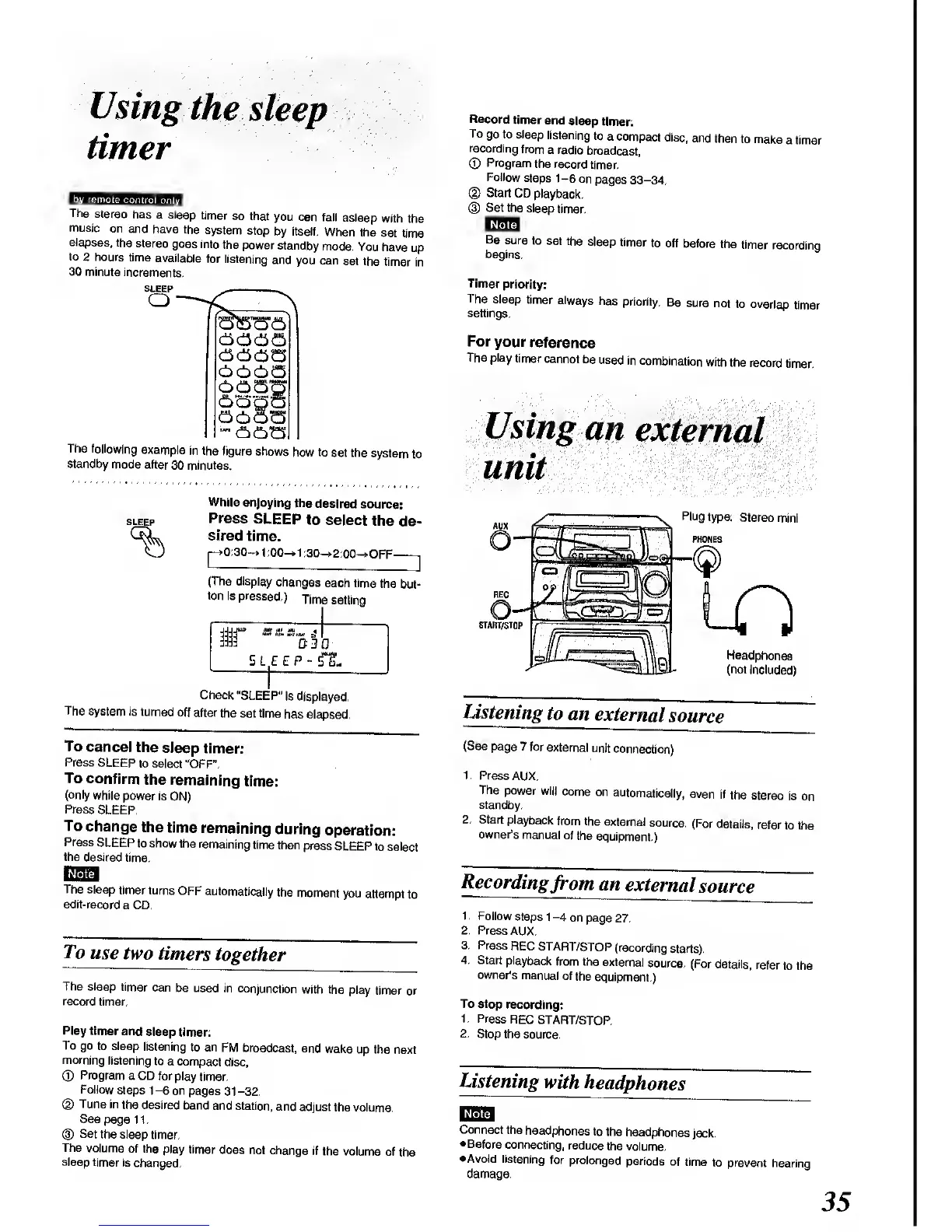
The following
example
in
the figure
shows
how to
set the
system
to
standby
mode
after
30
minutes.
SLEEP
While
enjoying
the
desired
source:
Press
SLEEP
to
select
the
de-
sired
time.
>0:30
->
1
:00-»1
:30->2:00-»OFF-
(The
display
changes
each time
the
but-
ton
is
pressed.)
Time
setting
Check
"SLEEP"
is
displayed.
The
system
is turned
off
after
the set time
has elapsed.
To
cancel
the
sleep
timer:
Press
SLEEP
to select
"OFF".
To confirm
the
remaining
time:
(only
while
power
is
ON)
Press
SLEEP.
To
change
the
time
remaining
during
operation:
Press
SLEEP
to show
the
remaining
time
then
press
SLEEP to
select
the
desired time.
The
sleep
timer turns
OFF
automatically
the
moment
you
attempt
to
edit-record
a CD.
To
use
two
timers
together
The sleep
timer
can
be used
in conjunction
with the
play
timer or
record
timer.
Play timer
and
sleep
timer:
To go
to
sleep
listening
to
an FM
broadcast,
and
wake
up the next
morning
listening
to
a compact
disc,
©
Program
a CD
for play
timer.
Follow
steps
1
-6
on
pages
31
-32.
(1)
Tune
in
the desired
band
and station,
and
adjust
the volume.
See
page 11.
®
Set
the sleep
timer.
The
volume
of the play timer
does
not change
if
the volume
of
the
sleep timer
is
changed,
Record
timer
and
sleep
timer:
To
go to sleep
listening
to
a
compact
disc,
and
then
to
make
a
timer
recording
from
a
radio
broadcast,
©
Program
the record
timer.
Follow
steps 1-6
on
pages 33-34.
©
Start
CD
playback.
(D
Set the
sleep
timer.
Be
sure
to
set the
sleep
timer
to off
before
the
timer
recording
begins.
Timer
priority:
The
sleep
timer
always
has
priority.
Be
sure
not
to overlap
timer
settings.
For
your
reference
The
play
timer
cannot
be
used
in
combination
with
the
record
timer.
Using
an
external
unit
'^
:
:i4d%
Plug
type:
Stereo
mini
PHONES
Headphones
(not
included)
Listening
to an
external
source
(See
page
7 for
external
unit
connection)
1. Press
AUX.
The
power
will
come
on
automatically,
even
if
the
stereo
is on
standby.
2.
Start
playback
from the
external
source.
(For
details,
refer
to the
owner's
manual
of
the
equipment.)
Recording
from an
external
source
1
.
Follow
steps
1
-4
on page
27.
2. Press
AUX.
3.
Press
REC
START/STOP
(recording
starts).
4.
Start playback
from the
external
source.
(For
details,
refer
to
the
owner's
manual
of
the
equipment.)
To stop
recording;
1.
Press
REC
START/STOP.
2. Stop the
source.
Listening
with
headphones
Connect
the
headphones
to
the
headphones
jack.
•Before
connecting,
reduce
the
volume.
•Avoid listening
for prolonged
periods
of
time
to prevent
hearing
damage.
35

Related product manuals