EasyManua.ls Logo

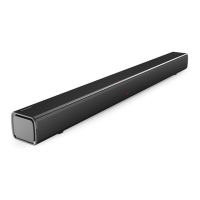
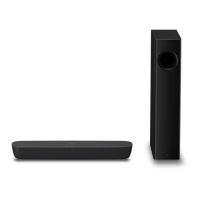
Panasonic SC-HTB520 - User Manual

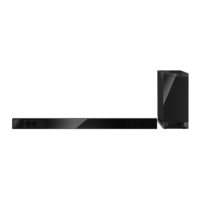
Panasonic SC-HTB520
32 pages
Print Icon
To Next Page IconTo Next Page
Loading...
2011/03/11
EG EB GS GN
RQTX1279-1B
Operating Instructions
Home Theater Audio System
Model No. SC-HTB520
Dear customer
Thank you for purchasing this product.
For optimum performance and safety, please read these instructions carefully.
Before connecting, operating or adjusting this product, please read the instructions completely.
Please keep this manual for future reference.
The illustrations shown may differ from your unit.
Model number suffix “EB” denotes UK model.
Included Installation Instructions
The installation work should be done by a qualified installation specialist. (> 11 to 15)
Before commencing work, carefully read these installation instructions and the operating instructions
to ensure that installation is performed correctly.
(Please keep these instructions. You may need them when maintaining or moving this unit.)
SC-HTB520EGEBGNGS_RQTX1279-1B.book Page 1 Friday, March 4, 2011 7:53 AM

Other manuals for Panasonic SC-HTB520

Questions and Answers

  • J
    Joseph WalkerSep 10, 2025
    What to do if there is no audio and my Panasonic SC-HTB520 Home Theater System turns off automatically?
    • M
      martinlisaSep 12, 2025
      If there is no audio and your Panasonic Home Theater System turns off automatically, it could be due to a safety measure activated when the unit detects a problem. If the volume is extremely high, lower it. If the unit is in an extremely hot place, move it to a cooler place and wait a few moments before trying to turn it on again. If the problem persists, turn the unit off and remove the AC mains lead cord and consult your dealer. There is a problem with the amplifier.
  • C
    Crystal Mosley DDSSep 9, 2025
    Why is the dialog not sounding natural on my Panasonic SC-HTB520?
    • D
      David MurphySep 9, 2025
      If the dialog sounds unnatural on your Panasonic Home Theater System, to turn off this function: press and hold [TV] on the remote control and [VOLUME s] on this unit for more than 2 sec. The setting is changed when the D, DTS and PCM indicators blink. To reset the setting, return to the factory preset.
  • C
    Chris PattonSep 8, 2025
    Why can't I change the audio output from main to secondary on my Panasonic SC-HTB520?
    • S
      Shelley MurraySep 8, 2025
      If you cannot change the audio output from main to secondary on your Panasonic Home Theater System, and the digital output setting of the TV or player is set to 'Bitstream', change the audio output on the unit.
  • K
    Keith WadeAug 22, 2025
    What to do if Panasonic Home Theater System remote control does not work?
    • L
      leahwilliamsAug 23, 2025
      If the remote control for your Panasonic Home Theater System isn't working properly, try these steps: - Replace the battery with a new one if it's depleted. - Remove the insulation sheet if it hasn't been removed yet. - Set the code of the remote control again if you changed the battery.
  • D
    dianaholmesSep 5, 2025
    What to do if Panasonic SC-HTB520 operations become unstable with non-Panasonic HDMI device?
    • J
      James BauerSep 5, 2025
      If your Panasonic Home Theater System operations become unstable when connected to a non-Panasonic HDMI compatible device, connect using an optical digital audio cable. Also, turn VIERA Link off. The setting is changed when the D, DTS and PCM indicators blink. To reset the setting, return to the factory preset. When VIERA Link is turned off the ARC function is not available, be sure to connect the optical digital audio cable.
  • M
    michael75Sep 4, 2025
    Why can't I hear the first few seconds of audio on my Panasonic Home Theater System with HDMI?
    • K
      Kelly MitchellSep 4, 2025
      If you're missing the first few seconds of audio when using the HDMI connection on your Panasonic Home Theater System, change the digital audio output setting on the connected device from 'Bitstream' to 'PCM'.
  • M
    marywhiteSep 3, 2025
    How to fix VIERA Link operations that no longer function properly on Panasonic Home Theater System?
    • D
      Denise StanleySep 3, 2025
      If VIERA Link operations are not functioning correctly on your Panasonic Home Theater System: - Check the 'VIERA Link' setting on the connected devices. - If HDMI connections were changed or after a power failure, turn on all devices connected to the TV with an HDMI cable, then turn on the TV. - Try turning the VIERA Link settings off and then on again. - While the unit and TV are connected with an HDMI cable, turn on the TV, then remove and reconnect the unit’s AC mains lead cord.
  • Z
    Zachary RichardsSep 2, 2025
    Why does my Panasonic SC-HTB520 turn off when the TV input is changed?
    • J
      Jacob WilliamsSep 2, 2025
      This is a normal feature when using VIERA Link (HDAVI Control 4 or later). For details please read the Operating Instructions for the TV.
  • J
    Jennifer GrossSep 1, 2025
    What does it mean when the wireless link indicator lights red on my Panasonic SC-HTB520 Home Theater System?
    • A
      April CarpenterSep 1, 2025
      If the wireless link indicator lights red on your Panasonic Home Theater System, there is no link between the main unit and the active subwoofer. Ensure that the main unit is turned on, that the digital transmitter is fully inserted into the digital transmitter dock on the main unit. Also, try turning the active subwoofer off and then back on, or disconnecting and reconnecting its AC mains lead.
  • R
    ronald24Aug 31, 2025
    Why is the audio from the TV distorted on my Panasonic SC-HTB520 Home Theater System?
    • A
      Abigail YangAug 31, 2025
      If the audio from the TV is distorted on your Panasonic Home Theater System, change the TV’s digital audio output settings to 'Bitstream'.

Summary

Safety Precautions

Unit Placement Guidelines

Guidance on where to position the unit for optimal performance and safety.

AC Mains Lead Caution

Included Accessories

Control Overview

Remote Control Operation

Step 1: Unit Placement

Wall Mounting Instructions

Detailed instructions and safety precautions for mounting the unit on a wall.

Rack or Table Placement

Instructions for placing the unit in a rack or on a table, including fall prevention.

Step 2: Connections

Connecting to a TV

How to connect the unit to a television via HDMI or optical audio cables.

Connecting HDMI Devices

Connecting HDMI compatible devices like Blu-ray players or DVD players.

Step 3: AC Mains Lead Connection

Step 4: Wireless Subwoofer Connection

Operations

Reference & Troubleshooting

General Troubleshooting

Solutions for common problems, factory reset, and HDMI connectivity issues.

Technical Specifications

Power consumption, dimensions, speaker details, and connectivity specs.

Panasonic SC-HTB520 Specifications

General IconGeneral
Audio decodersDolby Digital, DTS
RMS rated power240 W
Audio output channels2.1 channels
Audio Return Channel (ARC)Yes
Impedance4 Ω
Woofer diameter65 mm
Tweeter diameter25 mm
Soundbar speaker RMS power120 W
Woofer diameter (imperial)2.5 \
Tweeter diameter (imperial)1 \
Total Harmonic Distortion (THD)10 %
Subwoofer locationSeparate
Subwoofer connectivityWireless
Receiver includedNo
Product colorBlack
Consumer Electronics Control (CEC)VIERA Link
Apple docking compatibilityNot supported
Soundbar dimensions (WxDxH)1018 x 44 x 75 mm
Subwoofer dimensions (WxDxH)180 x 306 x 408 mm
Subwoofer driver diameter (imperial)6.5 \
HDMI in1
Connectivity technologyWired
AC input voltage220-240 V
AC input frequency50 - 60 Hz
Power consumption (standby)0.6 W
Power consumption (typical)30 W
Weight and Dimensions IconWeight and Dimensions
Soundbar weight2500 g
Subwoofer weight5200 g

Related product manuals