Other recording functions
Recording mode
You can select the desired recording mode before you start
recording.
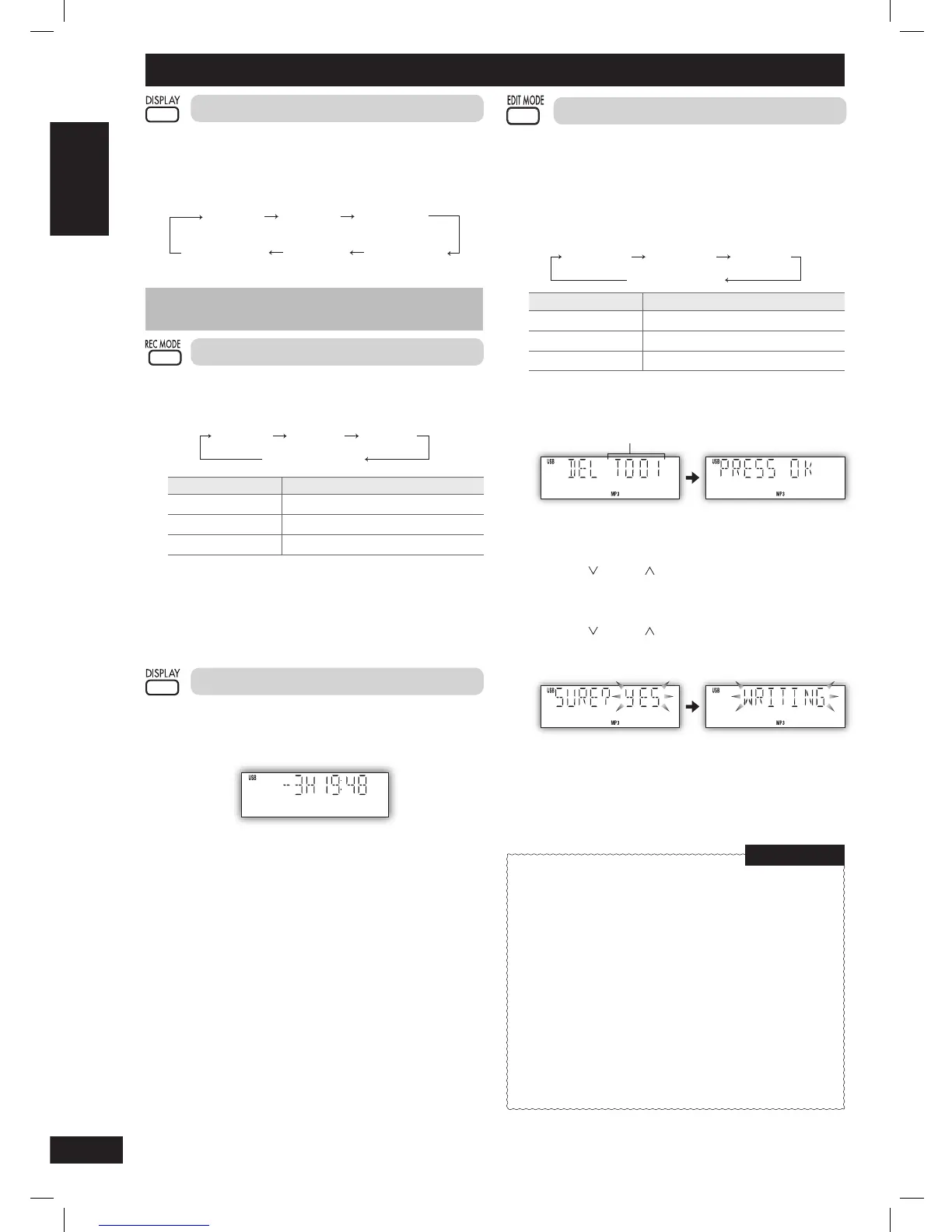
Press [REC MODE] repeatedly to select your desired setting.
Original display
128 KBPS
192 KBPS 320 KBPS
Recording mode Effect
128 KBPS Long play mode
192 KBPS Normal mode
320 KBPS Short play mode
During recording
Press [DISPLAY] repeatedly to display the current recording
mode.
Note:
You cannot change the recording mode during recording.
Display function
You are able to check the USB device’s remaining recording time
before or during recording.
Press [DISPLAY].
Note:
During recording, the remaining time displayed is an estimation of
the current recording mode.
Erasing the recorded tracks
This function allows you to erase unwanted tracks quickly and easily.
1 Press [3¥8, USB] and then [7] (stop).
2 Select your desired album or tracks.
3 Press [EDIT MODE] to select your desired erasing mode.
Each time you press the button:
Original display
TRACK DEL ALBUM DEL FORMAT
Edit mode Action
TRACK DEL Erase single track
ALBUM DEL Erase one album
FORMAT Erase all album
4 Press [OK].
Within 2 seconds or so, the selected item to be erased is
displayed followed by the “PRESS OK” display.
Example:
Track number
5 Press [OK] again.
6 Press [4/ ] or [¢/ ] to select “YES” then press [OK] to
confi rm the erasure.
“WRITING” is displayed.
OR
Press
[4/ ] or [¢/ ] to select “NO” then press [OK] to
cancel the erasure.
Example:
Note:
For “ALBUM DEL”, only 999 tracks in albums which contain more
than 1000 tracks will be erased. To erase the selected album, repeat
steps 2 to 6.
Compatible devices
Devices which are defined as USB mass storage class:
• USB devices that support bulk only transfer.
• USB devices that support USB 2.0 full speed.
Supported format
• Folders are defined as album.
• Files are defined as track.
• Track must have the extension “.mp3” or “.MP3”.
• CBI (Control/Bulk/Interrupt) is not supported.
• A device using NTFS file system is not supported. [Only
FAT 12/16/32 (File Allocation Table 12/16/32) file system is
supported]
• Depending on the sector size, some files may not work.
• Maximum album: 255 albums
• Maximum track: 2500 tracks
• Maximum track in one album: 999 tracks
NOTE on USB
USB (continued)
PMX4_EP_EN.indd 14PMX4_EP_EN.indd 14 12/23/08 2:37:52 PM12/23/08 2:37:52 PM






 To Next Page