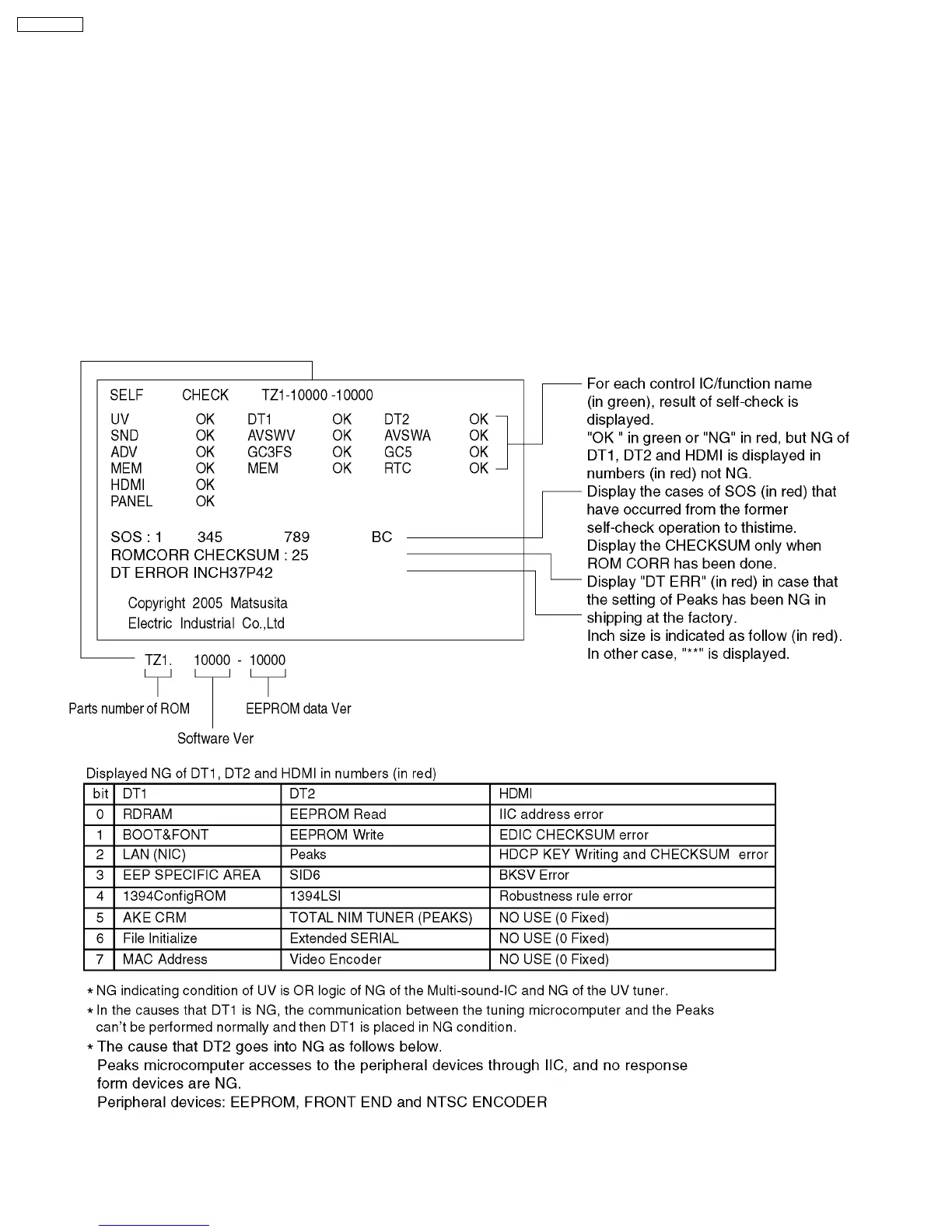
Use the self-check function to test the unit.
9 Self-check Function
1. Checking the IIC bus lines
2. Power LED Blinking timing
9.1. Check of the IIC bus lines
9.1.1. How to access
Produce TV reception screen, and while pressing [VOLUME ( - )] button on the main unit, press [OK] button on the remote control
for more than 3 seconds.
9.1.2. Exit
Disconnect the AC cord from wall outlet.
9.1.3. Screen display
28
TH-42PX600U



 To Next Page