39
English
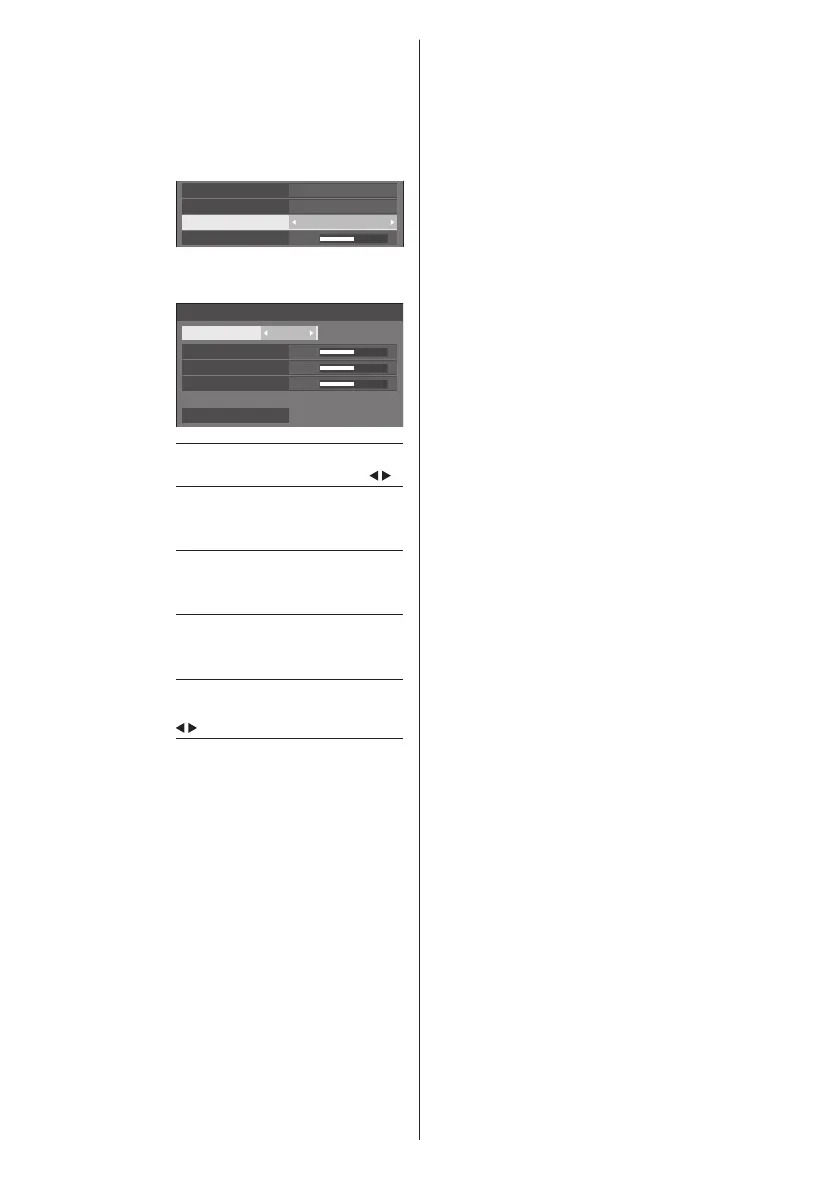
[6-segment
colour
management]
Adjusts the colour tone of R (red),
G (green) and complementary
colours (cyan, magenta and yellow)
on the screen individually.
1 Set [6-segment colour
management] to [On], and then
press <ENTER>.
5
On
6-segment colour management
2.2
6500K
Gamma
Colour temperature
Dynamic contrast
2 Set each item on detail settings
screen.
0
0
0
6-segment colour management
Select colour Red
Hue
Saturation
Value
Reset
[Select colour]
Select the colour to adjust with
.
[Hue]
Adjusts colour balance.
- 511 to + 511
[Saturation]
Adjusts gradations of colour.
- 127 to + 127
[Value]
Adjusts brightness of colour.
- 127 to + 127
[Reset]
Resets to defaults. Select [Yes] with
and press <ENTER>.
[Dynamic
contrast]
Automatically adjusts the contrast
by determining the changes in
the use of colours for images hat
constantly change, such as motion
pictures.
No effect ↔ Large effect
[Colour
enhancement]
Displays images by emphasising
colours.
[Off], [Low], [Mid], [High]
(Small effect to Large effect)
[Refine
enhancer]
Enhances the sense of resolution
by correcting fuzzy outlines of
pictures resulted from resizing, etc.
[Off], [Low], [Mid], [High]
(Small effect to Large effect)
[Gradation
smoother]
Extracts and eliminates noise
components from the input
video signals, and then displays
noiseless pictures.
[Off], [On]









 To Next Page