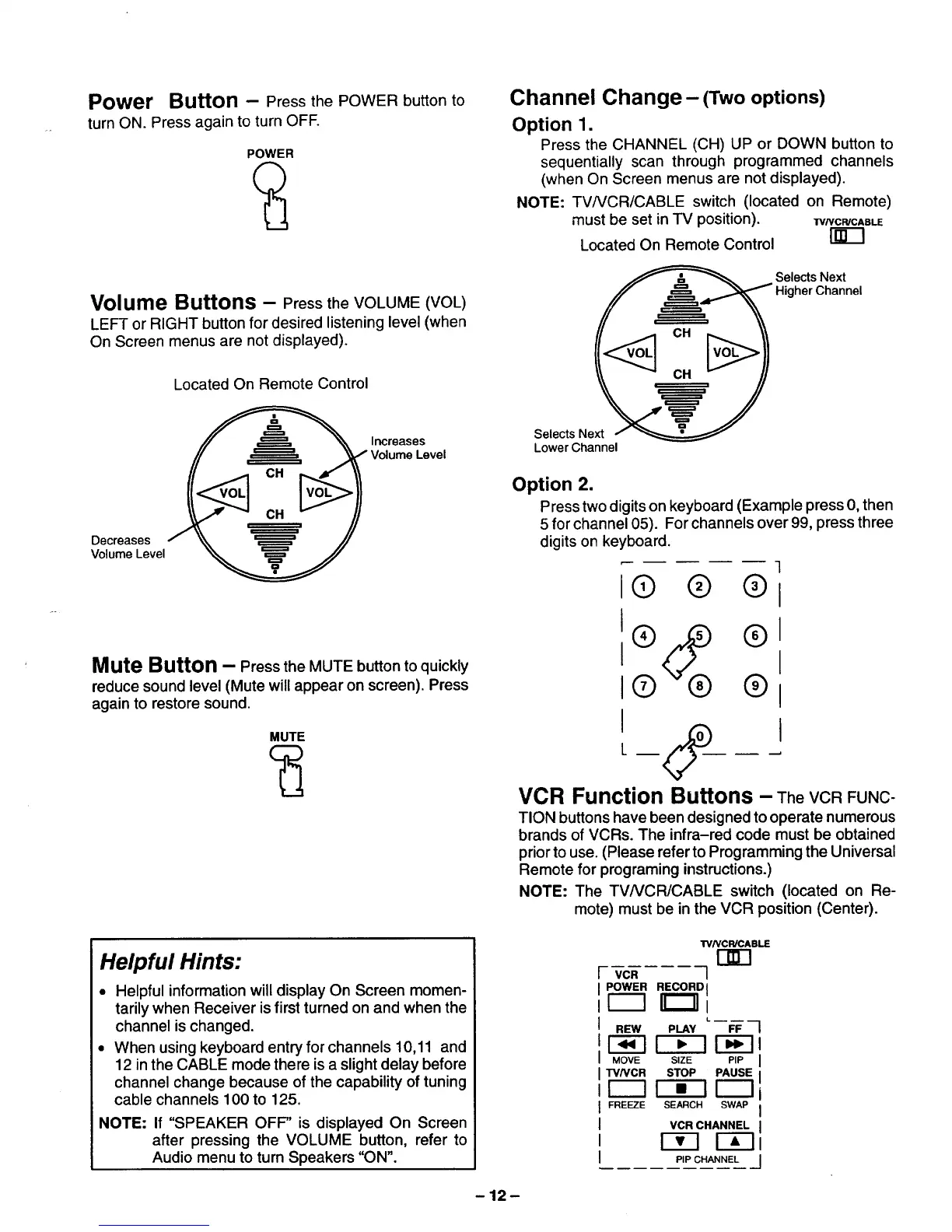
Power Button - Press the POWER button to
turn ON. Press again to turn OFF.
POWER
Volume Buttons - Press the VOLUME (VOL)
LEFT or RIGHT button for desired listening level (when
On Screen menus are not displayed).
Decreases
Volume Level
Located On Remote Control
_ Increases
Volume Level
Mute Button - Press the MUTE button to quickly
reduce sound level (Mute will appear on screen). Press
again to restore sound.
MUTE
Channel Change- (Two options)
Option 1.
Press the CHANNEL (CH) UP or DOWN button to
sequentially scan through programmed channels
(when On Screen menus are not displayed).
NOTE: TV/VCR/CABLE switch (located on Remote)
must be set in TV position). TVNC_CAB_
Located On Remote Control
_=_====_._ _ Selects Next
___ Higher Channel
Selects Next /-
Lower Channel
Option 2.
Presstwo digits on keyboard (Example press 0, then
5 for channel 05). For channels over 99, press three
digits on keyboard.
I® ® ®1
®1
I I
1(9 ®1
VCR Function Buttons - TheVCRFUNC-
TIONbuttons have been designed to operate numerous
brands of VCRs. The infra-red code must be obtained
priortouse. (Please refer to Programming the Universal
Remote for programing instructions.)
NOTE: The TVNCR/CABLE switch (located on Re-
mote) must be in the VCR position (Center).
Helpful Hints:
• Helpful information will display On Screen momen-
tarily when Receiver is first turned on and when the
channel is changed.
• When using keyboard entry for channels 10,11 and
12 in the CABLE mode there is a slightdelay before
channel change because of the capability of tuning
cable channels 100 to 125.
NOTE: If "SPEAKER OFF" is displayed On Screen
after pressing the VOLUME button, refer to
Audio menu to turn Speakers "ON".
TV/VCWCABLE
I- VCR 1
POWER RECORD I
F--7 II_ _
REW PLAY FF
[-_-] _ _-7
MOVE SIZE PIP
TVNCR STOP PAUSE
[CS]F--iT r---]
FREEZE SEARCH SWAP
VCR CHANNEL
r--_-i r-Tl
PIP CHANNEL
-12-






 To Next Page