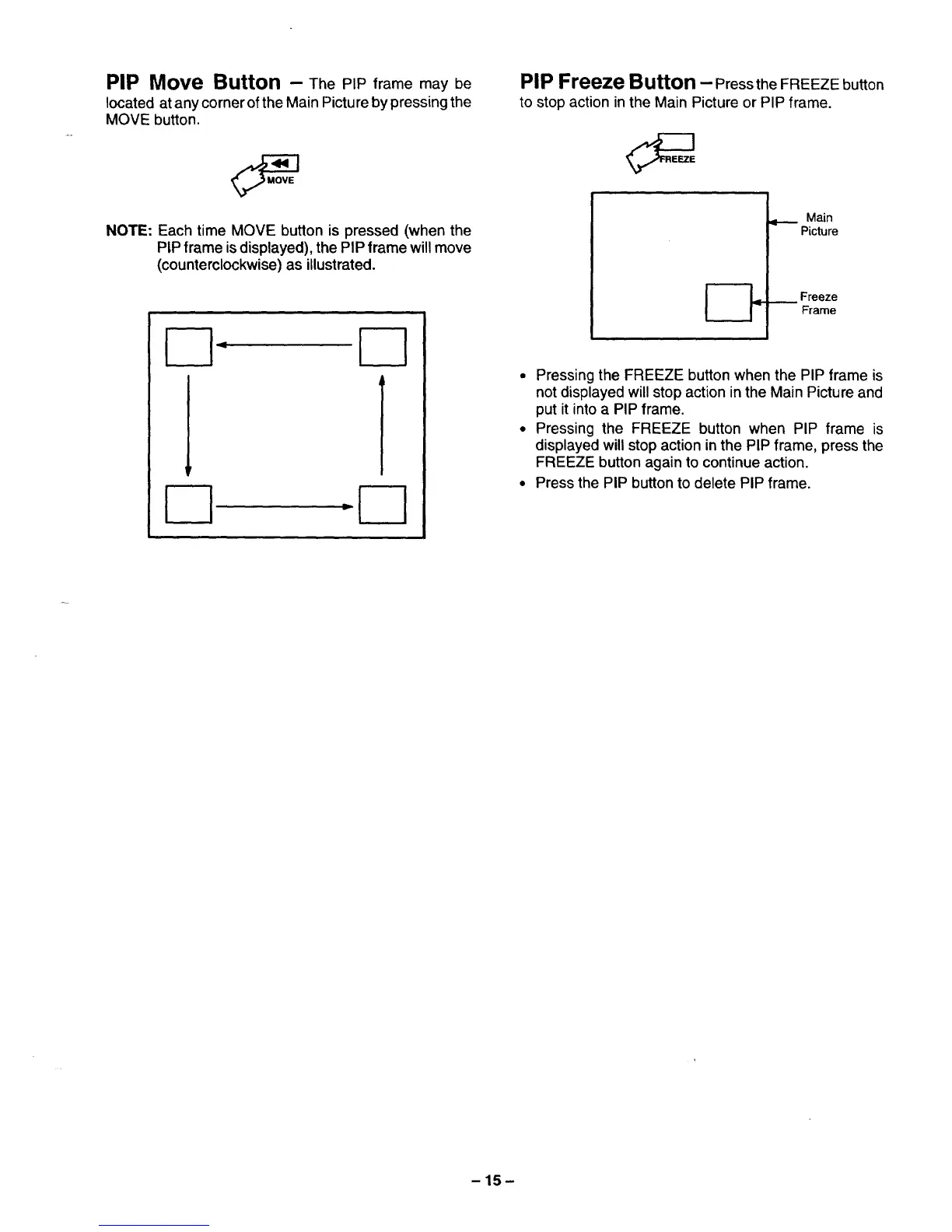
PIP Move Button - The PIP frame may be
located at any corner of the Main Pictureby pressingthe
MOVE button.
NOTE: Each time MOVE button is pressed (when the
PIP frame isdisplayed), the PIP frame will move
(counterclockwise) as illustrated.
I-q I-1
I--1
PIP Freeze Button - Pressthe FREEZE button
to stop action in the Main Picture or PIP frame.
Main
Picture
_ reezeFrame
• Pressing the FREEZE button when the PIP frame is
not displayed will stop action in the Main Picture and
put it into a PIP frame.
• Pressing the FREEZE button when PIP frame is
displayed will stop action in the PIP frame, press the
FREEZE button again to continue action.
• Press the PIP button to delete PIP frame.
-15-






 To Next Page