15
English
First time Auto Setup
WhentheTVisturnedonforthefirsttime,itwill
automaticallysearchforavailableTVchannelsandgive
optionstosetuptheTV.
●
Thesestepsarenotnecessaryifthesetuphasbeen
completedbyyourlocaldealer.
●
Pleasecompleteconnections(p.11-13)andsettings
(ifnecessary)oftheconnectedequipmentbefore
startingAutoSetup.Forinformationaboutthesettings
fortheconnectedequipment,readthemanualofthe
equipment.
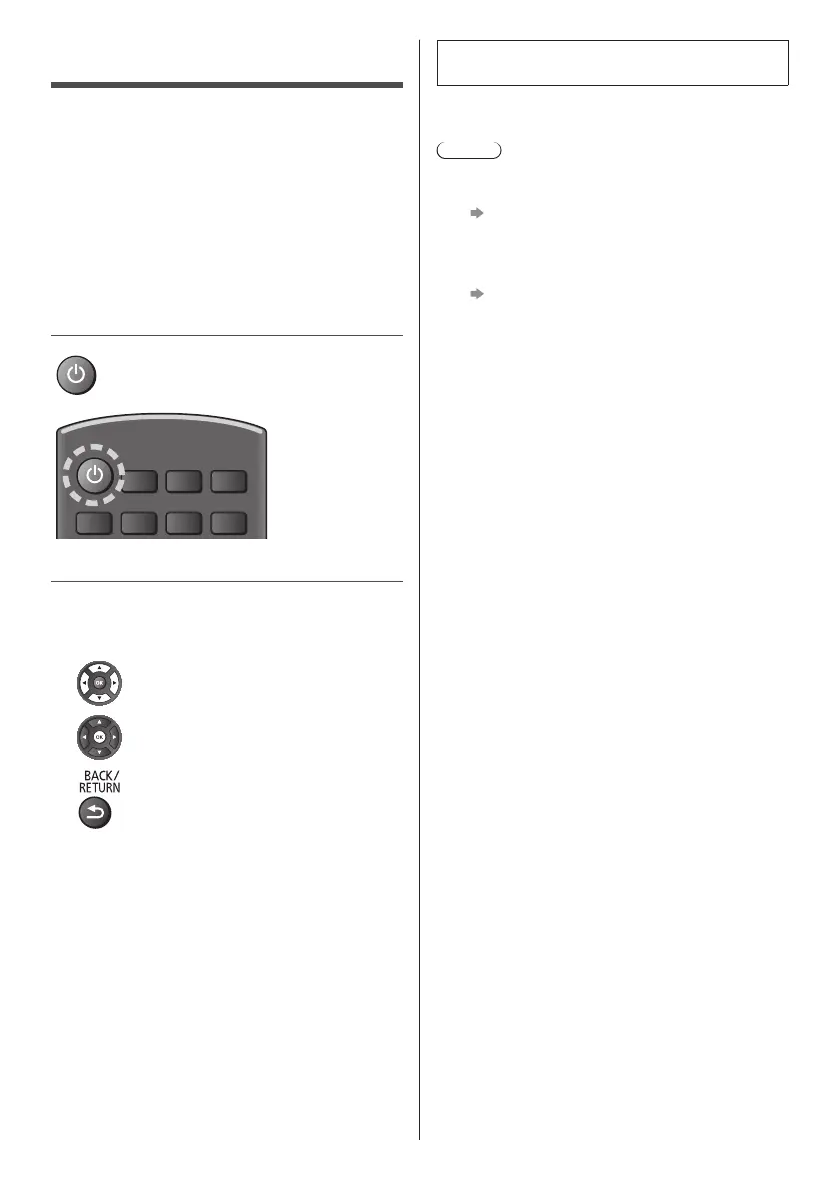
1 Plug the TV into a live mains socket and
turn the power on
●
Takesafewsecondstobedisplayed.
2 Select the following items
Setupeachitembyfollowingtheon-screeninstructions.
■ How to use the remote control
Movethecursor
Accesstheitem/storethesetting
Returntothepreviousitem(ifavailable)
Select the language
Select your country
●
Dependingonthecountryyouselect,selectyour
Regionand/orstorethePINcodenumber(“0000”
cannotbestored).
Auto Setup is now complete and the TV is ready
for viewing.
IftuninghasfailedchecktheRFcableandthenfollow
theon-screeninstructions.
Note
●
Toretuneallchannels
[Re-install channels] in [Search for channels]
(p. 21)
●
ToupdatetheavailableTVsignalmodelater
[Automatic channel update] in [Satellite
installation] / [Antenna/cable installation]
(p. 21)
●
Toinitialiseallsettings
[Factory settings] in [General settings]



 To Next Page