20
English
●
Toresetthecurrent[ViewingMode]tothedefault
settings
[Factory settings] in [General settings]
(Settings Menu)
Sound
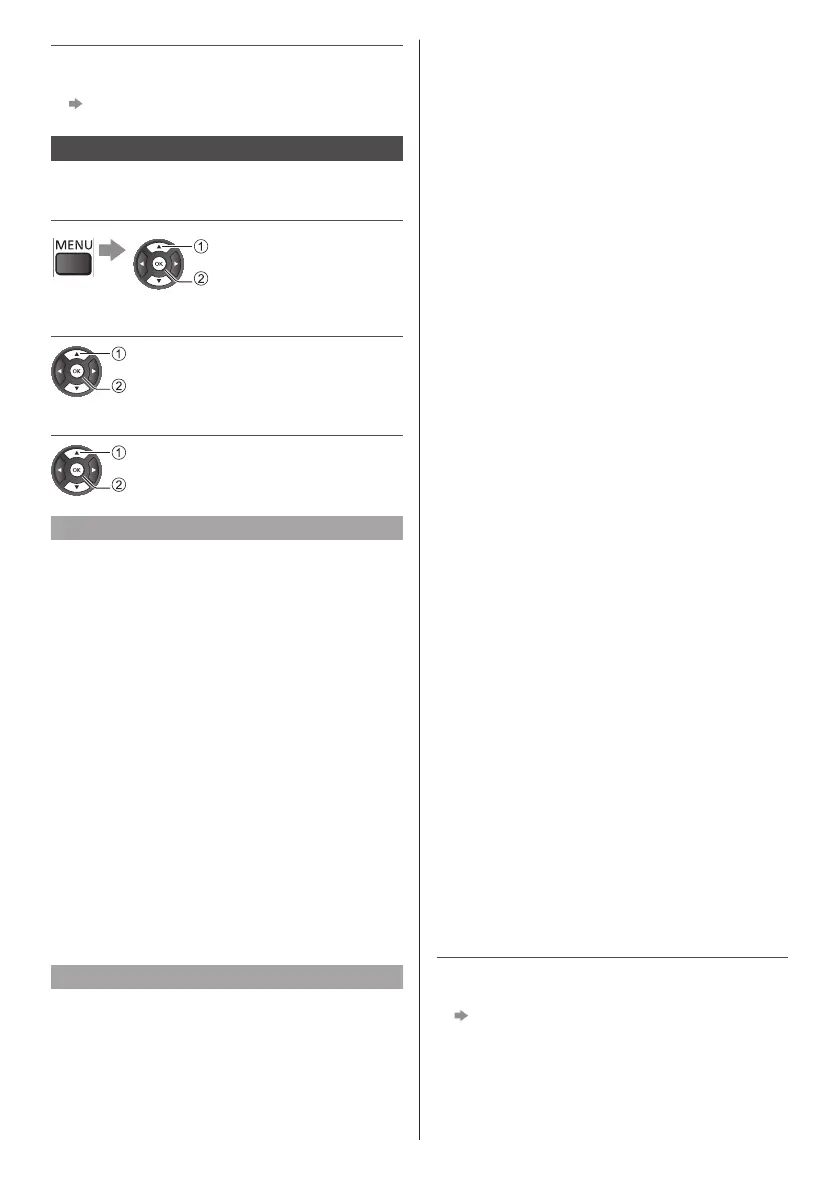
1 Display the menu and select
[Settings]
select
access
2 Select [Sound]
select
access
3 Select the item to adjust
select
access
Sound Mode
Youcanselectyourfavouritemodeforeachinput.
■ [User]:
Adjuststhesoundsmanuallytosuityourfavourite
soundquality.
■ [Standard]:
Providesthesuitablesoundqualityforalltypesof
scenes.
■ [Cinema]:
Improvessoundqualityforwatchingmovies.
■ [Music]:
Improvessoundqualityforwatchingmusicvideos,
etc.
■ [Game]:
Improvessoundqualityforplayinggames,etc.
■ [Speech]:
Improvessoundqualityforwatchingnews,drama,
etc.
Other sound settings
■ [Bass]:
Adjustsleveltoenhanceorminimiselower,deeper
soundoutput.
■ [Treble]:
Adjustsleveltoenhanceorminimisesharper,higher
soundoutput.
■ [Surround mode]:
Selectssurroundsoundsettings.
■ [Headphones volume]:
Adjuststhevolumeofheadphones.
■ [TV placement]:
SelectstheTVposition.
■ Advanced sound settings
Selectsadvancedsoundsettings.
[Auto volume levelling]:
Automaticallyregulateslargesoundlevel
differencesbetweenchannelsandinputs.
[Delta volume]:
AdjustthedeltavalueforTVspeakervolume.
Deltavolumeisavailablewhentheinputsource
issettoHDMIorAnaloguesourcesandtheAudio
outissettoTVspeakersorHDMIsoundsystem.
[Audio out]:
Selectsthesoundoutputtoadjustvolume.
[Clear Sound]:
IfthesoundfromTVspeakersisuncleardueto
installationenvironment,Onisrecommended.
●
Thisfunctioniseffectiveonlyforthesoundfrom
TVspeakers.
[Digital out format]:
Selectstheinitialsettingforaudiotracks.
●
Selectableoptionsvarydependingonthe
countryyouselect.
[Digital out levelling]:
Adjuststheloudnesslevelfromdevicewhichis
connectedtodigitalaudiooutput(SPDIF)orHDMI.
[Digital out delay]:
Adjuststhedelaytimeofthesoundoutputfrom
DIGITALAUDIOandHDMI1(ARCfunction)
terminalsifthesounddoesnotsynchronisethe
image.
[Digital out offset]:
IfyoucannotsetadelayontheHomeTheatre
System,youcansettheTVtosyncthesound.
Youcansetanoffsetthatcompensatesforthe
timenecessaryfortheHomeTheatreSystemto
processthesoundoftheTVpicture.
Youcansetthevalueinstepsof5ms.Maximum
settingis60ms.
●
OnlyavailablewhenDigitaloutdelaysettoOn
●
Toresetthecurrent[SoundMode]tothedefault
settings
[Factory settings] in [General settings]
(Settings Menu)




 To Next Page