9
English
3
B
43-inch model
A
D
C
1
2
3
B
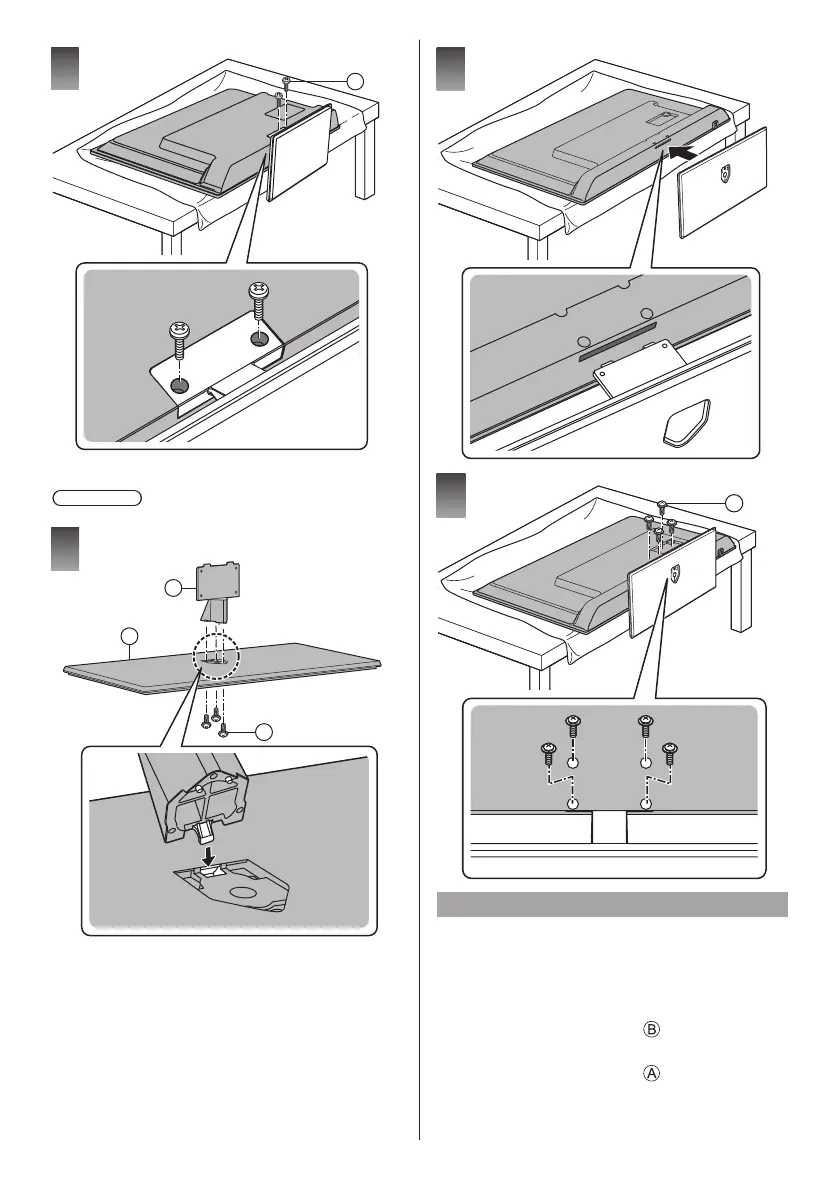
Removing the pedestal
Be sure to remove the pedestal in the following
procedures when you use the wall-hanging bracket or
repack the TV.
1. Put the TV onto a work table with the screen panel
down on the clean and soft cloth.
2. Remove the assembly screws from the TV.
3. Pull out the pedestal from the TV.
4. Remove the assembly screws from the bracket.









 To Next Page