EasyManua.ls Logo

Panasonic TX-29FJ50A - Skip Programme Numbers

Panasonic TX-29FJ50A
23 pages
Print Icon
To Next Page IconTo Next Page
To Previous Page IconTo Previous Page
Loading...
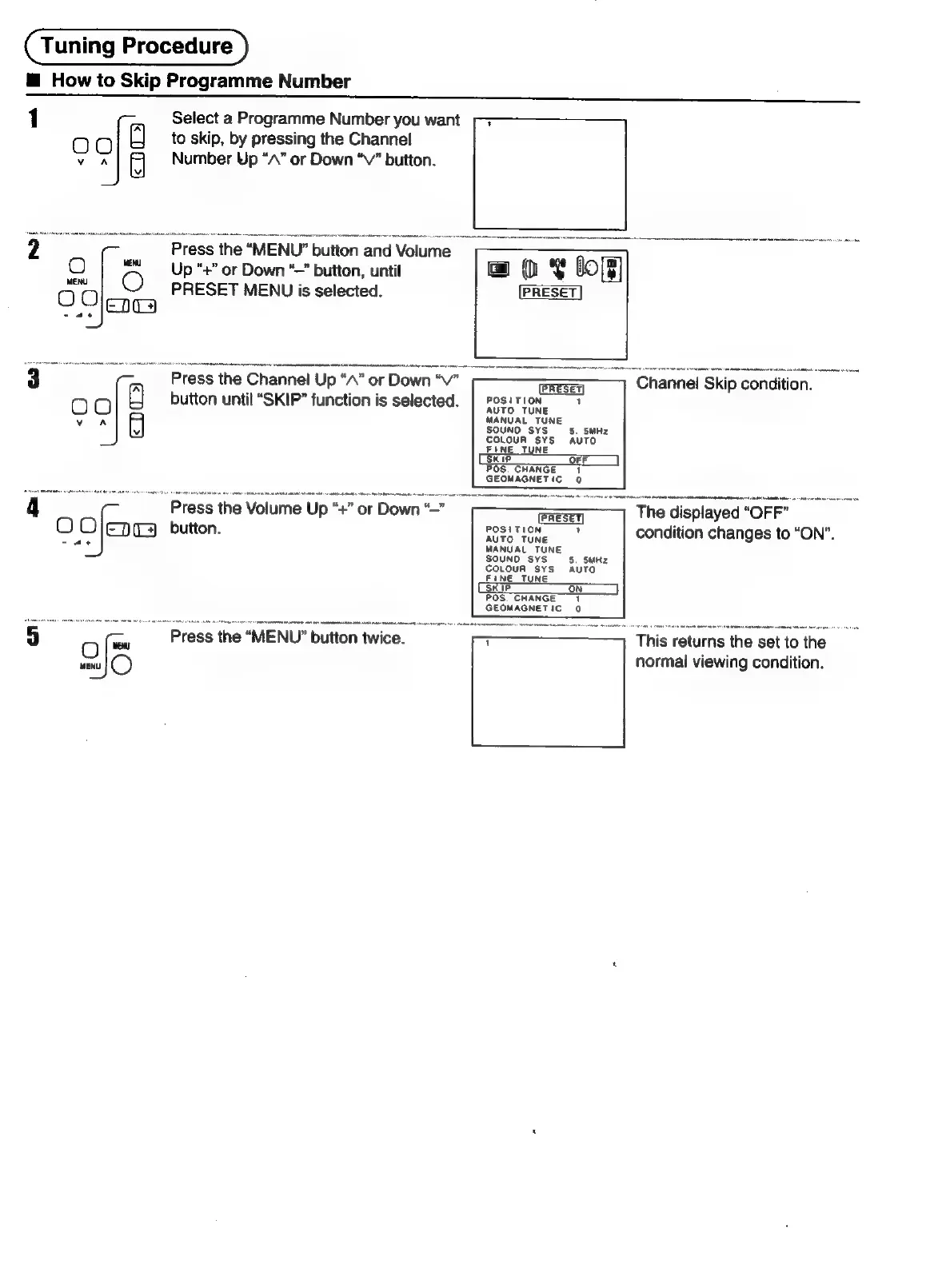
Tuning
Procedure
@
How
to
Skip
Programme
Number
1
-,
Select
a
Programme
Number
you
want
“]
to
skip,
by
pressing
the
Channel
Number
Up
“A”
or
Down
“Vv”
button.
2
Press
the
“MENU”
button
and
Volume
_ ;
O
me
«Up
“+”
or
Down
“—
button,
until
Oleg
oe
PRESET
MENU
is
selected.
3
(__
Press
the
Channel
Up
“A”
or
Down
“V"
-—>
=
Ghannel
Skip
condition.
00
button
until
“SKIP”
function
is
selected.
POSLTION
S32
MANUAL
TUNE
SOUND
SYS
5S.
SMHz
COLOUR
SYS
AUTO
FINE
TUNE
SKIP
OFF
POS.
CHANGE
1
GEOMAGNETIC
0
"
Press
the
Volume
Up
“#”
or
Down
=
The
displayed
‘Orr
O
Oo
ED)
button.
POSITION
ye
condition
changes
to
“ON”.
MANUAL
TUNE
POS.
CHANGE
GEOMAGNETIC
0
Press
the
“MENU”
button
twice.
‘This
returns
|
the
set
to
the
-
normal
viewing
condition.

Related product manuals