EasyManua.ls Logo

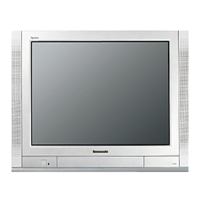
Panasonic TX-29FJ50A - Manual Channel Tuning

Panasonic TX-29FJ50A
23 pages
Print Icon
To Next Page IconTo Next Page
To Previous Page IconTo Previous Page
Loading...
Tu
ng
Procedure
@
Manual
Tune
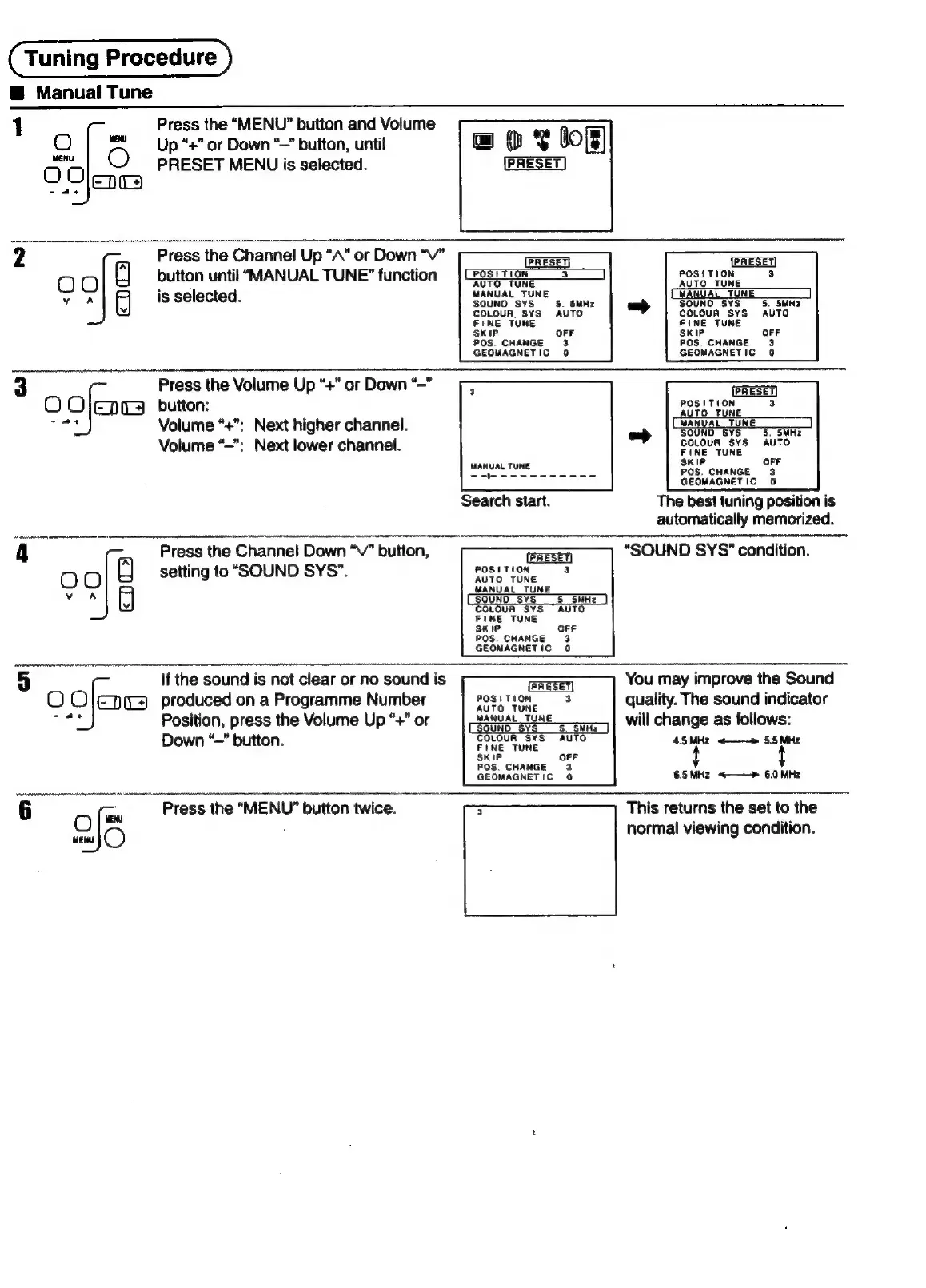
1
Press
the
“MENU”
button
and
Volume
O
|
Up
“+”
or
Down
‘~”
button,
until
Gas
cs
PRESET
MENU
is
selected.
ae
3
Press
the
Channel
Up
“A”
or
Down
“V”
button
until
“MANUAL
TUNE”
function
is
selected.
5
Press
the
Volume
Up
“+”
or
Down
“~”
ogee
button:
Volume
rr
Next
higher
channel.
Volume
“—":
Next
lower
channel.
PRESET)
POSITION
3
(PRESET)
POSTION
COLOUR
SYS
FINE TUNE
SKIP
AUTO
POS.
CHANGE
3
GEOMAGNETIC
0
POSITION
AUTO
TYNE
SOUND
SYS
COLOUR
SYS
FINE TUNE
5.
SMHz
AUTO
MANUAL
TUNE
=
sKie
OFF
POS.
CHANGE
3
GEOMAGNETIC
0
Search
start.
The
best
tuning
position
is
automatically
memorized.
Press
the
Channel
Down
“v”
button,
setting
to
“SOUND
SYS”.
If
the
sound
is
not
clear
or
no
sound
is
O
Oo
EDL)
produced
on
a
Programme
Number
Position,
press
the
Volume
Up
“+”
or
Down
“~”
button.
“SOUND
SYS"
condition.
POSITION
AUTO
TUNE
MANUAL
TUNE
Q
YS
“AUTO
FINE
TUNE
CIP
OFF
POS.
CHANGE
3
GEOMAGNETIC
0
You
may
improve
the
Sound
Bost
TON
quality.
The
sound
indicator
E
)
eANUAL
TUN
will
change
as
follows:
4.5MHz
<——»
5.5
MHz
COLOUR
SYS
AUTO
FINE
TUNE
OFF
POS.
CHANGE
3
GEOMAGNETIC
0
6.5
MHz
<——»
6.0
MHz
Press
the
“MENU”
button
twice.
2/6
This
returns
the
set
to
the
normal
viewing
condition.

Related product manuals