F
TV/AV
--- / v
--- / v
STR
F
25
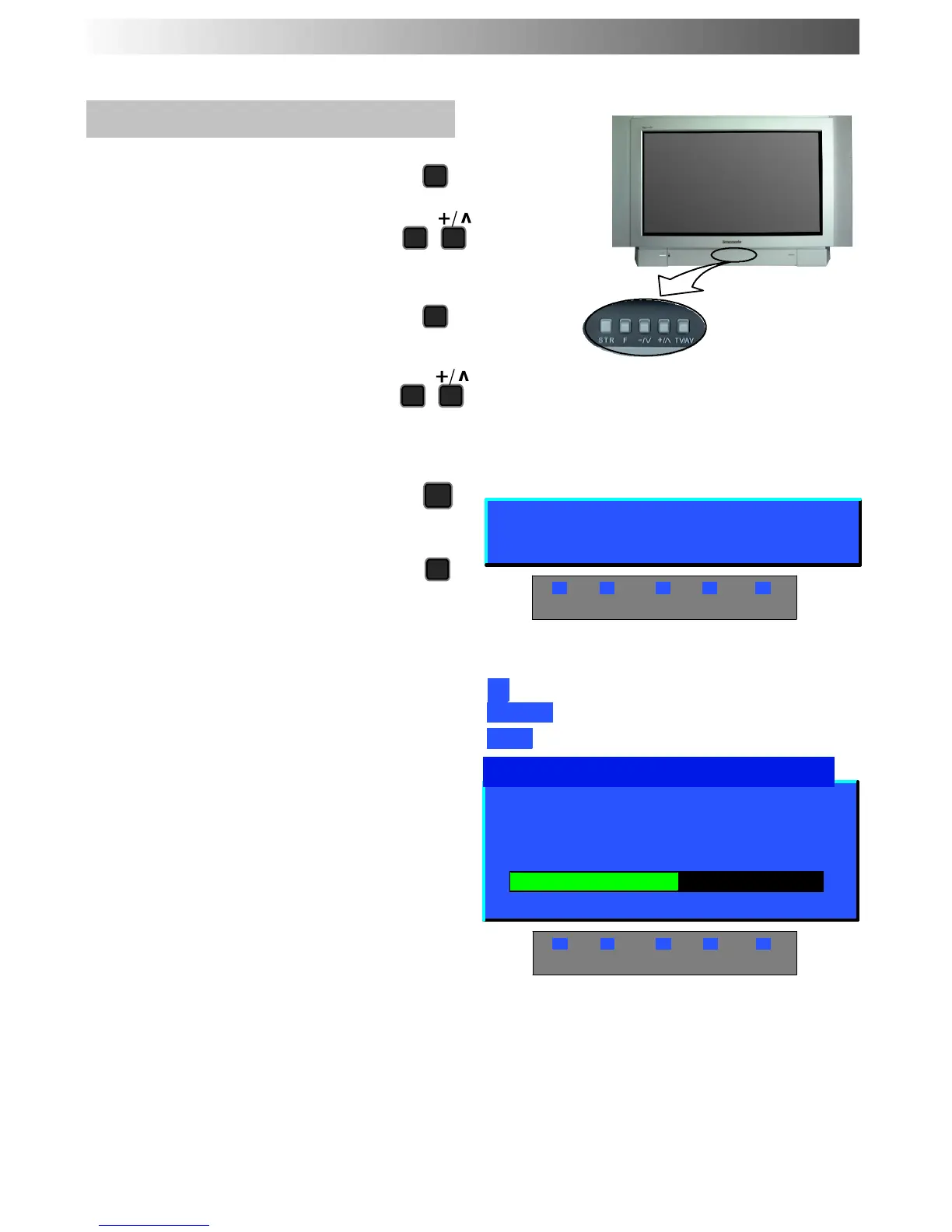
Manual tuning (Front panel)
Press the F button (Front panel) until
“Tuning mode” is reached
Press the -- or + button to access
Tuning mode
Press the TV/AV button to move
between “Change pr ogramme”,
“Search” or “Change TV system”
Press the -- or + button to change
programme position, start search, or
alter TV system
When the desired station is found,
press STR to store the changes
Repeat above procedure to tune
additional pr ogrammes or press the F
button to exit
TUNING MENU -- MANUAL TUNING
-,+ : Search
TV/AV : Move cursor
STR : To store
F : To exit
02 99:21 41
Manual tuning (Front panel)
STR F -/V +/∧ TV/AV
1
CH41
SC3
Tuning mode
F:No -,+:Yes
STR F -/V +/∧ TV/AV










 To Next Page