29
TheRemoteControliscapableofoperatingsomefunctionsofselectedPanasonicVCRsandDVD/R
(Digital Versatile Disc) equipment. Some VCR and DVD/R equipment have different functions, so to
ensure compatibility please refer to the equipment’s instruction book or consult your dealer for
details.
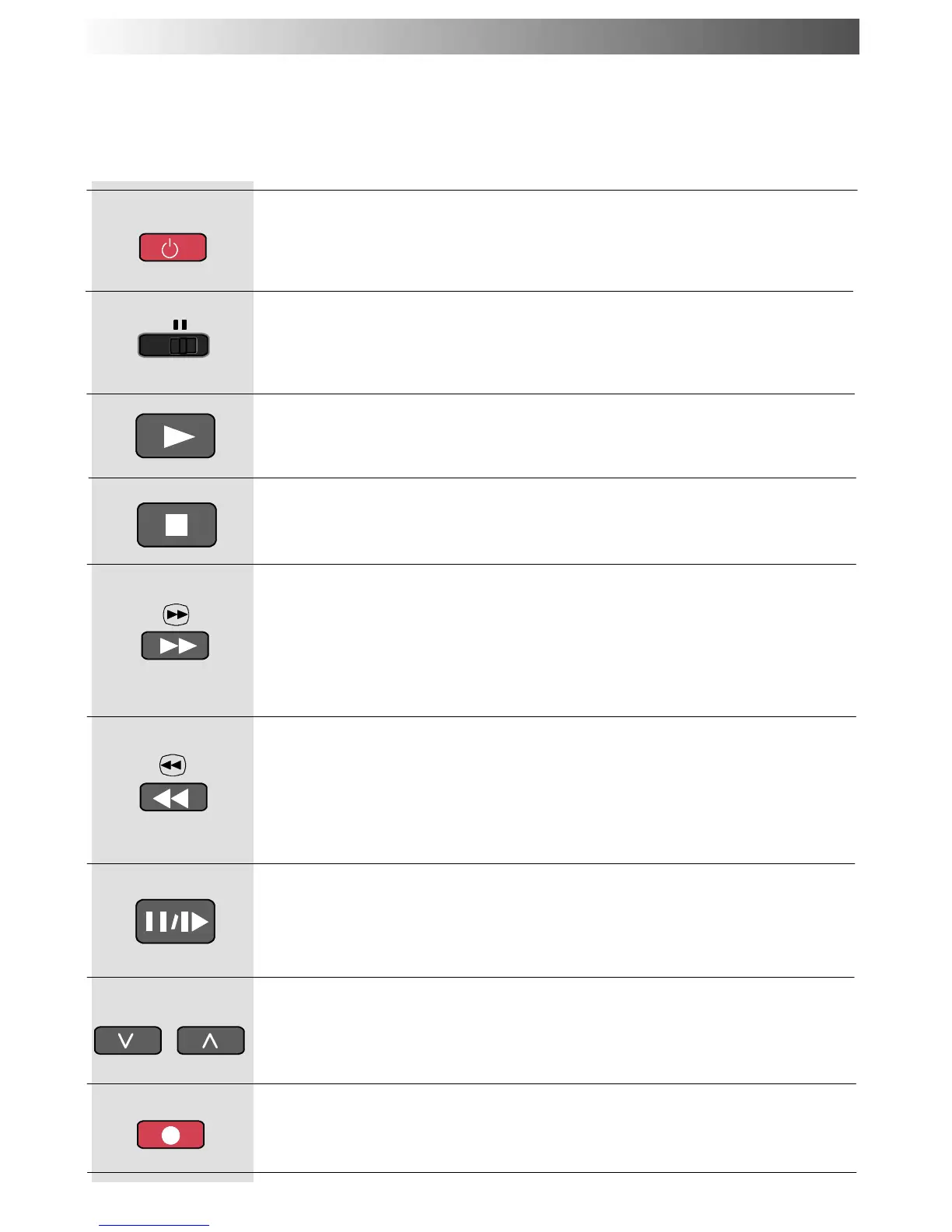
VCR/DVD/ROPERATION
Press to switch the VCR or DVD/R to standby mode.
Press again to switch back on.
Standby
Press to playback the tape or DVD.
Play
Press to stop the tape or DVD.
Stop
VCR: Press to fast forward the tape. In Play mode, press to view the
picture rapidly forward.
DVD/R: Press once to skip to the next track. In play mode press and
hold to view the picture rapidly forward.
Skip/FastForward/Cue
VCR: Press to rewind the tape. In Play mode, press to view the picture
rapidly in reverse.
DVD/R: Press once to skip to the previous track. In play mode press
andholdtoviewthepicturerapidlyinreverse.
Skip / Rewind / Review
Press in playback mode, the picture will pause.
Press again to restart play.
Pause / Still
Press to increase or decrease the VCR programme position by one.
Programme Up / Down
Press this button to start recording.
Record
Use this switch to select whether controls operate DVD/R equipment or
your VCR.
VCR / DVD/R switch
REC
VCR DVD
PROGRAMME










 To Next Page