12
13
12
Adjust Volume Change Programme
You are now ready to begin viewing programmes
The cursor controls provide the two basic functions:
11
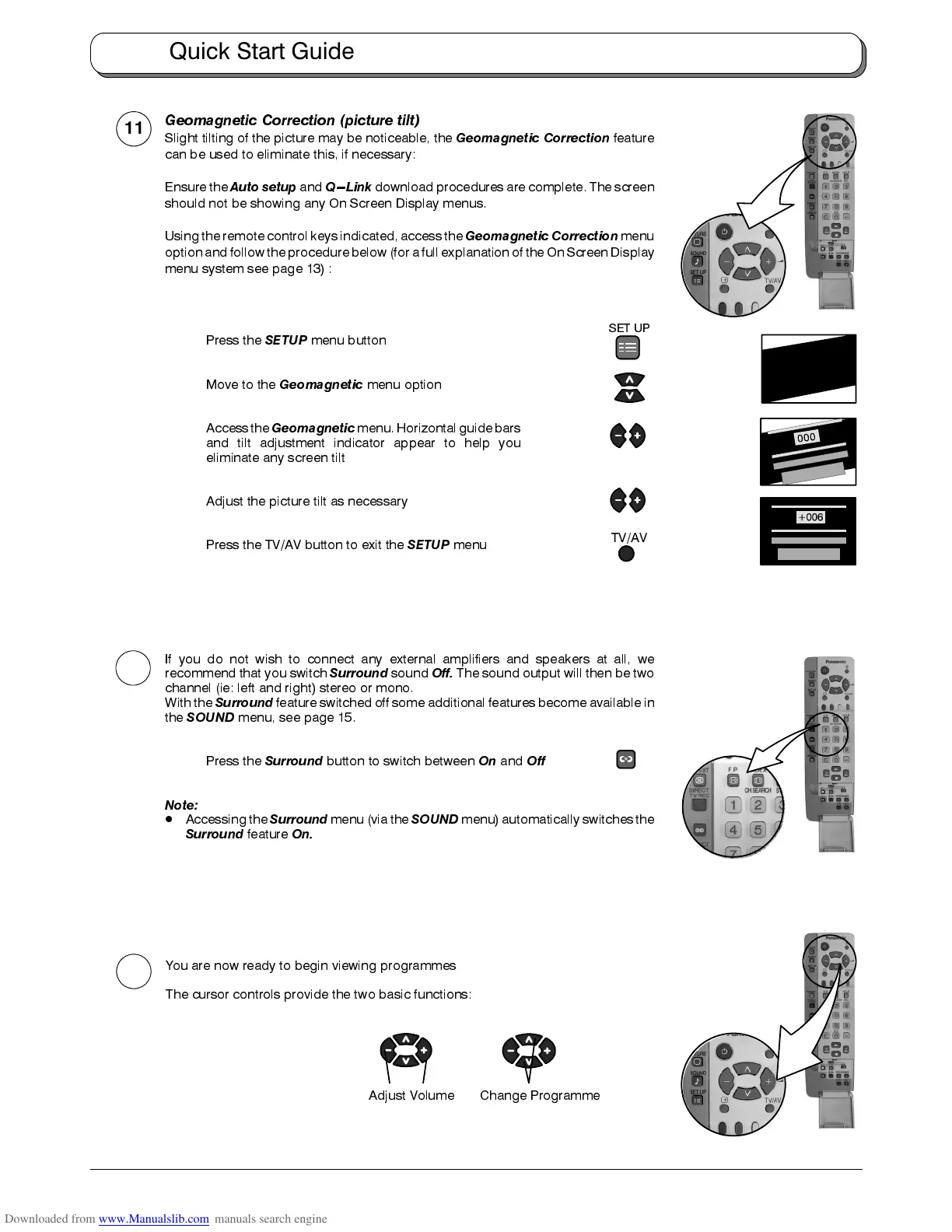
Geomagnetic Correction (picture tilt)
Slight tilting of the picture may be noticeable, the
Geomagnetic Correction
feature
can be used to eliminate this, if necessary:
Ensure the
Auto setup
and
Q---Link
download procedures are complete. The screen
should not be showing any On Screen Display menus.
Using the remote control keys indicated, access the
Geomagnetic Correction
menu
option and follow the procedure below (for a full explanation of the On Screen Display
menu system see page 13) :
Press the
SETUP
menu button
Move to the
Geomagnetic
menu option
Accessthe
Geomagnetic
menu.Horizontal guidebars
and tilt adjustment indicator appear to help you
eliminate any screen tilt
Adjust the picture tilt as necessary
Press the TV/AV button to exit the
SETUP
menu
TV/AV
SET UP
If you do not wish to connect any external amplifiers and speakers at all, we
recommend that you switch
Surround
sound
Off.
The sound output will then be two
channel (ie: left and right) stereo or mono.
With the
Surround
feature switched off some additional features become available in
the
SOUND
menu, see page 15.
Press the
Surround
button to switch between
On
and
Off
Note:
D
Accessing the
Surround
menu (via the
SOUND
menu) automatically switches the
Surround
feature
On.
Quick Start Guide










 To Next Page