15
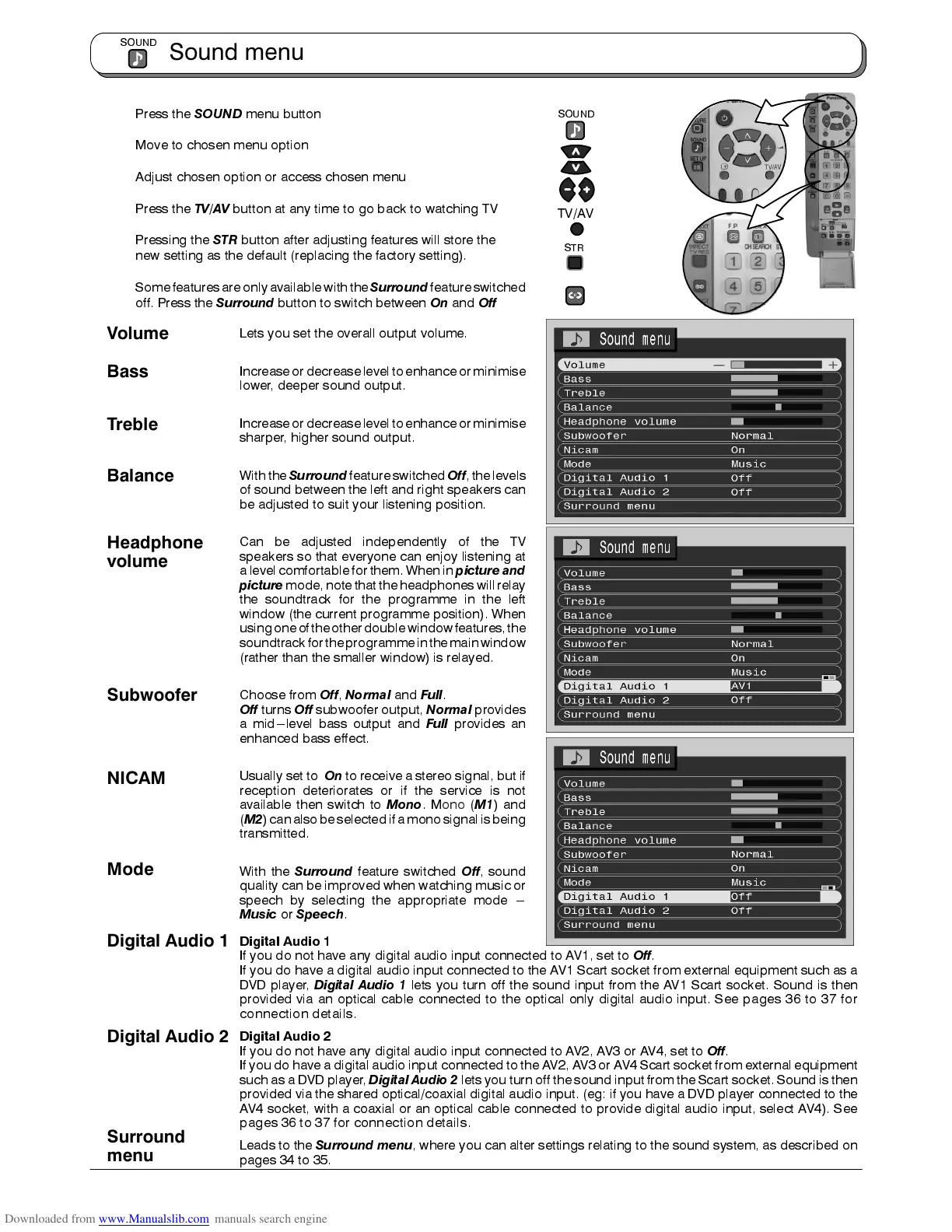
Press the
SOUND
menu button
Move to chosen menu option
Adjust chosen option or access chosen menu
Press the
TV/AV
button at any time to go back to watching TV
Pressing the
STR
button after adjusting features will store the
new setting as the default (replacing the factory setting).
Somefeatures areonly availablewiththe
Surround
featureswitched
off. Press the
Surround
button to switch between
On
and
Off
Lets you set the overall output volume.
Increase ordecrease levelto enhanceor minimise
lower, deeper sound output.
Increase ordecrease levelto enhanceor minimise
sharper, higher sound output.
With the
Surround
feature switched
Off
, thelevels
of sound between the left and right speakers can
be adjusted to suit your listening position.
Can be adjusted independently of the TV
speakers so that everyone can enjoy listening at
a level comfortable for them. When in
picture and
picture
mode, notethat the headphones willrelay
the soundtrack for the programme in the left
window (the current programme position). When
usingoneof theother doublewindow features,the
soundtrackforthe programmeinthemainwindow
(rather than the smaller window) is relayed.
Choose from
Off
,
Normal
and
Full
.
Off
turns
Off
subwoofer output,
Normal
provides
a mid---level bass output and
Full
provides an
enhanced bass effect.
Usually set to
On
to receive a stereo signal, but if
reception deteriorates or if the service is not
available then switch to
Mono
.Mono (
M1
) and
(
M2
)can alsobe selectedif amono signalis being
transmitted.
With the
Surround
feature switched
Off
, sound
quality can be improved when watching music or
speech by selecting the appropriate mode ---
Music
or
Speech
.
Digital Audio 1
If you do not have any digital audio input connected to AV1, set to
Off
.
If you do have a digital audio input connected to the AV1 Scart socket from external equipment such as a
DVD player,
Digital Audio 1
lets you turn off the sound input from the AV1 Scart socket. Sound is then
provided via an optical cable connected to the optical only digital audio input. See pages 36 to 37 for
connection details.
Digital Audio 2
If you do not have any digital audio input connected to AV2, AV3 or AV4, set to
Off
.
If you do have a digital audio input connected to the AV2, AV3 or AV4 Scart socket from external equipment
such as a DVD player,
Digital Audio 2
lets you turn off the sound input from the Scart socket. Sound is then
provided via the shared optical/coaxial digital audio input. (eg: if you have a DVD player connected to the
AV4 socket, with a coaxial or an optical cable connected to provide digital audio input, select AV4). See
pages 36 to 37 for connection details.
Leads to the
Surround menu
, where you can alter settings relating to the sound system, as described on
pages 34 to 35.
Sound menu
SOUND
TV/AV
SOUND
STR
Bass
Treble
Volume
Headphone
volume
NICAM
Subwoofer
Digital Audio 1
Surround
menu
Balance
Mode
Digital Audio 2











 To Next Page