22
Shipping condition allows you to reset the TV to its original condition, i.e. no channels tuned in.
This is useful, for example, if you move to a different area when you will probably want the TV to tune itself to your new local stations.
This can be done either through the
Shipping condition
menu or through the
Auto setup
menu.
The
Shippingcondition
menuwill resetall data,clearing alltuning informationand resettingall controllevels backto factorysettings.
You may need to adjust your VCR or programme position ‘0’ VCR after operating the
Shipping condition
menu
--
refer to page 29.
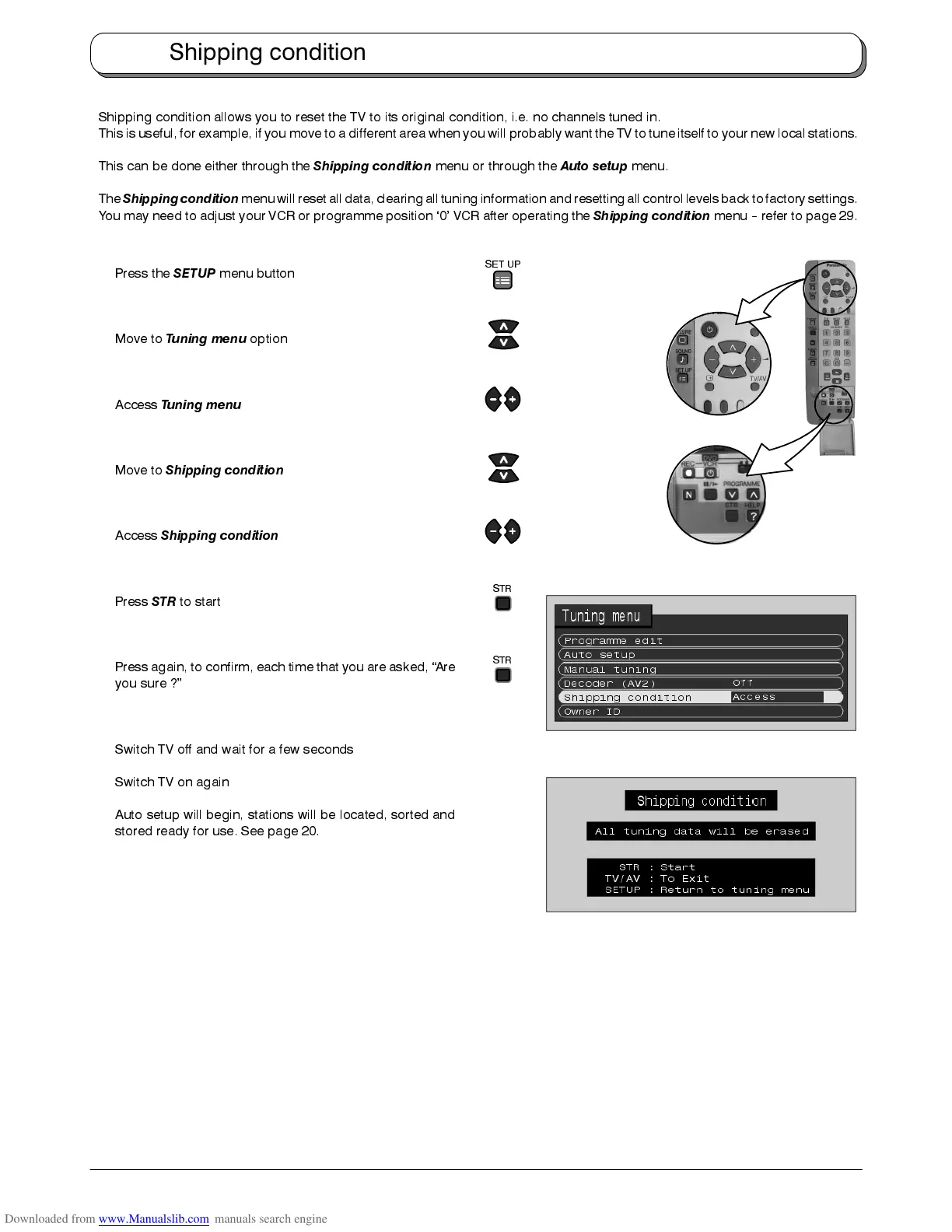
Press the
SETUP
menu button
Move to
Tuning menu
option
Access
Tuning menu
Move to
Shipping condition
Access
Shipping condition
Press
STR
to start
Press again, to confirm, each time that you are asked, “Are
you sure ?”
Switch TV off and wait for a few seconds
Switch TV on again
Auto setup will begin, stations will be located, sorted and
stored ready for use. See page 20.
Shipping condition
STR
STR
SET UP











 To Next Page