- 38 -
2. Select the mode with / and press OK to set
DVB-S / DVB-C / DVB-T / Analogue
3. Press GUIDE to view TV Guide
●
Press again to change the layout (Landscape / Portrait).
– View Landscape to see several channels.
– View Portrait to see one channel by time.
●
Depending on the country you select, you can select the TV Guide type.
(Default Guide)
Settings Setup Display Settings
– If you set Default Guide to Channel List, the channel list will appear
when pressing GUIDE.
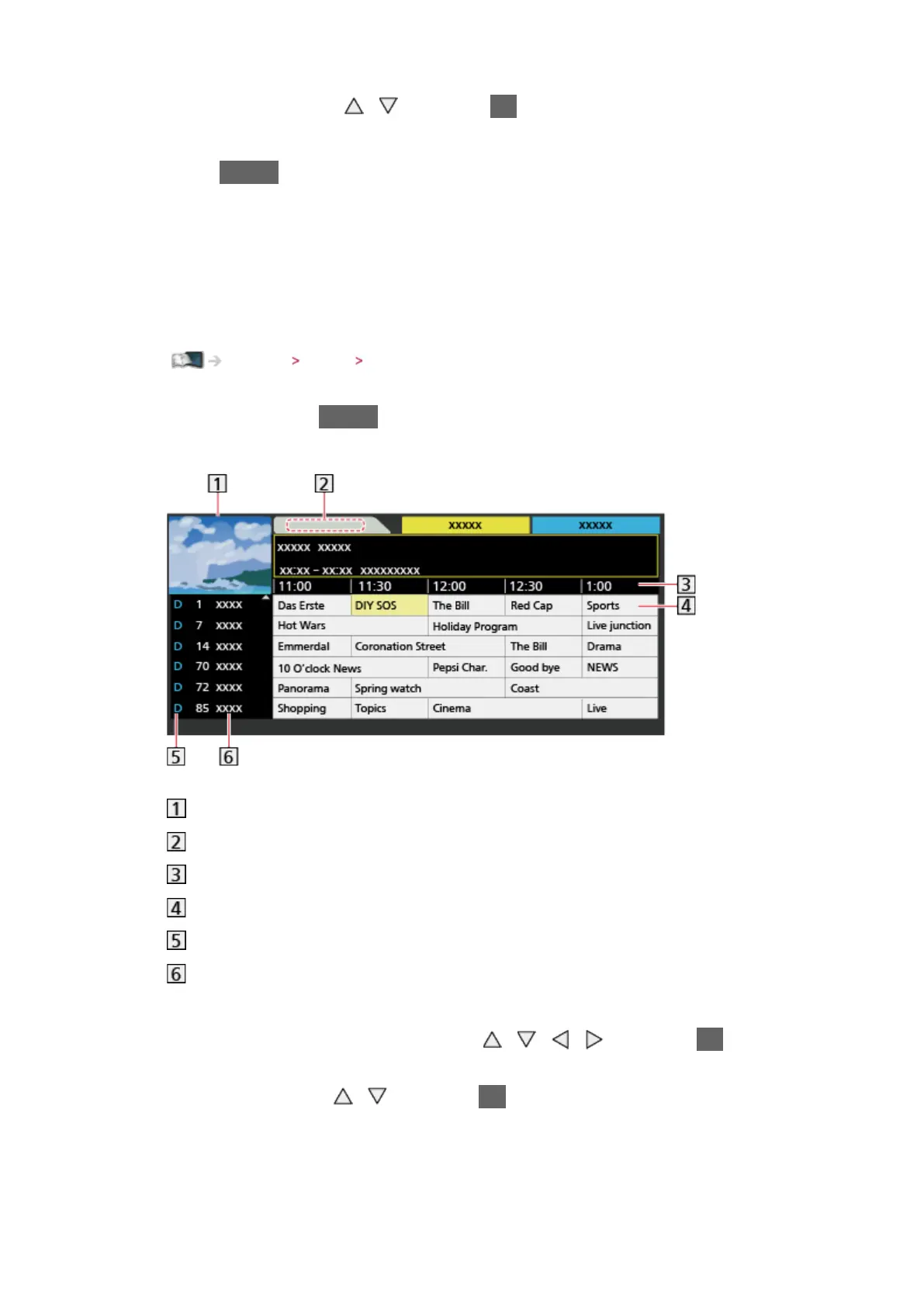
(Example)
TV screen
TV Guide date
TV Guide time
Programme
D (DVB-T) / A (Analogue)
Channel position and name
●
To watch the programme
1) Select the current programme with
/ / / and press OK to
access
2) Select View with
/ and press OK to access (DVB)
– To use timer programming, select Timer Programming.
(Depending on the country you select, you can also set Signal
Supported Recording.)








 To Next Page