39
Making Copies
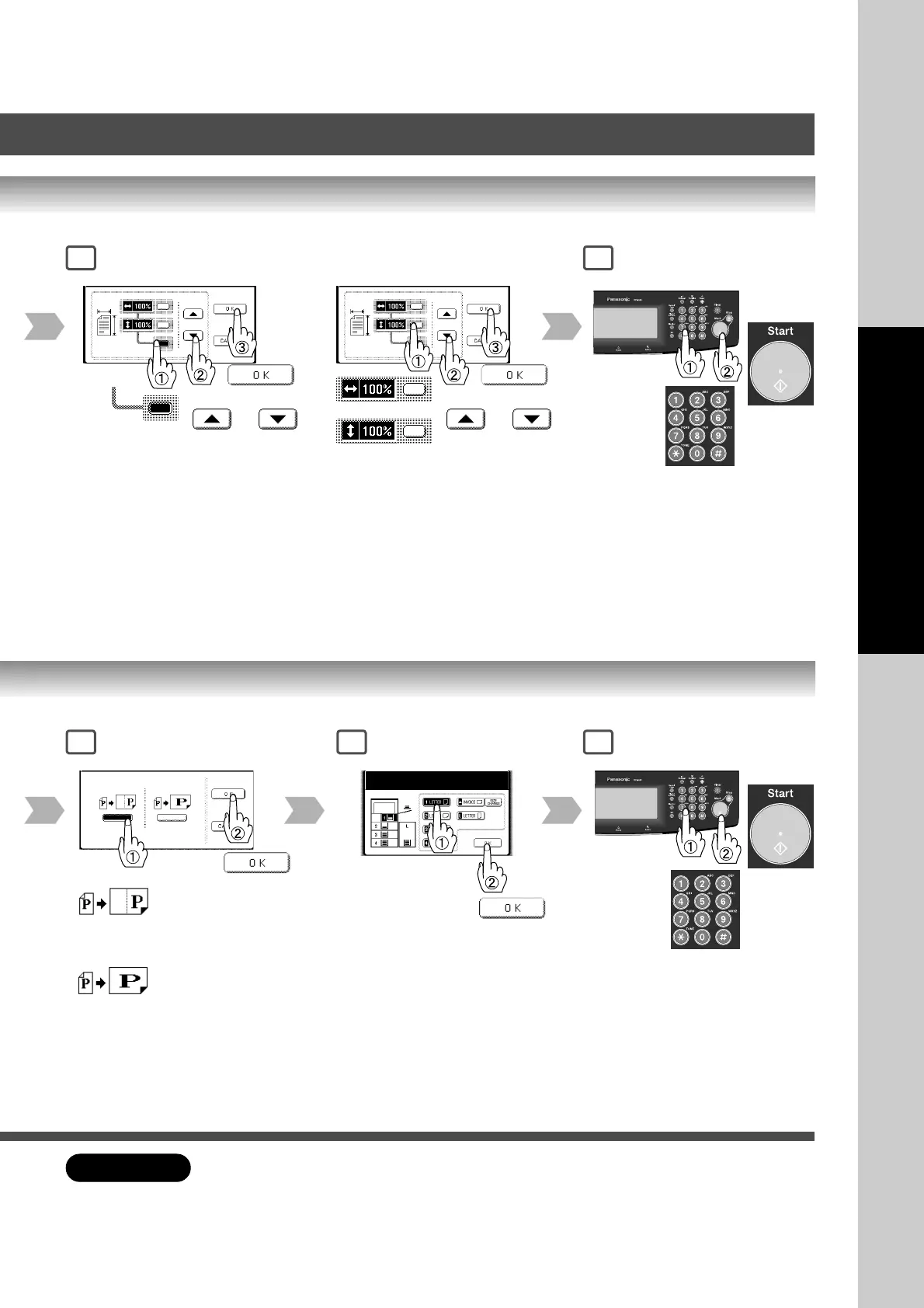
3 4
or
Same vertical and
horizontal ratio
25% - 400%
or
or Keypad
Different vertical and
horizontal ratio
25% - 400%
or
or Keypad
or
Number
of Copies
∗
2
∗
2
3 5
Number
of Copies
Enlarged or reduced
according to the vertical/
horizontal size of the
paper.
Paper Size
(Paper Tray)
Enlarged or reduced
according to both
vertical/horizontal size of
the paper.
4
ATTENTION
● When changing the paper size after setting the zoom ratio, use the PAPER TRAY button.
If paper size is changed with Copy size key, zoom ratio will be changed.
∗
2:Zoom Ratio
If using the keypad to set the zoom ratio,
press the CLEAR key first to reset the
current zoom ratio mode.









 To Next Page