• Default: 24h
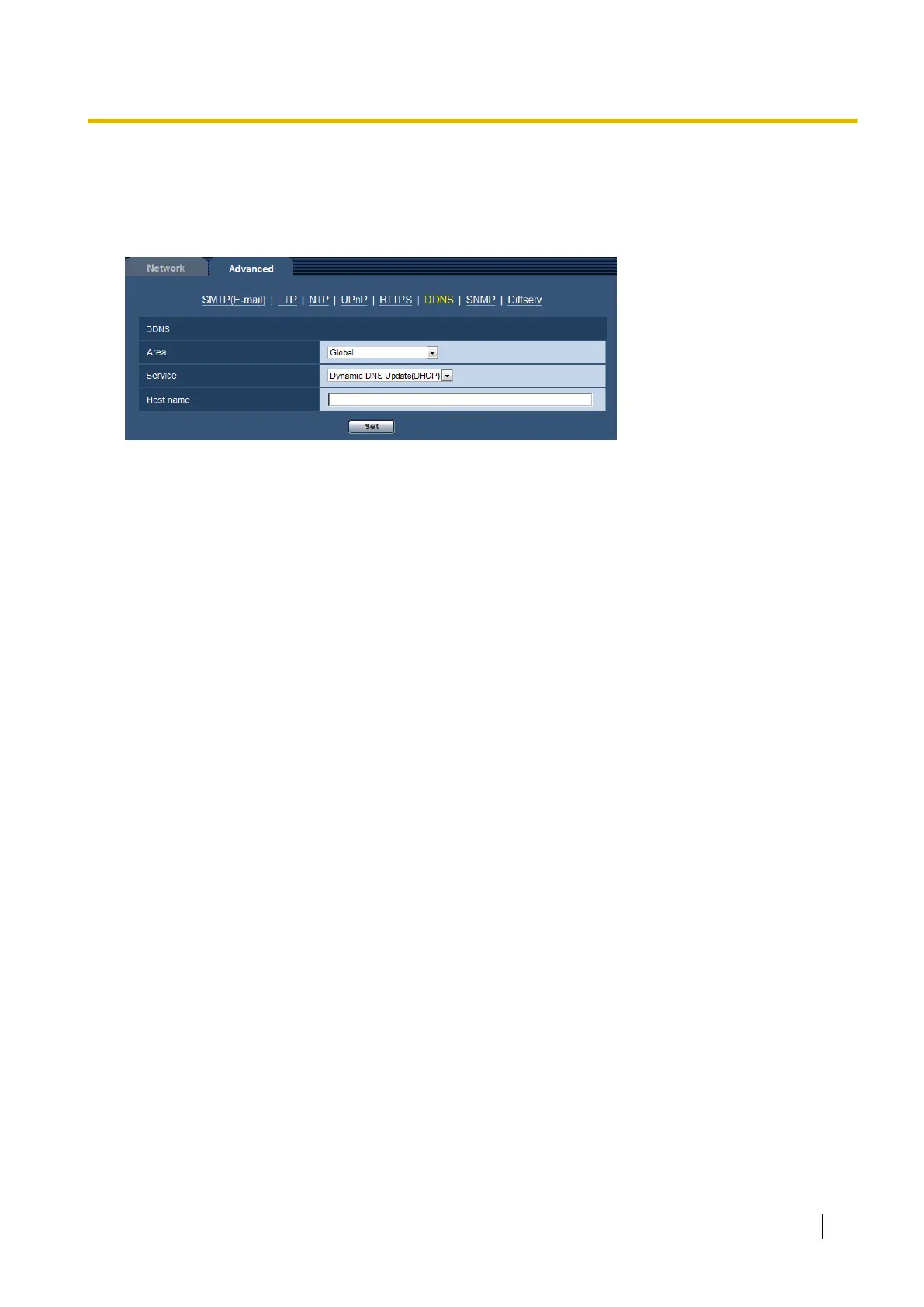
16.5.6 When using “Dynamic DNS Update(DHCP)”
[Host name]
Enter the host name to be used for the Dynamic DNS Update service.
• Available number of characters: 3 - 250 characters
Enter in the form of “(host name). (domain name)”.
• Available characters: Alphanumeric characters, the colon (:), the period (.), the underscore (_), and the
hyphen (-).
• Default: None (blank)
Note
• Refer to the network administrator for further information about the available host names.
Operating Instructions 175
16 Configuring the network settings [Network]








 To Next Page