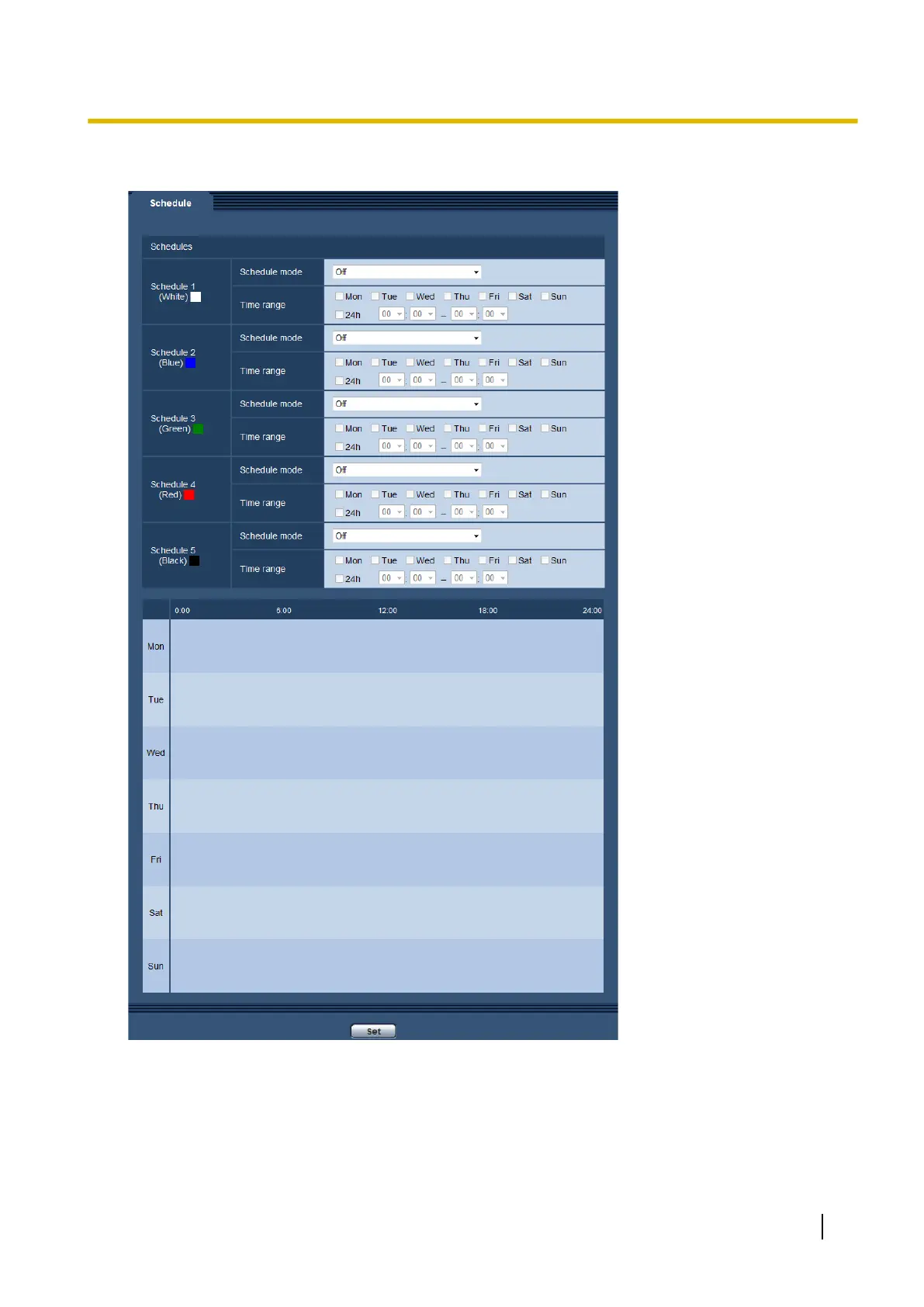
Up to 5 schedules can be set.
1. Select an action to be assigned to the schedule from “Schedule mode”.
“Off” is selected at the default.
• Off: No action will be taken for the respective schedule.
• Alarm permission: Alarm input (terminal alarm) will be received during the period of the schedule.
• VMD permission: The video motion detection (VMD) function will be active during the period of the
schedule.
Operating Instructions 177
17 Configure the settings relating to the schedules [Schedule]








 To Next Page