EasyManua.ls Logo

Panasonic WX-CC411 - User Manual

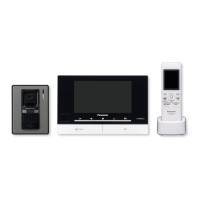
Panasonic WX-CC411
84 pages
Print Icon
To Next Page IconTo Next Page
Loading...
Operating Instructions <Installation Guide>
Center Module
Model No.
WX-CC411
WX-CC412
Installation Instructions provided
English Français
Before attempting to connect or operate this product,
please read these instructions carefully and save this manual for future use.
No model number suffix is shown in this Operating Instructions.

Table of Contents

Questions and Answers

  • J
    james10Aug 27, 2025
    What to do if I can't upload message voice source files to Panasonic WX-CC411 Intercom System?
    • J
      Jennifer PetersAug 27, 2025
      If you're unable to upload message voice source files to the Panasonic Intercom System, check these points: * Make sure an SD card is inserted. Uploading isn't possible without one. You can verify this by checking if the remaining capacity displays '----------KB/----------KB' when you click the [SD memory card] button in the Setup menu. * Ensure there is enough free space on the SD card for the files you're trying to upload. Files larger than the available space cannot be uploaded. * Verify that the SD card is not locked. Files cannot be uploaded if the SD card is in the locked position.
  • K
    Kristine RichardsonSep 4, 2025
    Why aren't the images from Network Cameras showing on my Panasonic WX-CC411 Center Module?
    • K
      kathy14Sep 4, 2025
      If images from the Network Cameras are not displaying on the Panasonic Intercom System Center Module, verify that the IP address and port number of the Network Cameras are correct. Also, confirm that the authentication settings for the network cameras and the “Network Camera settings” of this unit are the same.
  • T
    Tracy GriffinNov 11, 2025
    Why can't I access the Panasonic Intercom System Center Module via the Internet?
    • A
      Andrew PerkinsNov 11, 2025
      To resolve the issue of accessing the Panasonic Intercom System Center Module via the Internet: * Ensure the network settings for the Center Module, including the default gateway and DNS server address, are correctly configured. If you're using a DDNS service, verify its settings. * Confirm that the 'default gateway' is properly set for the network. * Check if port forwarding is enabled on your router. If your router lacks the UPnP function, you'll need to manually set up port forwarding to allow access to the Center Module over the Internet. Consult your router's manual for instructions. * Verify that the router's UPnP function is enabled. Refer to your router's manual for guidance. * Make sure that packet filtering or any other security tools on your router are not blocking In...
  • A
    Amanda LiNov 18, 2025
    How to fix access issues to Panasonic WX-CC411 Intercom System from a web browser?
    • S
      Steve JonesNov 18, 2025
      If you cannot access the Panasonic Intercom System from a web browser, consider the following: * Ensure you are using a Category 5e or higher cable to connect to the network connector. * Check if the link lamp is lit. If not, the LAN connection may be faulty or the network itself may be malfunctioning. Verify the cable connections and wiring. * Confirm that the Center Module is powered on. * Verify that you are using the correct IP address. In the Windows command prompt, use the 'ping' command to check the connection. If you don't receive a 'Reply', double-check the IP address of the Center Module. * Ensure the IP address is unique and not used by another device. If it is, assign a different IP address. * Verify that the network subnet mask is properly configured. If the Cente...

Panasonic WX-CC411 Specifications

Power IconPower
power supply120 V AC, 60 Hz
power consumption11 W
outside speaker power1.25 W, 8 Ω
AUX speaker power1.25 W, 8 Ω
Operating Environment IconOperating Environment
operating frequency1 920 MHz-1 930 MHz
ambient operating temperature–10 °C to +50 °C
Weight and Dimensions IconWeight and Dimensions
dimensions404 mm (W) x 265 mm (H) x 69 mm (D)
weight2.3 kg

Related product manuals