6 Getting Started
Getting Started
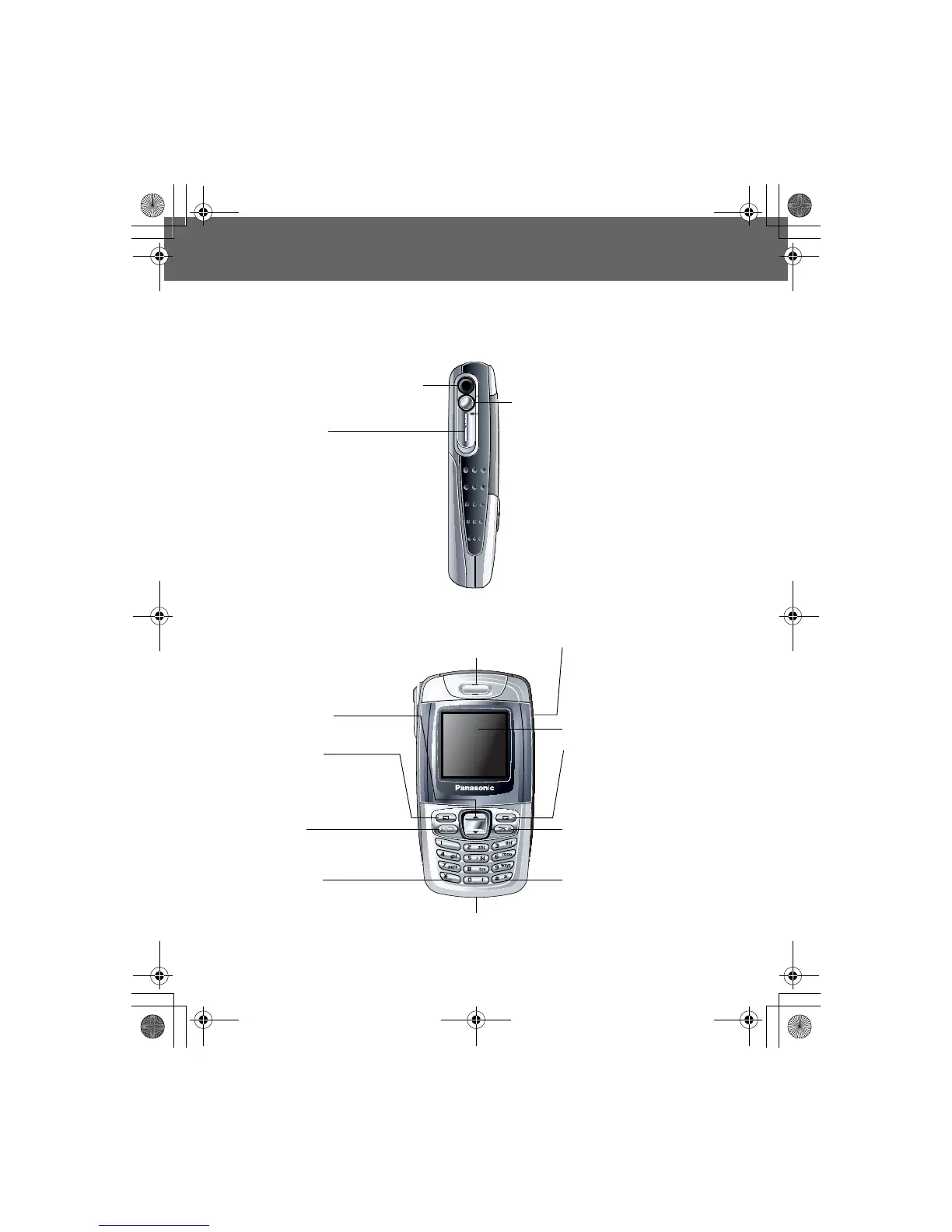
Your phone
(Side view)
(Front view)
Camera Lens
Lens Cover:
Slide halfway down to activate
the camera.
Slide the cover all the way down
to pop open the display.
Earpiece
Display
Shutter Key:
Take a picture/record a
video clip.
Switch Camera Preview
mode on.
Navigation Key:
Scroll/move through menus.
Right Soft Key:
Cancel/Exit.
Perform functions indicated
in the lower right-hand
corner of the display.
Power/End Key:
Press and hold to switch
the phone on/off.
Silent Mode Key:
Press and hold to switch
the Silent Mode on/off.
Charging
Connector
Asterisk Key:
Press and hold to activate
the Browser.
Send Key:
Answer/make a call.
Left Soft Key:
Perform functions indicated
in the lower left-hand corner
of the display.
Self-portrait Mirror













 To Next Page