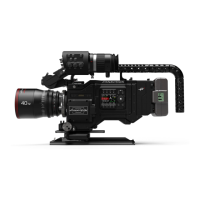
PANAFLEX MILLENNIUM
assembly
3.8 Follow focus
The Millennium comes standard with
a modular follow focus unit consisting of:
■
Follow focus adapter plate
■
Modular follow focus gear box
■
Single speed knob
■
Dual speed knob
■
Extension
■
Whip
■
Speed crank
Please note that all follow focus devices includ-
ing modular follow focus adapters, standard
follow focus and remote follow focus motors
must be configured for Panastar use.
The follow focus adapter plate mounts to the
camera just below the lens port. Push the
adapter onto the stud located below and to the
left (viewed from front) of the lens port, then
pivot the right edge up into the lock plunger.
To remove, pull out lock plunger, pivot adapter
downward and pull off of the stud. The adapter
may be left in place during transport.
The gear box and single speed knob are shipped
as a unit. The gear box slides into the dovetail on
the adapter plate and locks from the front. If a
dual speed knob or extension are required,
remove the single speed knob by rotating the
lock lever on the knob and pulling from the gear
box. Install the dual speed knob or extension by
pushing it onto the gear box and locking it. To
ensure proper operation, be sure the key in the
end of the knob or extension is properly engaged
into the slot in the gear box.



 To Next Page