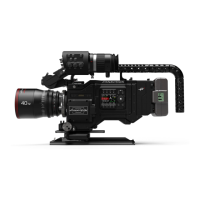
PANAFLEX MILLENNIUM
viewfinder
6.2 Hand held eyepiece
To unlock the eyepiece lock, press the safety
button and rotate the lock down. Gently pull
the eyepiece off.
Each eyepiece has a notch that matches a key in
the lock. Make sure that the notch and key are
properly aligned, then rotate the lock in the
direction of the lock arrow.
To set the left, center or right viewing position,
press the lock button on the eyepiece, and
rotate the eyepiece to the desired position.
There are detent positions for left, center and
right.
Panaclear is used to keep the eyepiece fog free.
If conditions require, plug the Panaclear into a
top or back handle equipped with a Panaclear
plug. Panaclear handles also have on/off
switches.
To properly focus the eyepiece, first defocus
the camera lens and rotate the diopter focus
ring to achieve the best crosshair focus on the
ground glass. A white marker ring around the
focus may be marked with a pencil for individual
settings.



 To Next Page