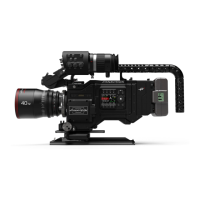
PANAFLEX MILLENNIUM chapter title
viewfinder
6.1 Focus tube
To add or reduce drag to the eyepiece knuckle, rotate pivot lock.
To select spherical or anamorphic, rotate the selector to
spherical or anamorphic.
To open and close the eyepiece, rotate the open/close eye selec-
tor. This selector should be closed if film is being shot and no
operator is viewing the scene through the eyepiece.
To compensate for lighting situations, rotate the video iris
control open or closed.
The spring-loaded neutral density selector reduces the amount
of light being passed through the viewing system, compensating
for very bright lighting situations. Normal filters are ND 0.6
and ND 0.9.
The focus tube may be removed from the camera when remote
crane or Steadicam operation is desired.
To remove the focus tube it is best to remove any attached eye-
piece first. Unlock the safety lock located on the front of the
video tube just below the video iris. Push in and hold the focus
tube lock, then gently pull up on the focus tube and slide it off
of the camera body. It may be easier to pull with the hand hold-
ing the focus tube lock and push the tube from the bottom with
the other hand.
After removal of the focus tube, the video cover should be
closed and locked to protect the window and prevent any
unwanted light from entering the video path. This is best done
by applying pressure with your thumb to the edge of the door
which is located at the bottom of the video tube still attached to
the camera. Once hinged down, close the door and lock it by
rotating the focus tube knob using your fingertip.
To reinstall, unlock and open the video door making sure that
it is completely stored and locked. Align the yellow marks on
either the front or back of the focus tube with the correspon-
ding marks on the video tube, making sure the focus tube is flat
against the video tube.
Push and hold the focus tube lock and gently slide the focus
tube down into the dovetail, making sure the focus tube reach-
es the bottom and the lock is properly engaged. Rotate the safe-
ty lock in the direction of the lock arrows.
The Panaglow is used to illuminate the format markings when
shooting against a dark background or in low light conditions.
Slide the switch to activate the Panaglow and rotate the inten-
sity wheel to control brightness.



 To Next Page