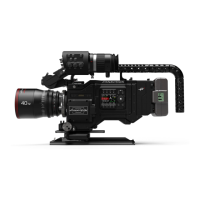
PANAFLEX MILLENNIUM
video assist
8.1 Video assist controls
COLOR:
■
Color: provides color picture output.
■
Test: displays color bars.
■
B/W: provides black and white picture output.
COLOR TEMP:
■
Auto: automatically adjusts color temperature
balance.
■
3200: selects tungsten color balance.
■
5600: selects daylight color balance.
GAIN:
■
Auto: automatically adjusts video gain levels to
compensate for bright or dark scene contrast.
■
Fixed: provides a fixed 5db gain boost.
■
ADJ: used in conjunction with the video gain
switch to set multiple fixed gain settings. Push the
Line/Video Gain switch left or right to increase
or decrease gain.
COMP/FRZ/NML:
■
NML: provides normal video output.
■
FRZ: freezes the picture allowing for the mov-
ing of the camera or subject.
■
COMP: overlays the frozen image with a live
image for proper alignment of the camera or
subject.
FRAME RATE:
■
Auto: provides flicker-free video output to all
camera speeds.
■
30: outputs single field resolution video.
■
60: outputs dual field resolution video .
■
Off/On: turns video off or on.



 To Next Page