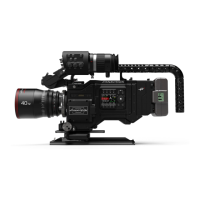
PANAFLEX MILLENNIUM
video assist
8.2 Frame line
and character generator controls
■
Char Size: pressing this button multiple times
scrolls through various options of character size,
Panatape display, and character off.
■
Mask Gain: used to electronically mask areas
outside of the frame lines.
-:
lightens the mask.
+:
darkens the mask.
■
Line/Video Gain: controls the brightness of the
frame lines or video gain.
-:
brightens the the frame lines.
+:
darkens the frame lines.
■
Position: used to move frame lines in/out and
up/down.
■
Select: pressing select will step through the
options of establishing A & B frame lines, select-
ing dashed or solid frame lines, and mask on/off.
FLG:
■
A: displays the A frame lines and masks.
■
B: displays the B frame lines and masks.
■
A&B: overlaps both frame lines.
■
0: turns all frame lines and masks off.
To Set Frame Lines:
■
Set FLG to A or B, press select until left hand
frame line flashes.
■
Use the Position switch to move the frame line
to the desired position. Press Select, and the top
frame line will start to flash, allowing use of the
position switch to move the frame line to the
desired position. Repeat for the rest of the frame
lines.
Electronic De-Anamorphoser:
■
To de-anamorph the video image, simultaneous-
ly move Position and Mask Gain to the right and
hold 1 to 2 seconds. To return to normal, simul-
taneously move Position and Mask Gain to the
left and hold 1 to 2 seconds.



 To Next Page