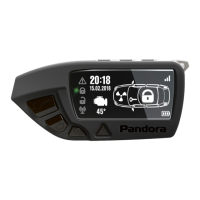
Car service and security system Pandora Elite
GPS RECEIVER
ON
OFF
SAVE
BACK
BACK
BACK
BACK
BACK
switching on GPS/GLONASS receiver
switching o GPS/GLONASS receiver
save settings
GSM MODEM
ON
OFF
SAVE
switching on GSM modem
switching o GSM modem
save settings
VALET MODE
ON
OFF
SAVE
enabling valet mode
disabling valet mode
save settings
SETTINGS > SOUND
ON
OFF
SAVE
enabling sound notication of the remote
disabling sound notication of the remote
save settings
SETTINGS > VIBRO
ON
OFF
SAVE
switching on vibration
switching o vibration
save settings
BACK
SETTINGS > RFM LOST
OFF
WARNING
disabling radio channel control
warning level
alarm level
ALARM
BACK
SETTINGS > P-ON NOTIFY
ON
OFF
SAVE
enabling notications from pandora-on.com
disabling notications from pandora-on.com
save settings
BACK
SETTINGS > LANGUAGE
RUSSIAN
ENGLISH
menu in Russian
menu in English
BACK
SETTINGS > WIDGETS
enable on-board voltage widget
on the main screen
enable interior and engine t
O
C widget
on the main screen
enable fuel amount left widget on the
main screen
VOLTAGE
TEMPERATURE
FUEL
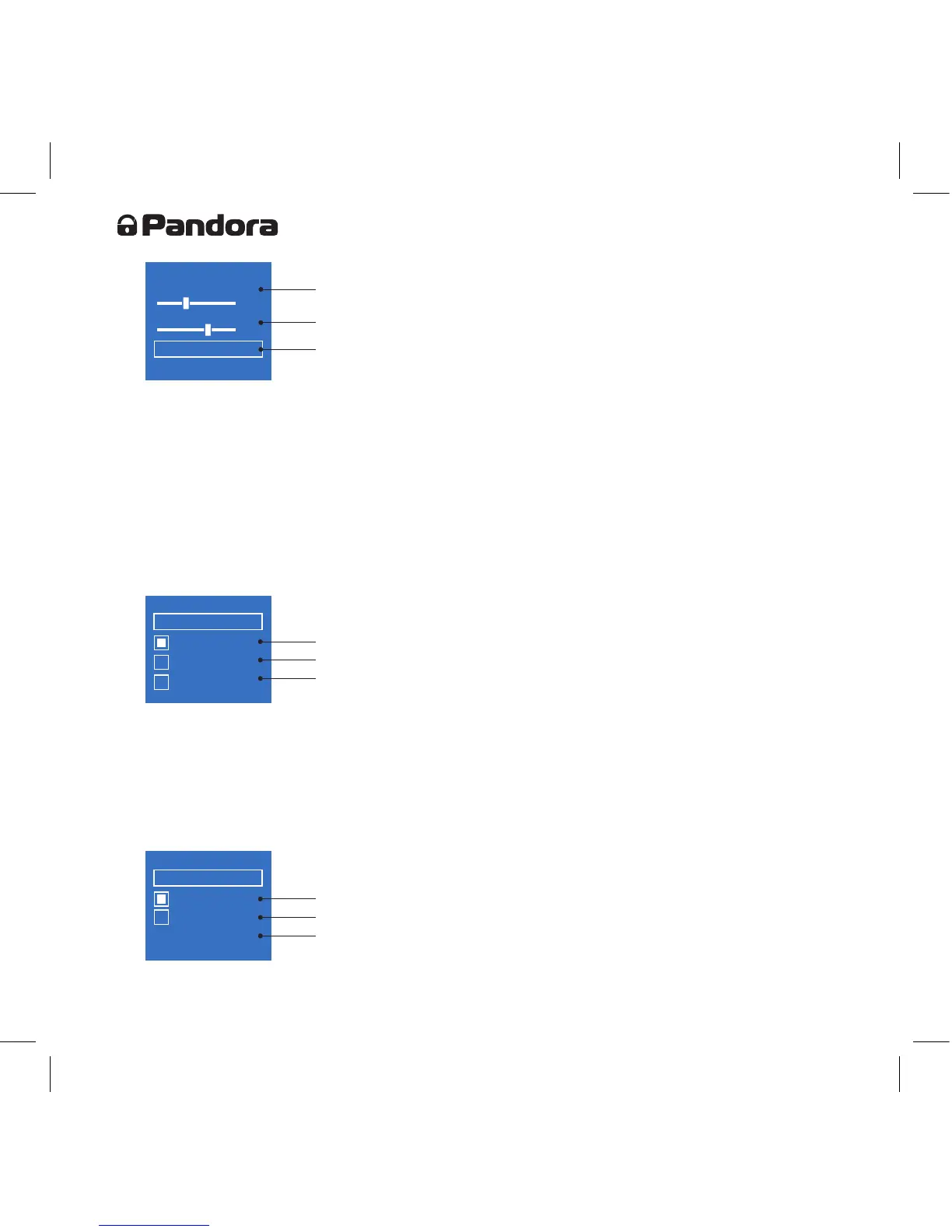
adjustment bar for the brightness
of the LCD
adjustment bar for the duration
of the LCD
save settings
SETTINGS > BACKLIGHT
MAX BRIGHTNESS
DURATION
15
34
SAVE
SETTINGS
1. SOUND
2. VIBRO
3. BACKLIGHT
4. RFM LOST
BACK
To enter and exit adjustment bar use button 5, adjust parameters on the bars using buttons 4 (lower
brightness) and 6 (raise brightness). Brightness can be adjusted between 0 (disable backlight) and 50
(highest brightness).
Full path to this settings menu: Main Menu>>11.SETTINGS>>3.BACKLIGHT
Radio channel control settings
To adjust radio channel control, select RFM LOST option in the SETTINGS menu using navigation
buttons (4 and 6) and conrm it with button 5 short press:
Full path to this settings menu: Main Menu>>11.SETTINGS>>4.RFM LOST
Adjusting notifications from pandora-on.com
To adjust notifications from pandora-on.com, select P-ON NOTIFY option in the SETTINGS
menu using navigation buttons (4 and 6) and conrm it with button 5 short press:
GPS RECEIVER
ON
OFF
SAVE
BACK
BACK
BACK
BACK
BACK
switching on GPS/GLONASS receiver
switching o GPS/GLONASS receiver
save settings
GSM MODEM
ON
OFF
SAVE
switching on GSM modem
switching o GSM modem
save settings
VALET MODE
ON
OFF
SAVE
enabling valet mode
disabling valet mode
save settings
SETTINGS > SOUND
ON
OFF
SAVE
enabling sound notication of the remote
disabling sound notication of the remote
save settings
SETTINGS > VIBRO
ON
OFF
SAVE
switching on vibration
switching o vibration
save settings
BACK
SETTINGS > RFM LOST
OFF
WARNING
disabling radio channel control
warning level
alarm level
ALARM
BACK
SETTINGS > P-ON NOTIFY
ON
OFF
SAVE
enabling notications from pandora-on.com
disabling notications from pandora-on.com
save settings
BACK
SETTINGS > LANGUAGE
RUSSIAN
ENGLISH
menu in Russian
menu in English
BACK
SETTINGS > WIDGETS
enable on-board voltage widget
on the main screen
enable interior and engine t
O
C widget
on the main screen
enable fuel amount left widget on the
main screen
VOLTAGE
TEMPERATURE
FUEL
adjustment bar for the brightness
of the LCD
adjustment bar for the duration
of the LCD
save settings
SETTINGS > BACKLIGHT
MAX BRIGHTNESS
DURATION
15
34
SAVE
SETTINGS
1. SOUND
2. VIBRO
3. BACKLIGHT
4. RFM LOST
BACK
GPS RECEIVER
ON
OFF
SAVE
BACK
BACK
BACK
BACK
BACK
switching on GPS/GLONASS receiver
switching o GPS/GLONASS receiver
save settings
GSM MODEM
ON
OFF
SAVE
switching on GSM modem
switching o GSM modem
save settings
VALET MODE
ON
OFF
SAVE
enabling valet mode
disabling valet mode
save settings
SETTINGS > SOUND
ON
OFF
SAVE
enabling sound notication of the remote
disabling sound notication of the remote
save settings
SETTINGS > VIBRO
ON
OFF
SAVE
switching on vibration
switching o vibration
save settings
BACK
SETTINGS > RFM LOST
OFF
WARNING
disabling radio channel control
warning level
alarm level
ALARM
BACK
SETTINGS > P-ON NOTIFY
ON
OFF
SAVE
enabling notications from pandora-on.com
disabling notications from pandora-on.com
save settings
BACK
SETTINGS > LANGUAGE
RUSSIAN
ENGLISH
menu in Russian
menu in English
BACK
SETTINGS > WIDGETS
enable on-board voltage widget
on the main screen
enable interior and engine t
O
C widget
on the main screen
enable fuel amount left widget on the
main screen
VOLTAGE
TEMPERATURE
FUEL
adjustment bar for the brightness
of the LCD
adjustment bar for the duration
of the LCD
save settings
SETTINGS > BACKLIGHT
MAX BRIGHTNESS
DURATION
15
34
SAVE
SETTINGS
1. SOUND
2. VIBRO
3. BACKLIGHT
4. RFM LOST
BACK


 To Next Page