32
Security-service system Pandora Light
Motion sensor settings
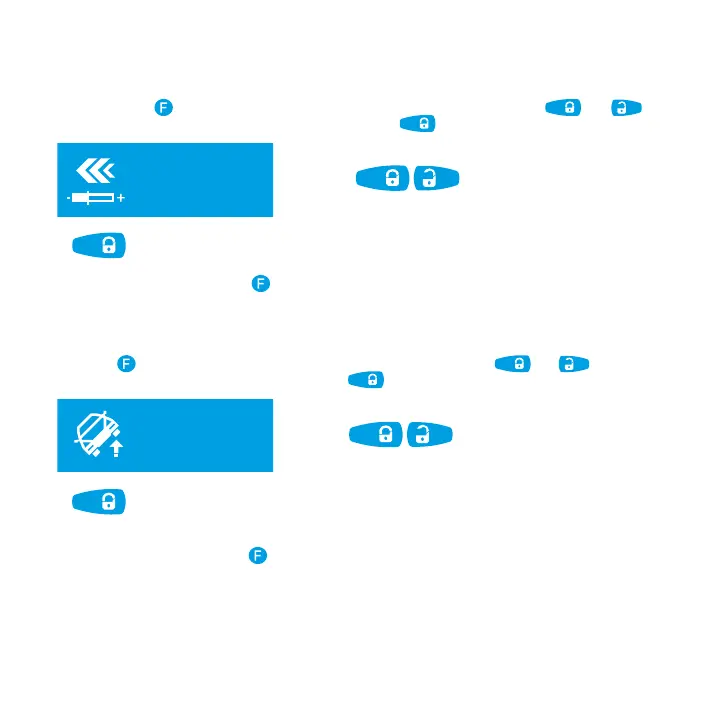
For prompt remote adjusting of motion sensor, select «MOTION SENSOR ADJUSTMENT» submenu by
short presses of
button. The sensor sensitivity can be set with short presses of and
buttons. To save new settings of the sensor, press and hold
for 1 second.
движение
регулировка
датчика движ.
adjusting
mot-n sensor.
level =
32
press and hold for 1 sec. to save
increase decrease
To exit menu, press and hold
button for 1 second.
Tilt sensor settings
For prompt remote adjusting of motion sensor, select «TILT SENSOR ADJUSTMENT» submenu by short
presses of
button. The sensor sensitivity can be set with short presses of and buttons.
To save new settings of the sensor, press and hold
for 1 second.
press and hold for 1 sec. to save
increase decrease
наклон
регулировка
датчика накл.
adjusting
tilt sensor
level =
25
To exit menu, press and hold button for 1 second.



 To Next Page